
Goals, strategies and tactics: what you locked in
Your marketing plan has three layers: one goal for the next twelve months, three strategies for the next 90 days, and the tactics that carry them out, written as action plans. You agree all three with Cora on your session two call, and they are recorded in your strategy document.
- This guide explains what you agreed on your session two call. If you have not had that call yet, read it to see what is coming.
The goal: where you want to be in twelve months
-
Your goal starts in your onboarding call, where Cora plays back three big rocks for you to agree: your numbers today, your twelve month goal, and why it matters to you. See What happens in your onboarding call.
-
On your session two call, Cora turns that goal into a target for each of the next twelve months, starting slowly and rising faster later in the year. To accept Cora monthly goals, click Approve.
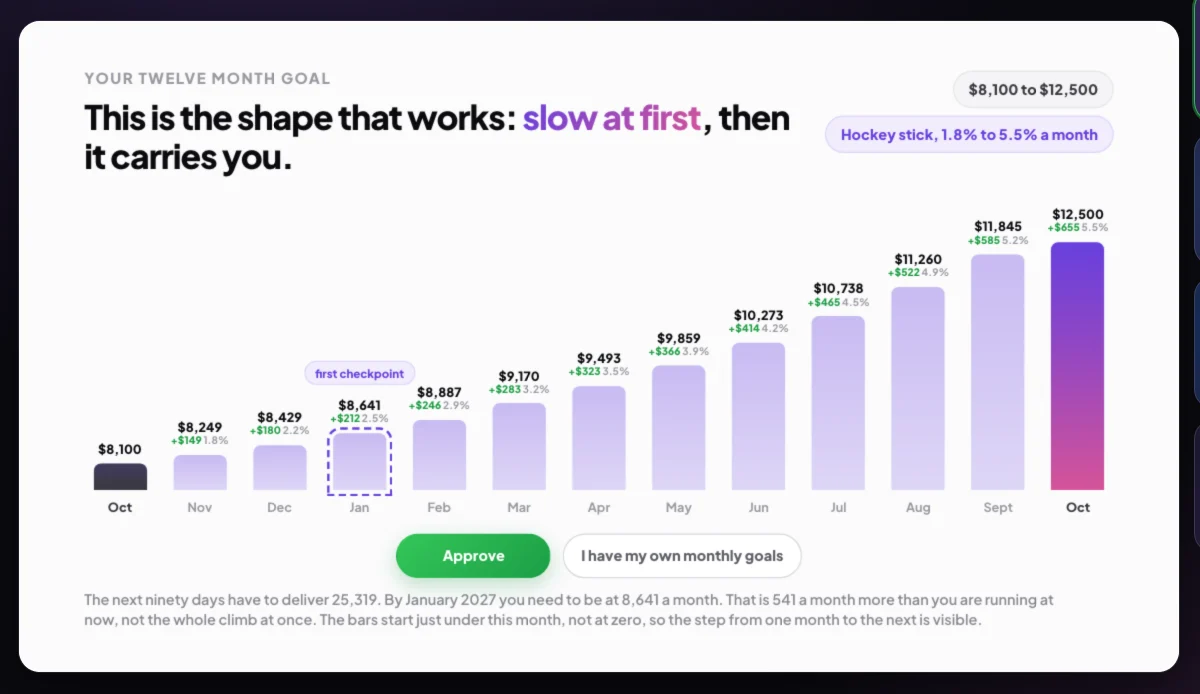
2 Approve Cora's monthly goals, or enter your own. -
To use your own figures instead, click I have my own monthly goals, type a figure for each month, then click Save. Cora works the rest of the plan out from your figures.
The strategies: how you will get there this quarter
-
Cora presents three strategies for the next 90 days. Each one says what you will focus on, what you will deliberately not do, and why, based on your own numbers.
-
On the summary, click Approve or Reject beside each strategy.
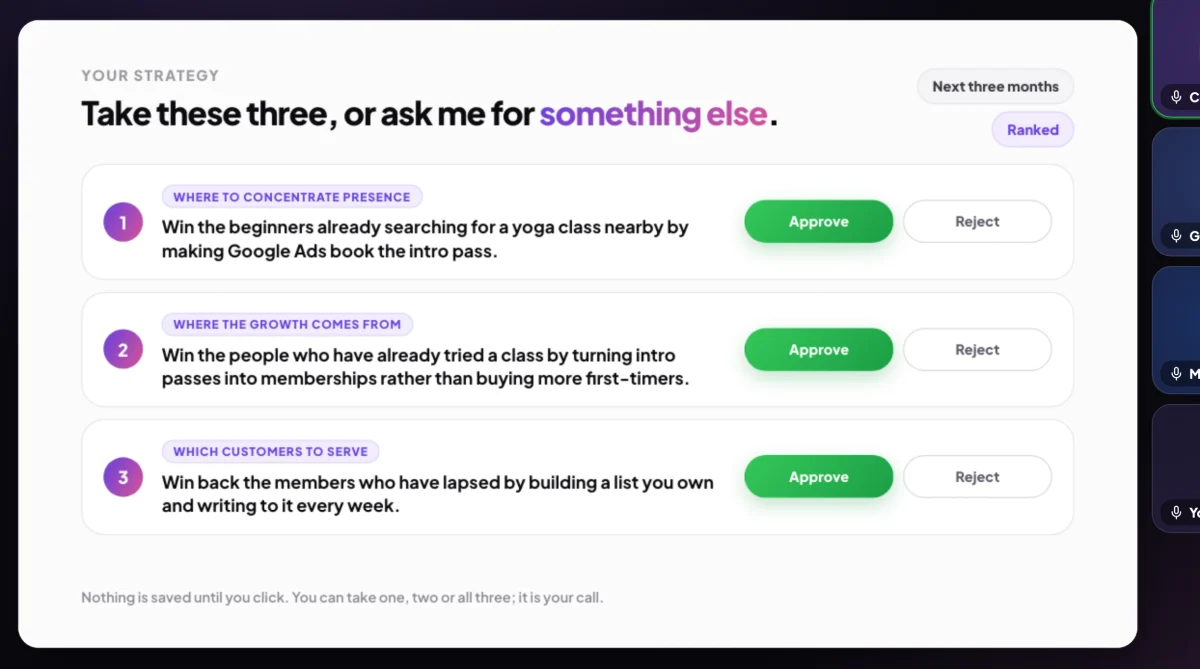
5 Approve or reject each strategy on its own. -
If you reject one, Cora offers alternates. Click Approve on the one you want in its place, or Reject to go ahead without it. You need at least one strategy; Cora recommends three and says so if you keep fewer.
The tactics: your action plans
-
Each strategy comes with action plans: the practical steps that carry it out, each with who runs it and roughly how long it takes. Cora walks you through your first action plan on the call.
-
After the call, in the sidebar, click Projects. Under Your strategies you see Your focus for the next 90 days: how many days are left, how much is complete, and one column per strategy with its action plans. Click Open action plan to start one.
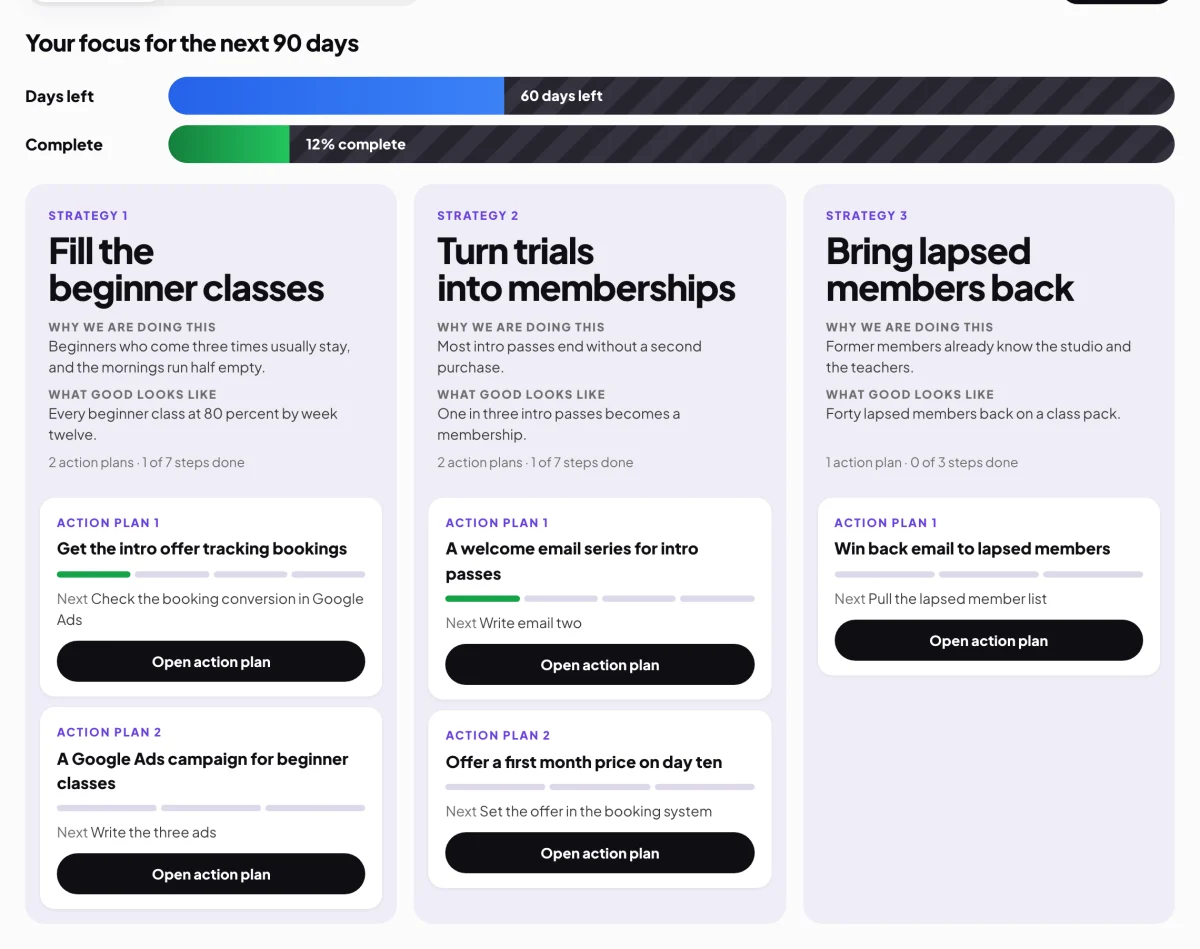
7 Your 90 days, your progress, and each strategy's plans.
What happens next
Everything you agreed is written into your strategy document, with a page for each strategy and every action plan in full. See The strategy document. Your day to day work happens in the action plans under Projects, one step at a time. See Projects and action plans.
Common questions
What is the difference between a strategy and a tactic?
A strategy is a choice about how your business will win over the next 90 days, and it rules some things out. A tactic is a piece of work that carries it out in days or weeks, such as a four email series. Tactics live in your action plans.
Can I change a goal or a strategy after the call?
There is no button in the app to change them, because the strategy document records what you agreed on the day. A call to review your strategy is listed as Coming soon when you book a call. Until it arrives, if something no longer fits, tell Cora in a chat, or send us a message from the contact page.
Why 90 days?
A quarter is long enough for a strategy to show results and short enough to change course. Your Projects page counts the days down so you can see where you are.