
What happens in your strategy session
In your strategy session, which the app calls session two, Cora and Cora's team walk you through what they found in your accounts and the strategy they recommend, and you approve it on screen. It is booked as a 30 minute call, there is nothing to prepare, and at the end you choose a plan and get your strategy document, your action plans and the Design Studio.
- You have finished your onboarding call at least 24 hours ago.
- Your ad accounts are connected. See Connect Google Ads to CoraVision.
- You are somewhere quiet, ideally with headphones on.
Start the call
-
While Cora prepares your strategy, your dashboard counts down under Your marketing strategy will be ready in. When it says Your session two call with Cora is ready., click Start call.
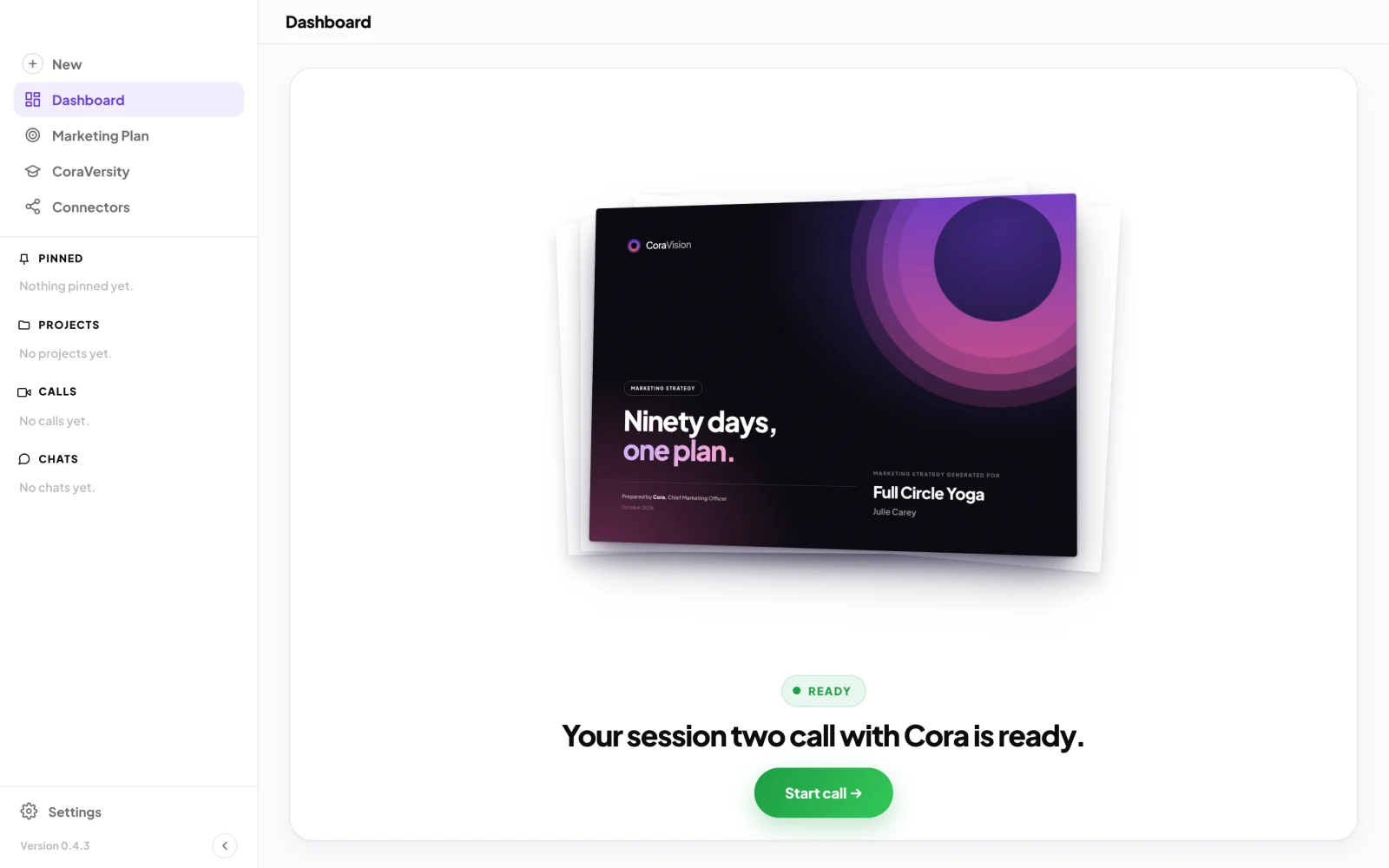
1 Start call opens the call window. -
Click Continue on the quiet place screen, check your sound in the lobby, and click Join now. The steps are in Join a call.
Hear what the team found
-
Listen while Cora welcomes you back and takes you through your customers, how you compare with your industry, your results on each ad platform and your sales funnel. Gage presents your Google Ads and Mira your Meta ads. Your microphone is off while a slide is presented and on when someone asks you something.
TipTo stop for a moment, click Pause meeting in the middle of the bar at the bottom. See Pause and resume a call.
-
When Cora reaches your marketing strategy and plan, Cora shows your twelve month goal split into monthly goals. Click Approve, or change a figure, click Save, and then click Approve.
-
Cora presents the three strategies Cora recommends. On each, click Approve or Reject. If you reject one, Cora shows three more to choose from. Cora then shows an example action plan, the steps that deliver one of your strategies, and your two scores: performance and trust.
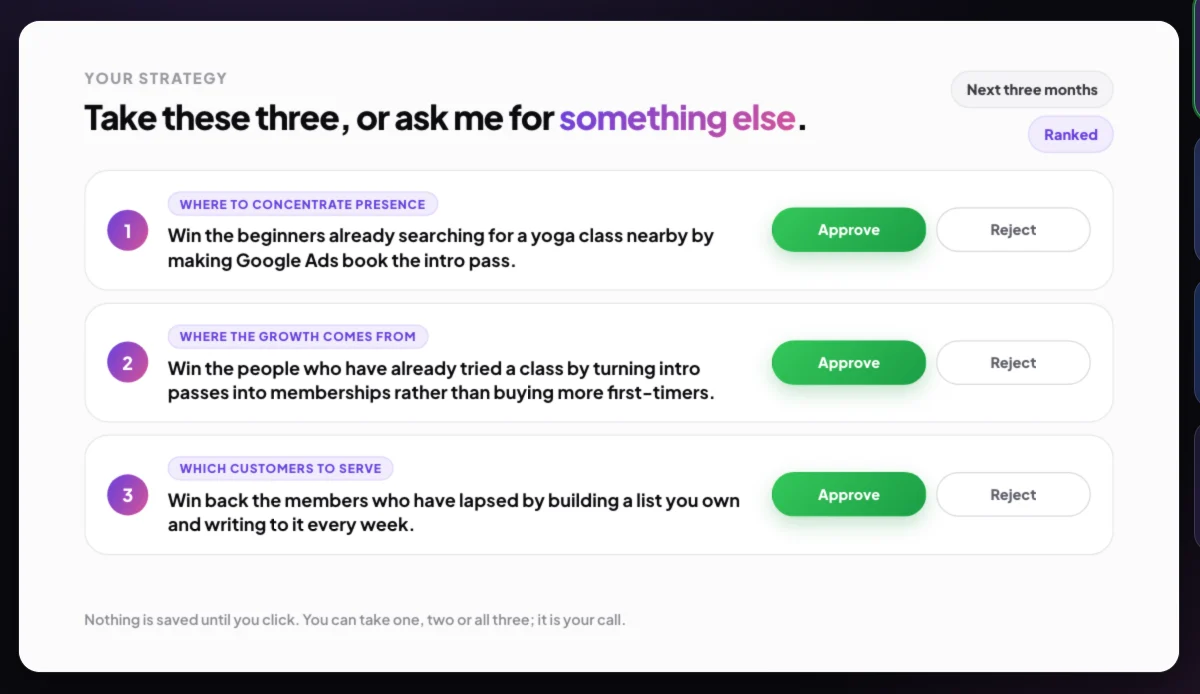
5 Approve each strategy, or reject it for an alternate.
Choose a plan and book your walkthrough
-
Cora sums up what you have: your strategy, your brand style guide and your designs. When Cora asks Are you ready to go ahead to the next steps?, click Yes, let us get started.
-
Cora shows the plans. Click the Choose button on the plan you want, or Skip for now. If you are already on a plan, this step is skipped.
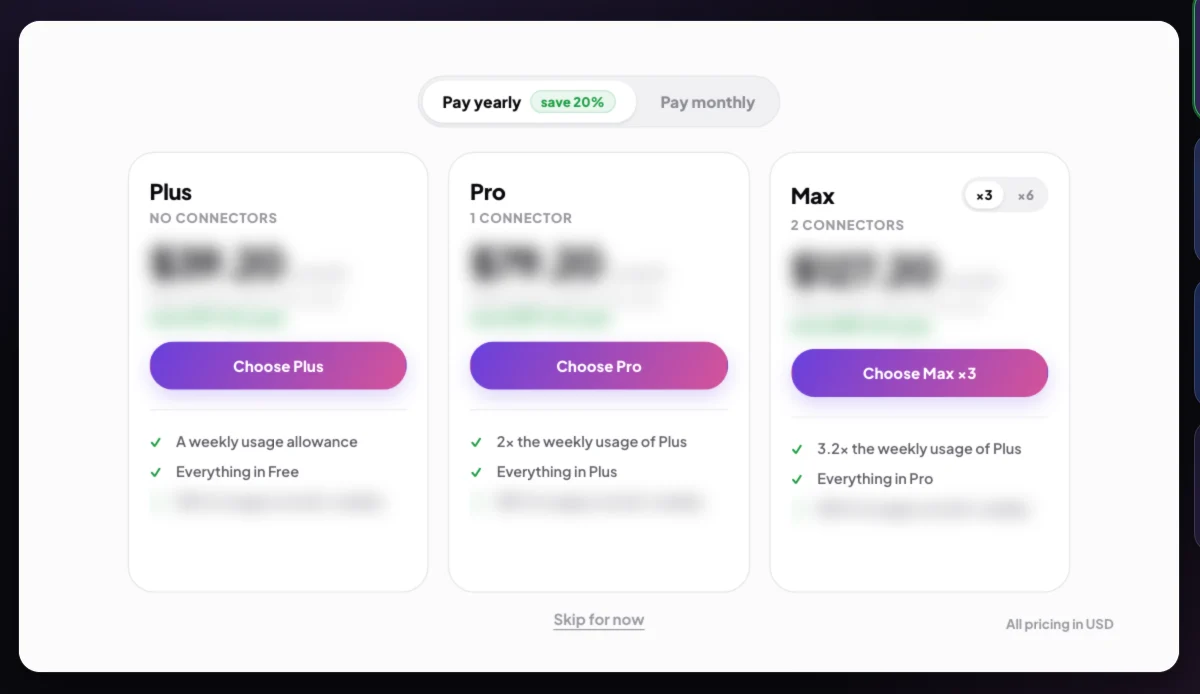
7 Choose a plan, or skip for now. -
If you chose a plan, the call waits while the payment page opens in the CoraVision window. Pay there, then click Continue to go back to the call. The full steps are in Paying during the strategy session.
NoteClick Back on the payment page to return to the plans without paying. The call says No payment was made. and you can choose again or skip.
-
After a payment, Cora thanks you and asks to book a 30 minute action plan walkthrough, about a week out. Tell Cora a time or click Enter date and time manually, then click Book appointment.
-
The team says goodbye and the window shows Call complete. Click End call.
What happens next
Back on your dashboard, your strategy document is prepared from the call; it takes a minute or so to appear under Marketing Plan, My Strategy. The action plans for the strategies you approved are added to Projects, and the Design Studio opens, where Dune designs with you. If you skipped the plans, these pages show a lock and a way to choose a plan.
Common questions
Why won't Start call start the call?
A line under the button says why: session two opens 24 hours after your onboarding call, Cora may still be preparing it, or Cora needs your connected accounts. Try again later, or check Connectors.
What if I have to stop part way?
Click End call. Your progress is saved, and when you click Start call again Cora picks up at the part you had not finished. See End a call.
Can I have the strategy session twice?
No. Once you have finished it, the dashboard says so and your strategy document is on its way. For another conversation with Cora, start a new call or chat from New.
Can I change a strategy after the call?
Your approved strategies and their action plans are in Projects, and you can talk any of them through with Cora in a chat or a call.