
Update your name, business name or timezone
Your name, business name, post or zip code, country and timezone are on the My details page in Settings, each with its own Change button. Changing one takes a few seconds, needs no code, and leaves everything else on your account as it was.
Open My details
-
At the bottom of the sidebar, click Settings. Settings opens on My Plan & Usage.
-
In the Settings menu, click My details.
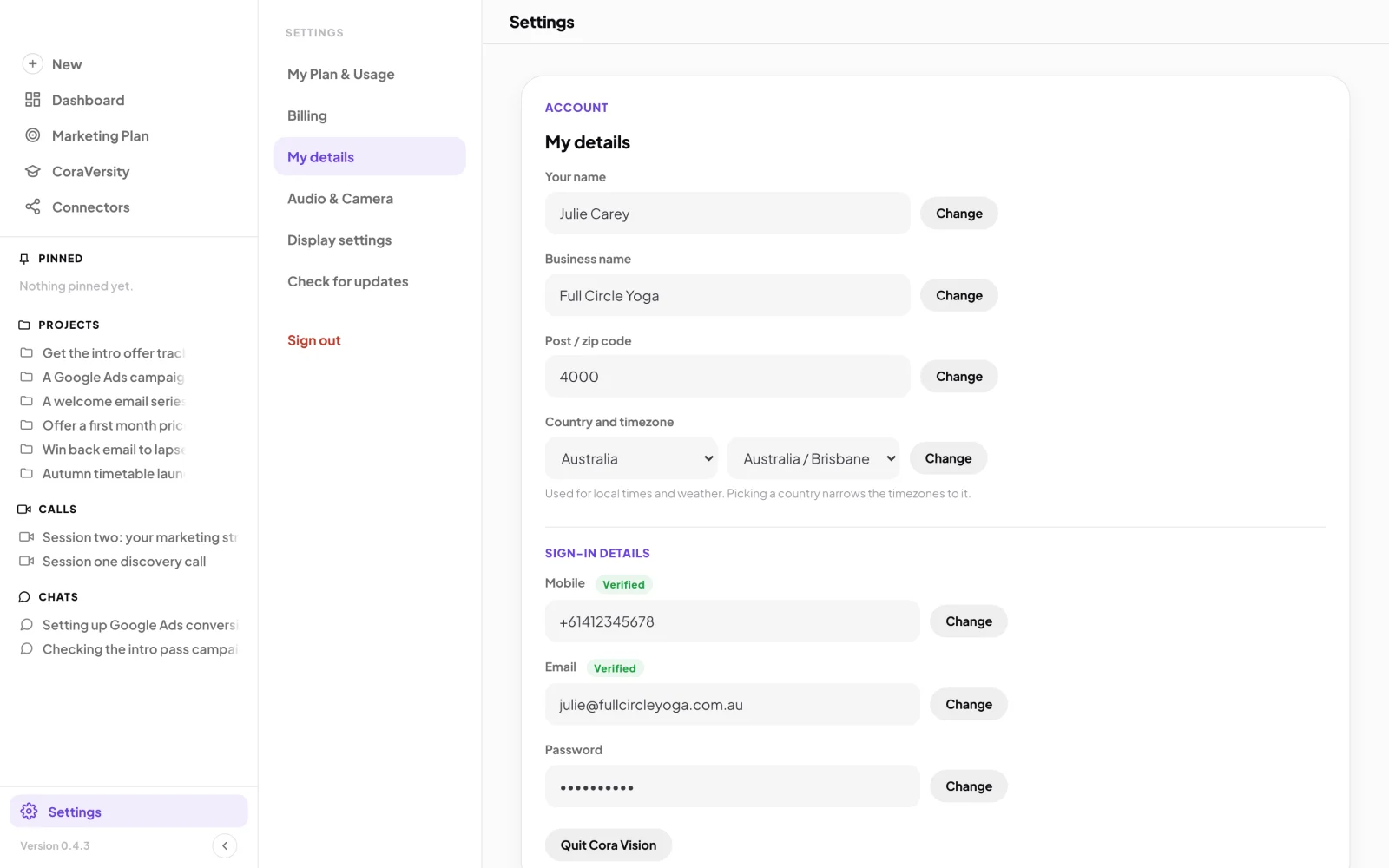
2 My details is the third item in the Settings menu.
Change your name, business name or post code
-
Beside the field you want to change (Your name, Business name or Post / zip code), click Change. The field unlocks and the button now reads Update.
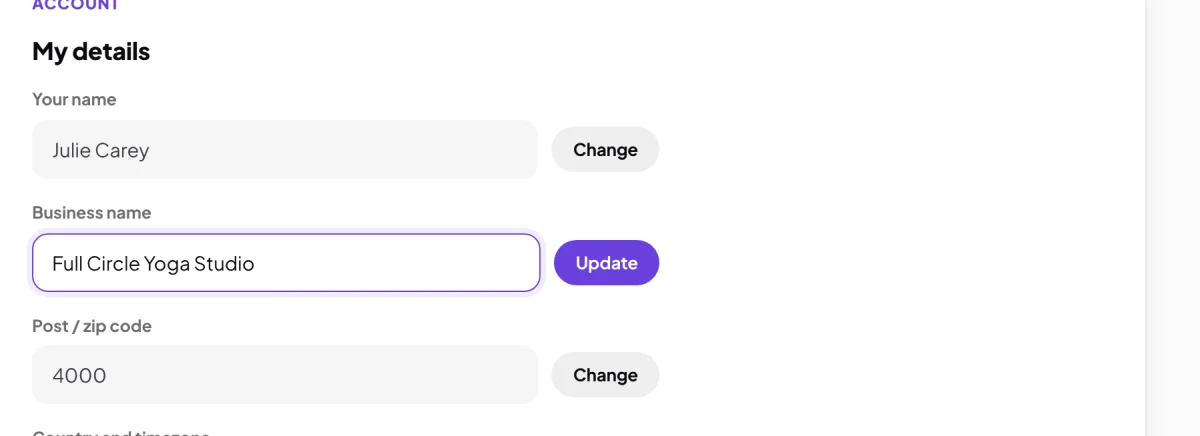
3 Change unlocks the field. Update saves it. -
Type the new value and click Update. Beside the button you see Saving…, then Saved, and the field locks again.
Change your country and timezone
-
Beside Country and timezone, click Change.
-
Choose your country first. The timezone list then shows only that country's timezones. Choose your timezone and click Update.
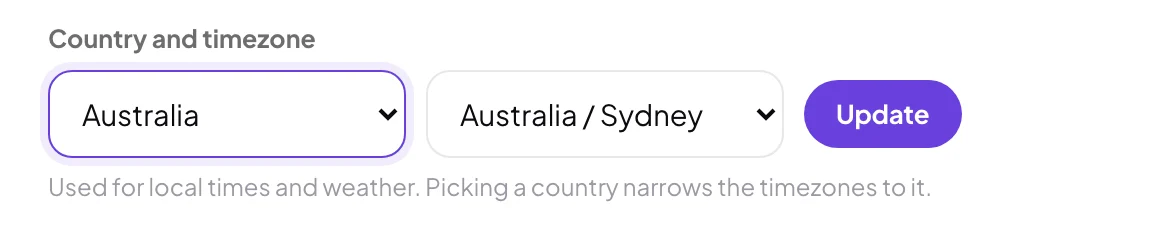
6 Country first, then the timezone.
What happens next
Your change is saved to your account straight away, on every computer you use. Times in CoraVision, such as your booked calls, are shown in your timezone with its city, for example 9:00 am Sydney time.
Email, mobile and passwordThese are under Sign-in details and need a six-digit code to change, so only you can change them. See Change the email on your account and Reset your password.
Common questions
It says it couldn't save my details
If you see We couldn’t save your details just now. Try again in a minute., the field stays unlocked with your text in it. Wait a minute and click Update again.
Why is my country already filled in?
If you never chose a country, CoraVision fills in the one that matches your computer's clock. It is only shown, not saved, until you click Change and Update.
How do I change my mobile number?
Beside Mobile, click Change. Confirm it is you with a code, type the new number on New mobile number, click Next, and type the code we text to it. The popup then says Mobile updated.