
Delete your data, or ask us to erase your account
You can delete your chats, calls, projects and uploaded photos yourself, reset what Cora remembers, and disconnect your accounts, all in a few minutes. Closing or erasing the whole account is done by us when you ask, and some records stay for seven years because we are required to keep them.
- Delete what you want gone before you ask us to deactivate the account. Once it is deactivated you cannot sign in to delete anything.
- Your onboarding call cannot be archived or deleted by you.
Delete what you can yourself
-
Delete chats, calls and projects: archive each one, then open the Archived tab of its page, click the bin, Delete forever, and click Yes, delete. The steps are in Delete archived projects, chats and calls.
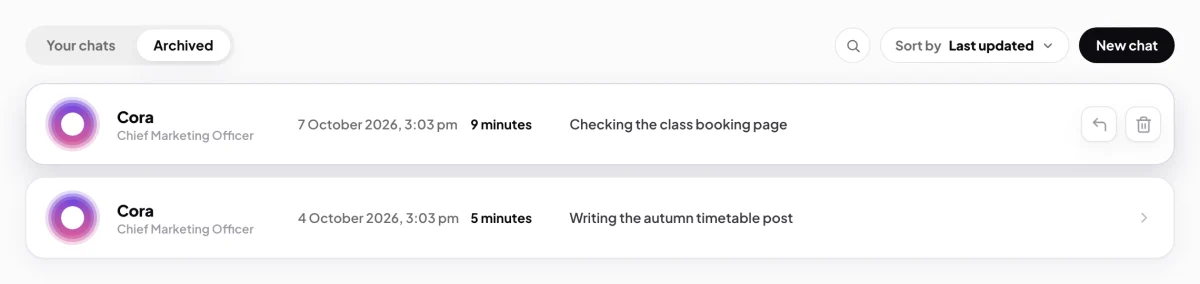
1 The bin deletes the item, its transcript and any audio. -
Delete photos you added to the Design Studio library: on the photo's menu, choose Archive. Then find it under Archived, open its menu again, choose Delete for good, and click Delete. The file is removed.
-
Reset what Cora remembers from your calls: in Settings, My details, on the Coach memory card, click Reset Cora's memory, then Reset memory. Booked sessions are cancelled too; your onboarding answers, projects and call history stay.
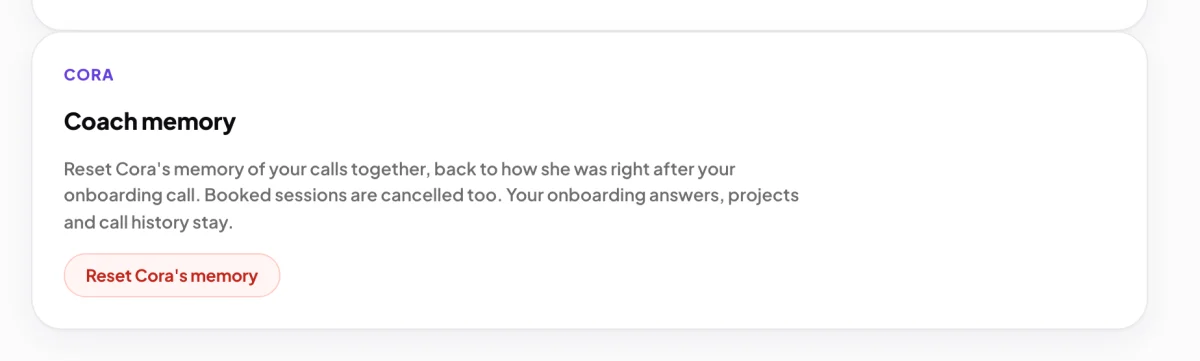
3 The reset keeps your onboarding answers and projects. -
Disconnect Google and Meta: in Connectors, click Manage on each card and disconnect it. CoraVision deletes the access it holds. See Remove CoraVision's access to Google and Meta.
Ask us to deactivate or erase the account
-
Open the contact page and sign in with the email and password of your CoraVision account, then the six-digit code we email you, as in the app. The form then shows the name and email from your account.
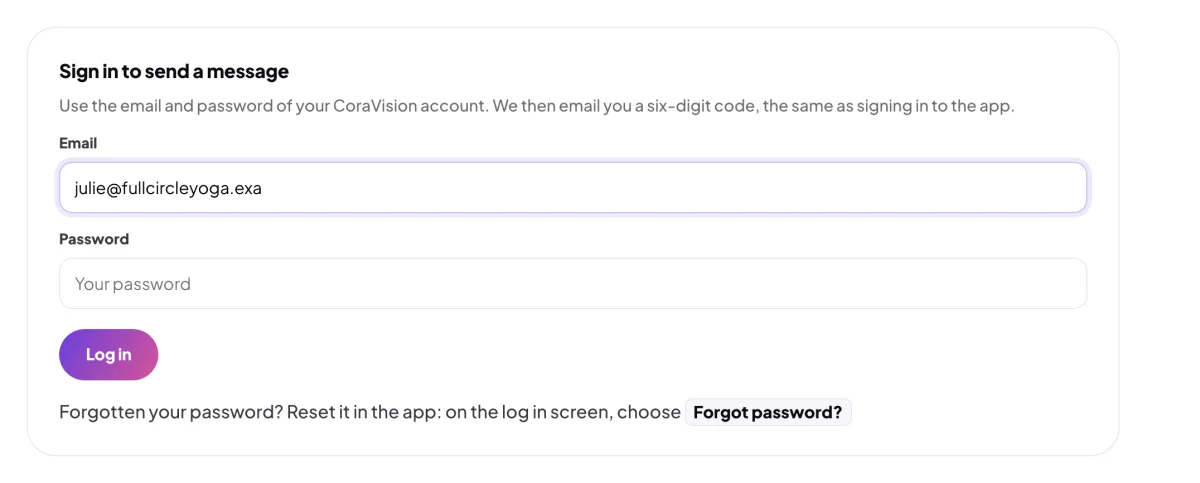
5 Sign in with the account the request is about. -
In Message, say whether you want the account deactivated or erased, and send it. A person reads every message and replies within one business day.
What happens next
When we deactivate your account, you are signed out and cannot sign in again, and auto top-up stops charging your card. Deactivating closes the account; it does not delete anything in it. Your transaction and account records (your balance, charges, top-ups, refunds and discount codes) stay on file for seven years, because we are required to keep them, and nobody can use the account again.
If you ask for erasure, we reply to confirm what will be removed and what the law makes us keep.
Common questions
Does deactivating delete my chats and calls?
No. Deactivation keeps everything on file and only stops the account being used. Delete chats, calls and projects yourself first if you want them gone.
Can I sign up again with the same email?
No. The address stays with the deactivated account. Send us a message from the contact page from that address and we can reactivate it instead.
What happens to reports from my Google and Meta accounts?
Disconnecting stops new reads and deletes the access, but reports and numbers already gathered stay in your account. Ask us if you want them erased.