
Change the email on your account
You can move your CoraVision account to a new email address from Settings in about three minutes. It takes two codes, one to prove it is you and one to prove the new address is yours, and you keep signing in with your old address until the new one is confirmed.
- Your current email inbox open, or your phone if your account has a verified mobile.
- The new email inbox open too. The second code goes there.
- The new address must not already belong to another CoraVision account.
Confirm it's you
-
At the bottom of the sidebar, click Settings, then My details.
-
Under Sign-in details, beside Email, click Change. The Change email popup opens at step 1 of 5.
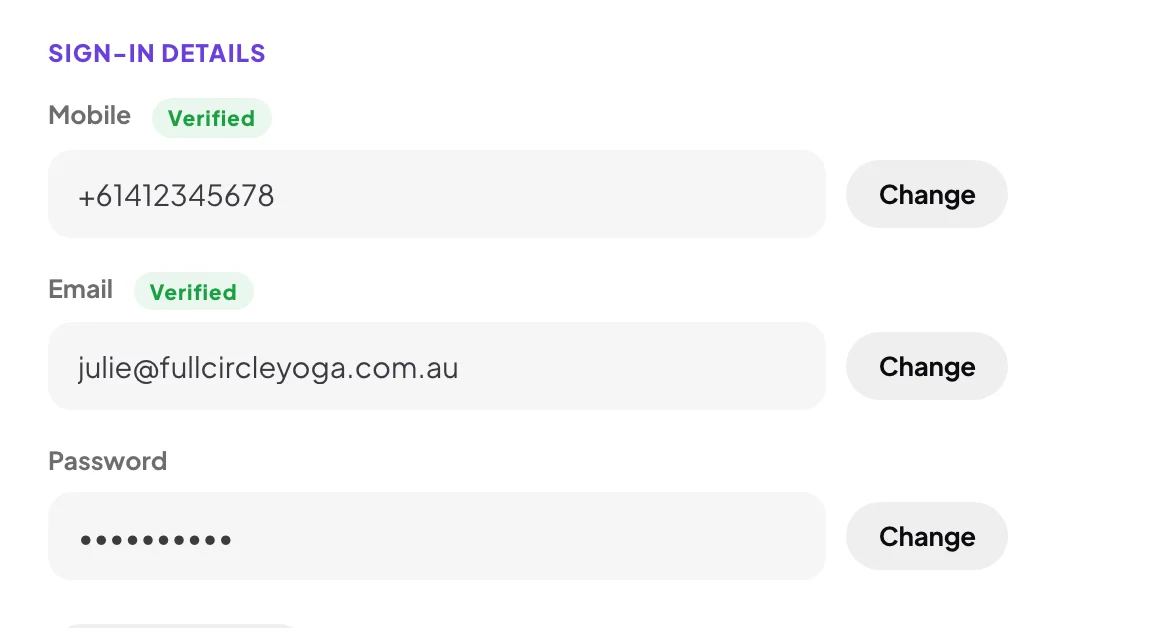
2 Email is one of the three sign-in details. -
Choose where the first code goes: Email me sends it to your current address, and Text me sends it to your verified mobile. Click Send the code.
-
On Enter the code, type the six digits. When it says Code confirmed, the popup moves on by itself.
Confirm the new address
-
On New email address, type the new address and click Next.
-
On Confirm your new email, type the code we sent to the new address.
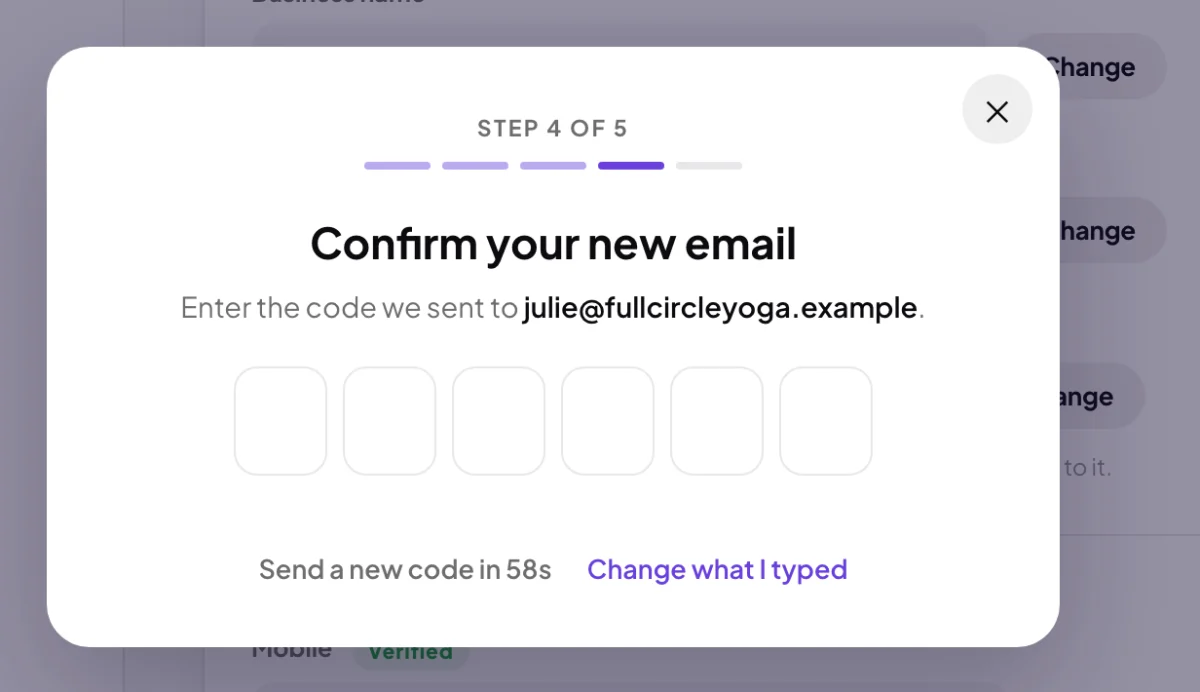
6 The second code goes to the new address. -
The popup shows Email updated with your new address. Click Done. My details now shows the new address.
What happens next
From now on you sign in with the new address, and your sign-in codes go to it. Your password, plan, calls and everything else stay as they were. This computer stays signed in.
If you close the popup part wayClosing it ends the change. If you had already clicked Next on the new address, My details shows that address marked Unverified, with a line saying you still sign in with your old address until it is confirmed. Click Change and start again.
Common questions
It says the address already belongs to another account
That email address already belongs to another account. means a CoraVision account already uses it. Choose a different address, or send us a message from the contact page if you think that account is yours.
Text me is greyed out
Your account has no verified mobile, so the first code can only go to your current email. You can add a mobile beside Mobile on the same page.
I can no longer open my old inbox
Choose Text me if you have a verified mobile. If you do not, send us a message from the contact page from the new address and we will help.