
Download the brand style guide as a PDF
You can save your whole brand style guide as one PDF, a page for each page of the guide, straight into your Downloads folder. It can take a minute, and it changes nothing in your guide.
- You have finished your onboarding call, so your guide is unlocked. See When you get your brand style guide.
Download the PDF
-
In the sidebar, click Marketing Plan, then Brand Style Guide.
-
In the bar above the guide, on the right, click the dark Download PDF button. It reads Saving… while CoraVision draws each page.
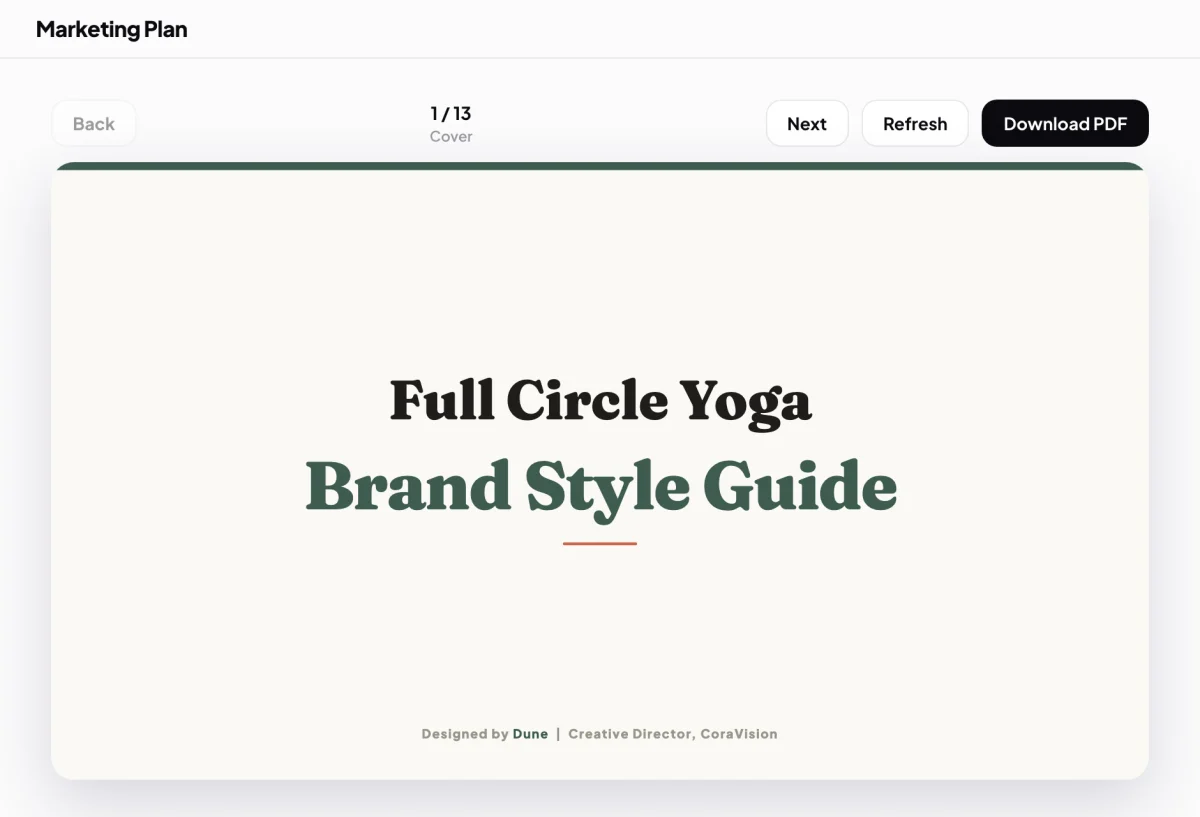
2 Download PDF is the filled button on the right. -
Wait for your Downloads folder to open in Finder on a Mac, or File Explorer on Windows, with the file selected. It is called your business name followed by Brand Style Guide.pdf, for example Full Circle Yoga Brand Style Guide.pdf.
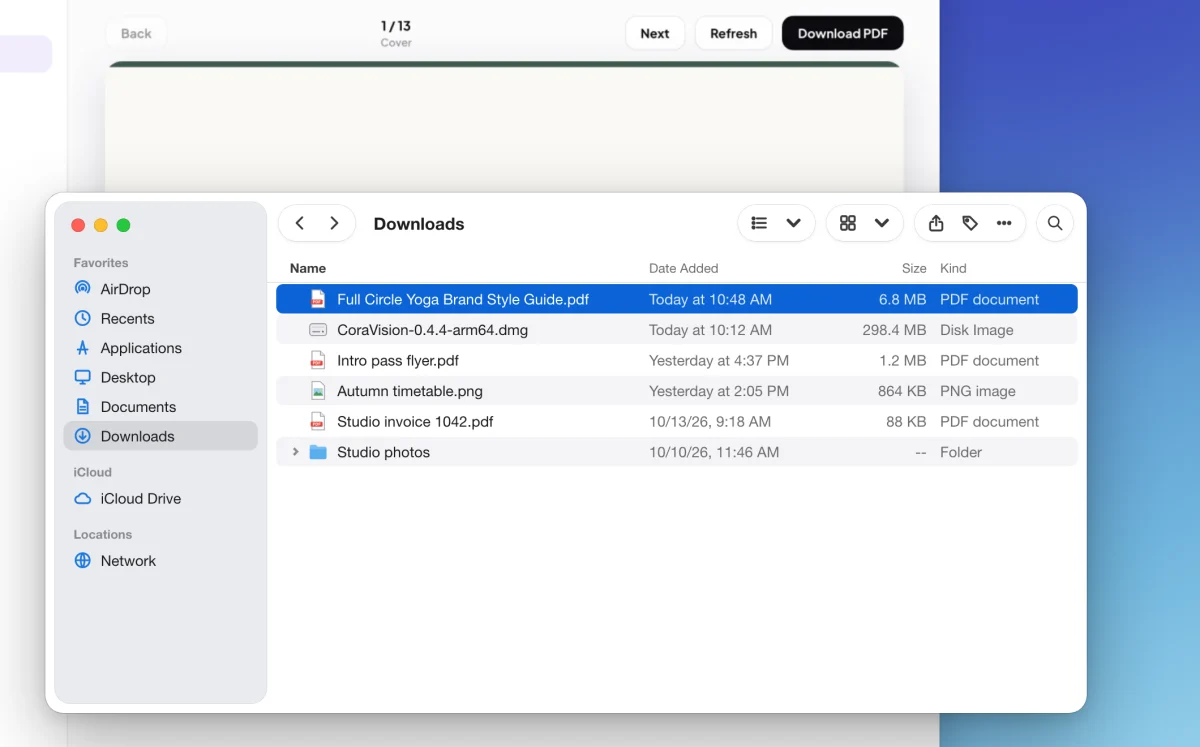
3 The PDF lands in Downloads, already selected. -
Double-click the file to open it in your PDF reader.
What happens next
The PDF has the same pages as the guide in the app, in the same order, so you can hand it to a designer, a printer or a new staff member. If you download it again, the new file is saved beside the old one with (2) after its name, so nothing is overwritten.
If the button says Could not saveThe PDF did not finish. Wait for the button to go back to Download PDF and click it again. If it fails twice, send us a message from the contact page.
Common questions
Are the website and email pages in the PDF?
Yes. Each one is printed as it first appears on screen, the top of the page, the way the guide shows it.
Do I need a plan to download it?
No. Once your onboarding call is done, the guide and its PDF are yours.
Can I download my strategy document too?
Yes, from My Strategy, once it is unlocked. See Download your plan as a PDF.