
Make a social media post or ad in the Design Studio
Tell Dune what the post or ad is for and where it goes, and Dune designs it in your brand at the right size for each platform you choose. You change it by talking to Dune, then download the images and copy the text; CoraVision does not post anything or start an ad for you.
- The Design Studio is unlocked for you. See The Design Studio and Dune.
- You know which platforms it is for: Instagram, Facebook, TikTok, LinkedIn or Reddit.
- If you want your own photo in it, add it to the studio's Library first.
Brief Dune
-
In the Design Studio, click the big microphone, Create new design. If a design is open, click New at the top of the panel on the left first.
-
When Dune asks what you are making, say it, or click Social media post or Social media ad under What are we making? on the right. Both are made the same way; the choice tells Dune whether it is a paid ad or a post.
-
Under Where does it go?, click every platform it is for, then click Next. Dune designs only the sizes those platforms use.
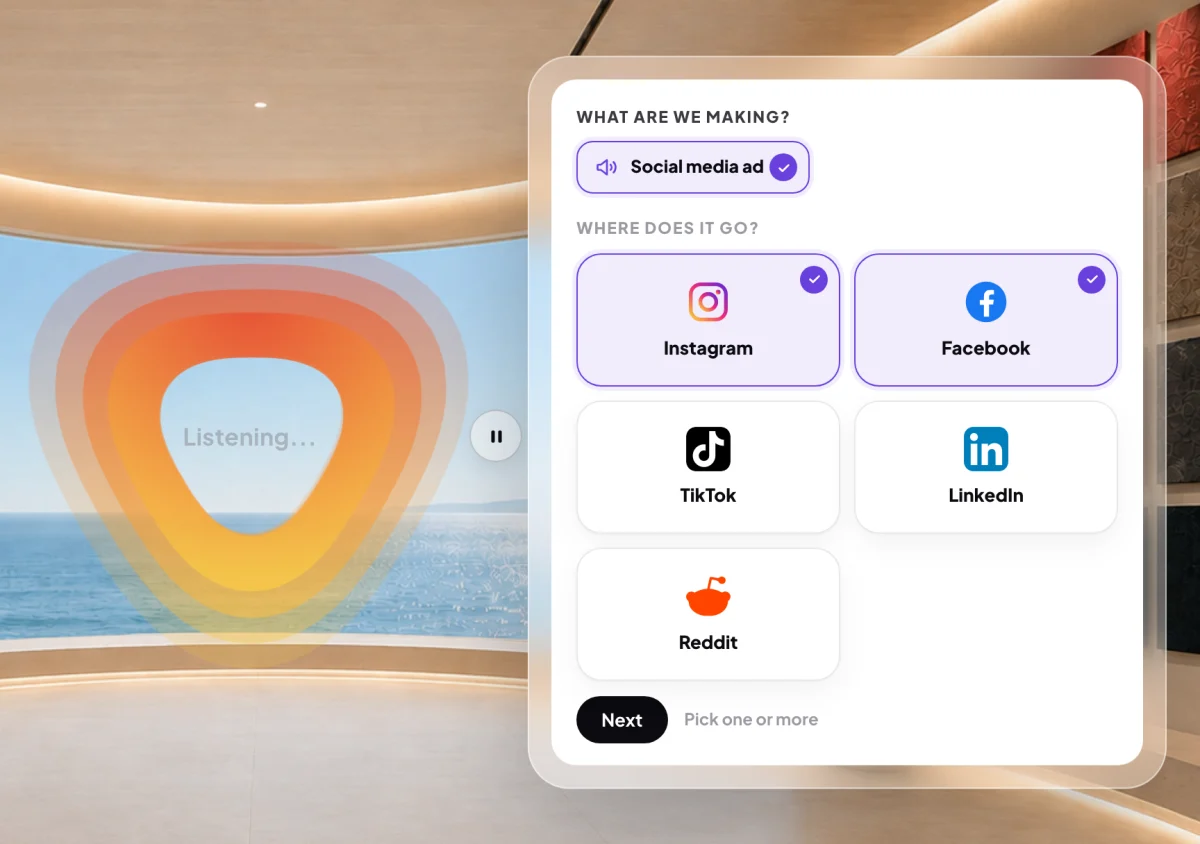
3 Pick one platform or several, then Next. -
Answer what people should do (Buy, Book, Sign up or Something else) and who writes the words (Leave it to Dune or I'll provide it). Read The brief, then click Go ahead and design.
Check it and change it
-
Wait while Dune designs. It takes under a minute, longer if Dune makes a photo for it. The design opens inside a phone, the way it looks in the feed.
-
Click each size in the column on the left to see it on its platform. Turn on Safe zone to see the area the platform's own buttons and text leave clear.
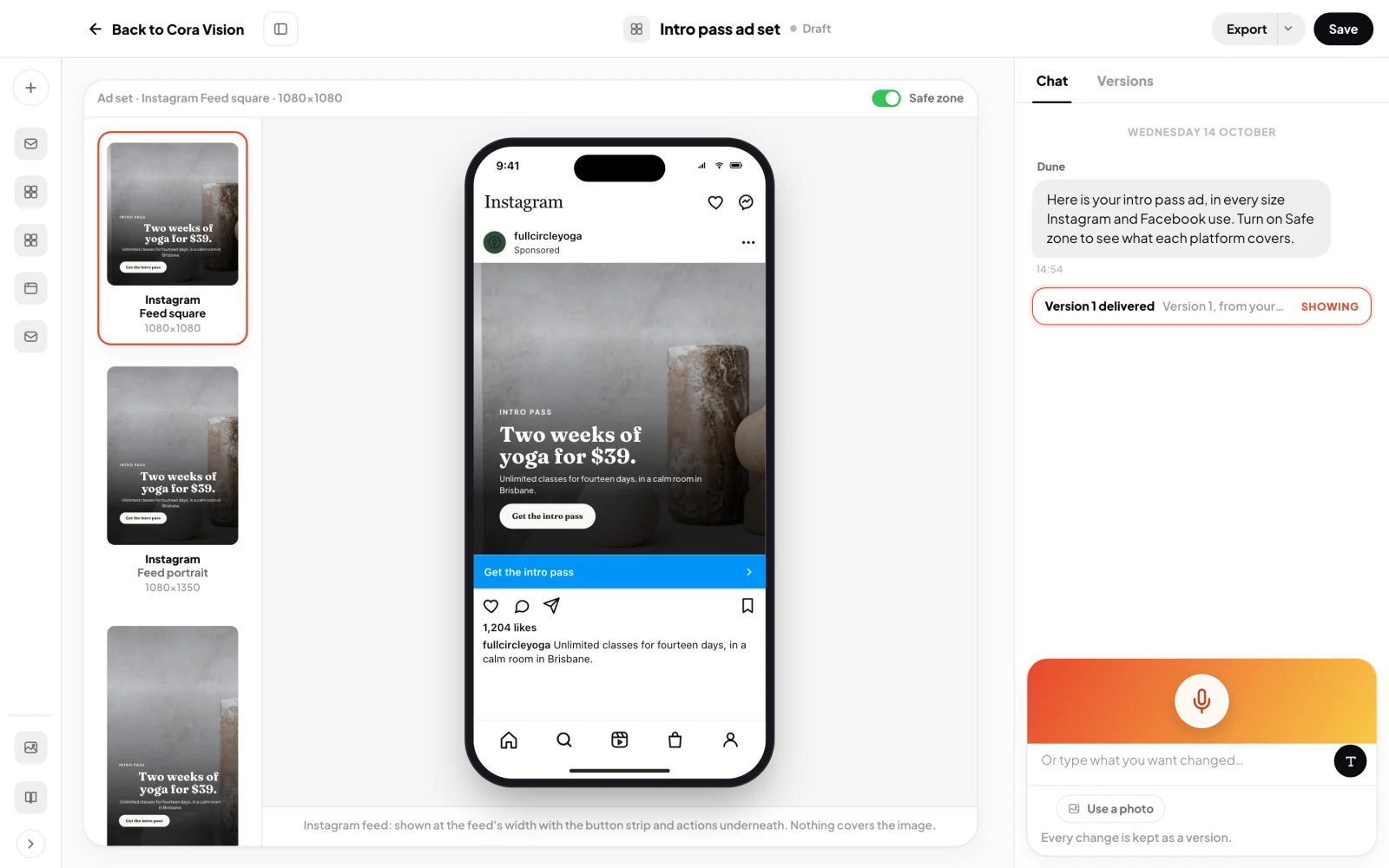
6 Every size for your platforms, and the clear area. -
Click Talk to Dune, click the ad and say what to change, for example "use the photo of the studio" or "a shorter headline". Click Submit feedback. To type instead, click Or type what you want changed….
Save, download and copy
-
At the top right, click Save.
-
Click Export, then Download sizes. Tick the sizes you want, or Select all, and click Download. The PNG images go into your Downloads folder, in a folder named after the design.
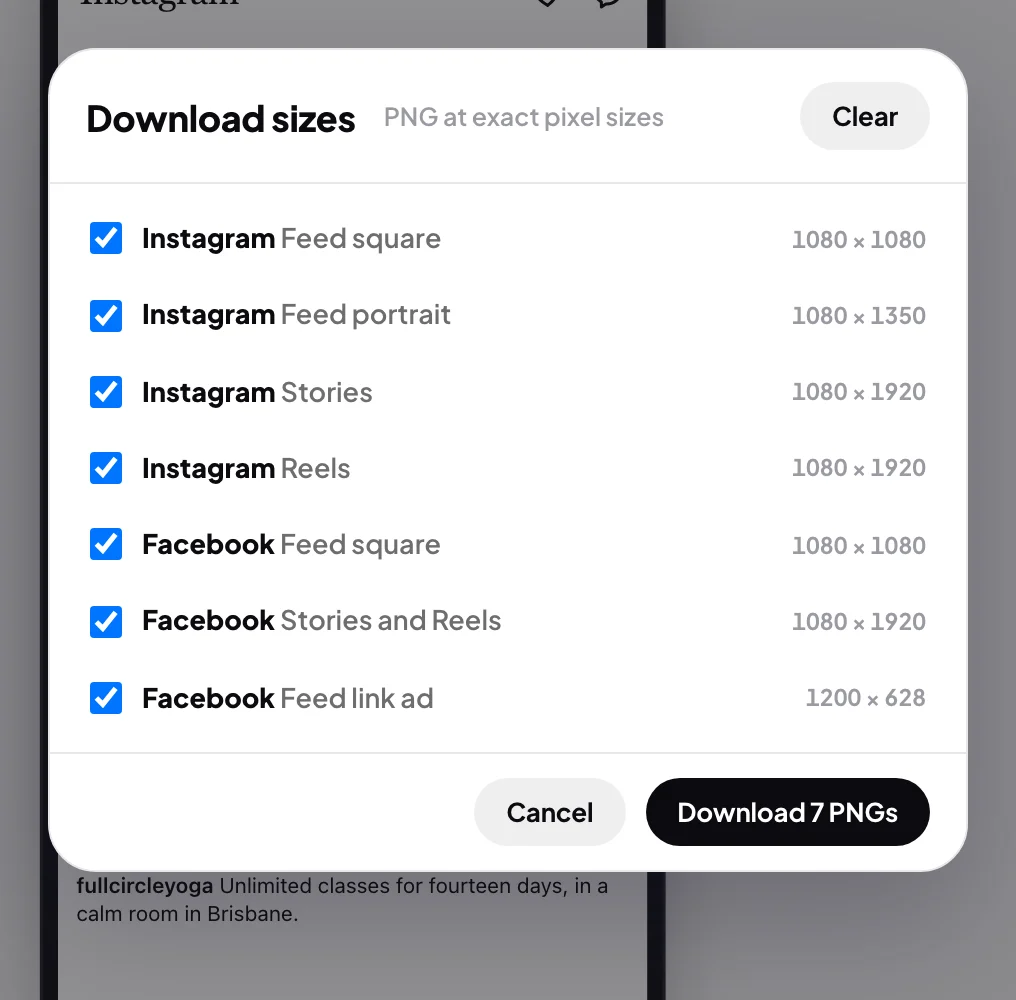
9 Tick the sizes you need and download them. -
Click Export, then Copy the ad text. It copies the primary text, the headline and the button words, ready to paste into Meta Ads Manager or your post.
NoteCoraVision does not post to your accounts. For an Instagram or Facebook ad, Send to Meta Ads is in the menu but greyed out, because your Meta connection only reads. Upload the images and paste the text yourself.
What happens next
The design stays in Your designs, with every version kept. See Where your designs are saved.
Common questions
Which sizes do I get?
Each platform's recommended sizes for the feed and, where it has them, stories and reels: for example 1080 by 1080 and 1080 by 1350 for the Instagram feed, and 1080 by 1920 for stories, reels and TikTok.
What is the difference between a post and an ad here?
Only what you tell Dune. Both come back as the same set of sizes, shown in the platform's feed.
Can I add a platform later?
The sizes follow the platforms in the brief. To add one, start a new design and pick all the platforms you need.