
Make a homepage in the Design Studio
Dune designs a website page for you in your brand, built from sections such as a header, a photo hero, your services and a footer, using your own words and photos. You change it by talking to Dune and take the HTML to whoever runs your website; CoraVision never changes your website itself.
- The Design Studio is unlocked for you. See The Design Studio and Dune.
- You know what the page should get visitors to do, such as book, buy or sign up.
Brief Dune
-
In the Design Studio, click the big microphone, Create new design. If a design is open, click New at the top of the panel on the left first.
-
When Dune asks what you are making, say "a homepage", or click Website page under What are we making? on the right.
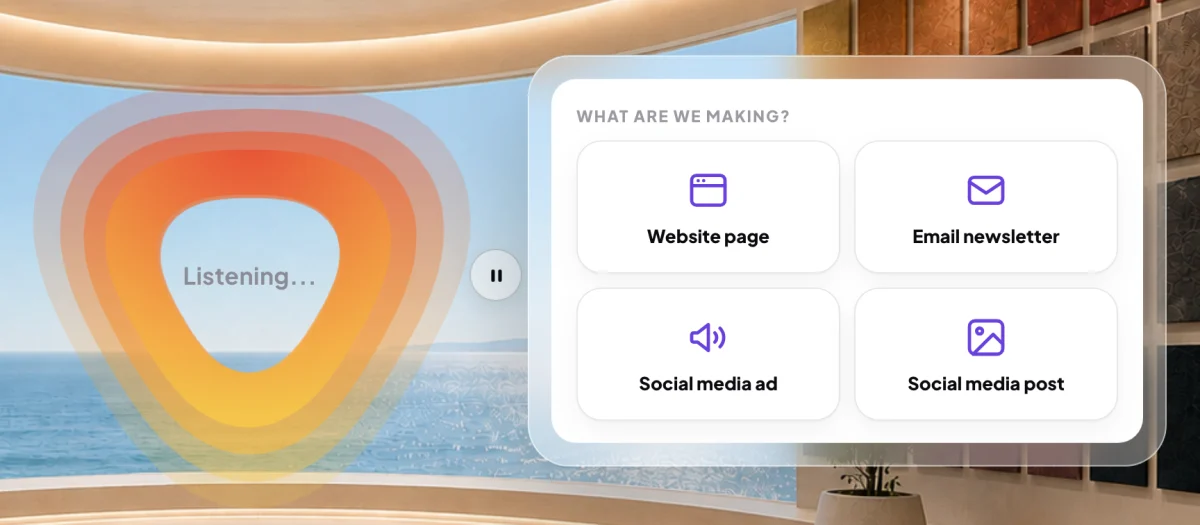
2 Website page is the first choice. -
Tell Dune what people should do on the page (Buy, Book, Sign up or Something else), and whether Dune writes the words (Leave it to Dune) or you give them (I'll provide it).
-
Read The brief on the right, then click Go ahead and design.
Change it with Dune
-
When the page opens, scroll through it. Use the desktop and mobile switch at the top left to see it at phone width.
-
Click Talk to Dune, click the section you want changed, and say what to change. Click Submit feedback when you are done. Each change is kept as a new version.
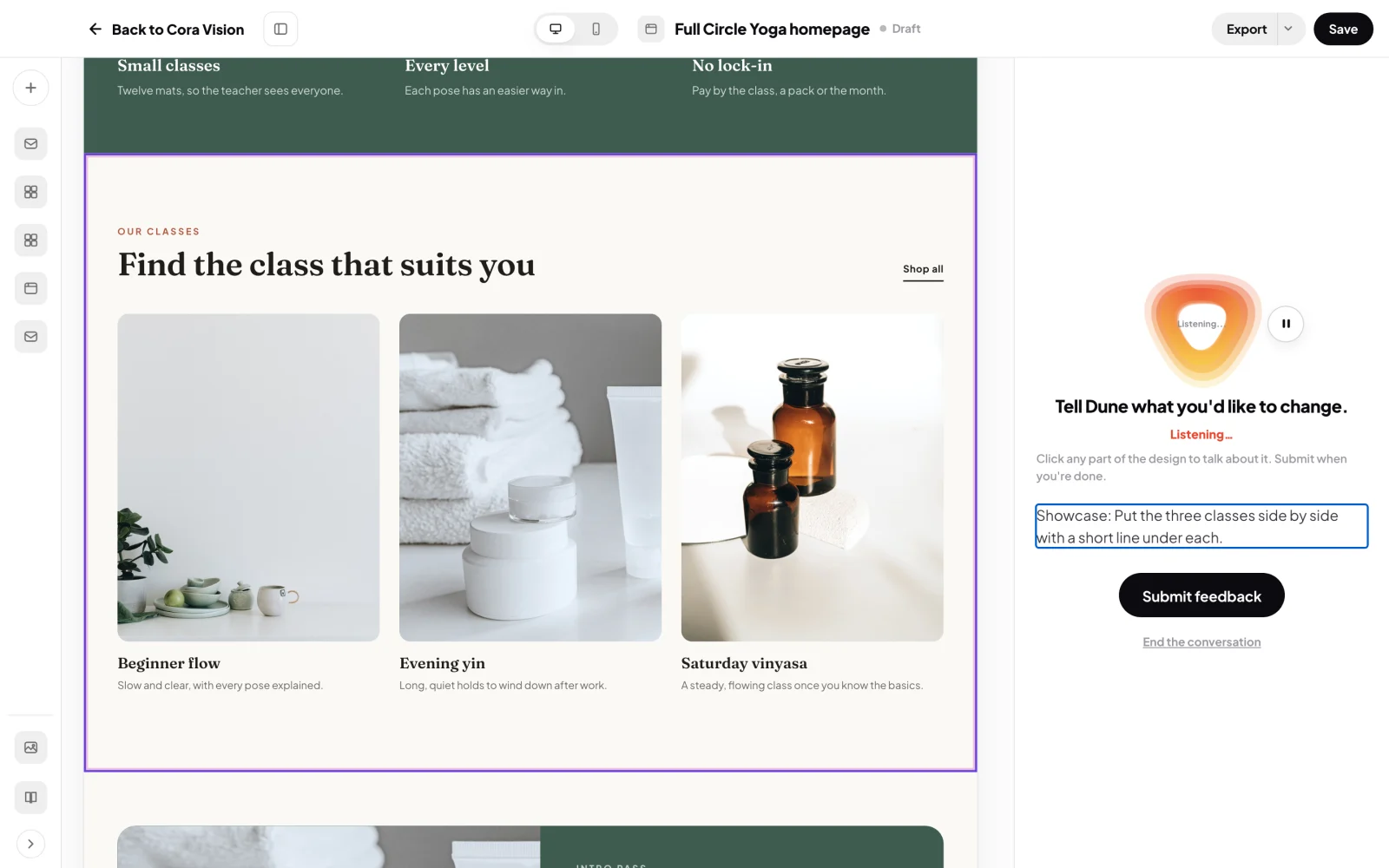
6 Pick a section and tell Dune what to change.
Save it and take it to your website
-
At the top right, click Save.
-
Click Export. Choose Download the page for the whole page as one HTML file, or click a section of the page first and choose Copy the changed section for that part alone. With no section clicked, it copies the top section.
-
Give the file or the copied section to your web developer, or paste it into your page builder.
NoteSend to your developer and Hand to Cora are in the Export menu but are not working yet. Clicking them says they come in a later phase.
What happens next
The page stays in Your designs, with every version kept, so you can come back and change it again. See Where your designs are saved.
Common questions
Can Dune put the page on my website?
No. CoraVision does not connect to your website. You or your developer publish the page.
Can Dune make other pages, not only the homepage?
The studio's website designs are built as homepage sections. You can describe the page you need in your brief, and Dune designs it from those sections.
Can I see the HTML?
Yes. Switch the design from Design to Code in the bar above the design.