
The trust score: what it measures and how to raise it
The trust score, out of 100, shows how much Cora can trust the numbers read about your business. It starts at 100 and loses points for each gap found, such as an ad account that cannot be read or a paid channel with no conversion tracking, and you earn the points back by fixing those gaps, usually as a step in your action plan.
- Your scores appear after your strategy session (session two).
- Cora needs at least one ad platform sending figures. Until then the card says No data yet. Your scores switch on once Cora is reading paid ads data.
Read your trust score
-
In the sidebar, click Dashboard, then Scores and data. The Trust score card is on the left, under the line How much I can trust your data.
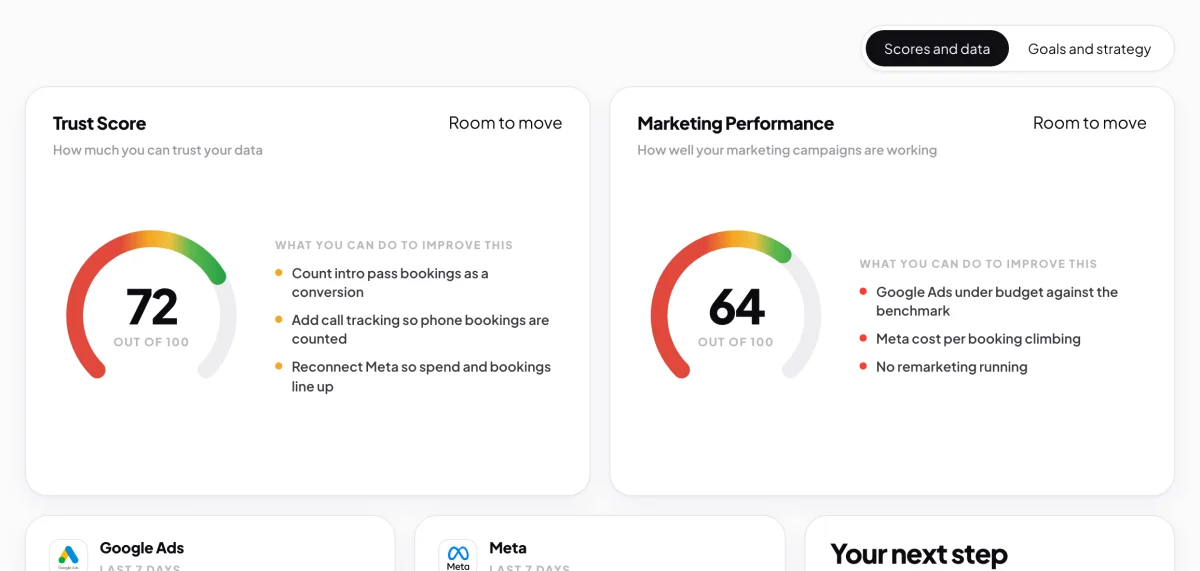
1 The trust score sits on the left of the top row. -
Read the number and the word beside the title: Strong from 80, Room to move from 60 to 79, and Needs work under 60.
-
Read the list under What you can do to improve this. It shows up to three fixes, with the ones your strategies for this quarter depend on first.
What takes points offAn ad account or Google Analytics that is not connected; a paid channel with no conversion tracking; tracking tags on your website that do not match the accounts you connected; spend or revenue that rests only on figures you told Cora; figures you gave and figures Cora measured that disagree; a measured number that does not add up; and a step in your sales funnel that counts more than the step before it.
Raise your trust score
-
If a fix says to connect an account, in the sidebar click Connectors and connect it. Cora only reads. See Connect Google Ads to CoraVision.
-
For a tracking fix, open the step for it in your action plan and click Start session. Cora or the specialist walks you through it on your screen. See Mark a step done.
-
When the session marks the step done, a pop-up headed Points earned back counts your score up and shows the points you gained. Click Close.
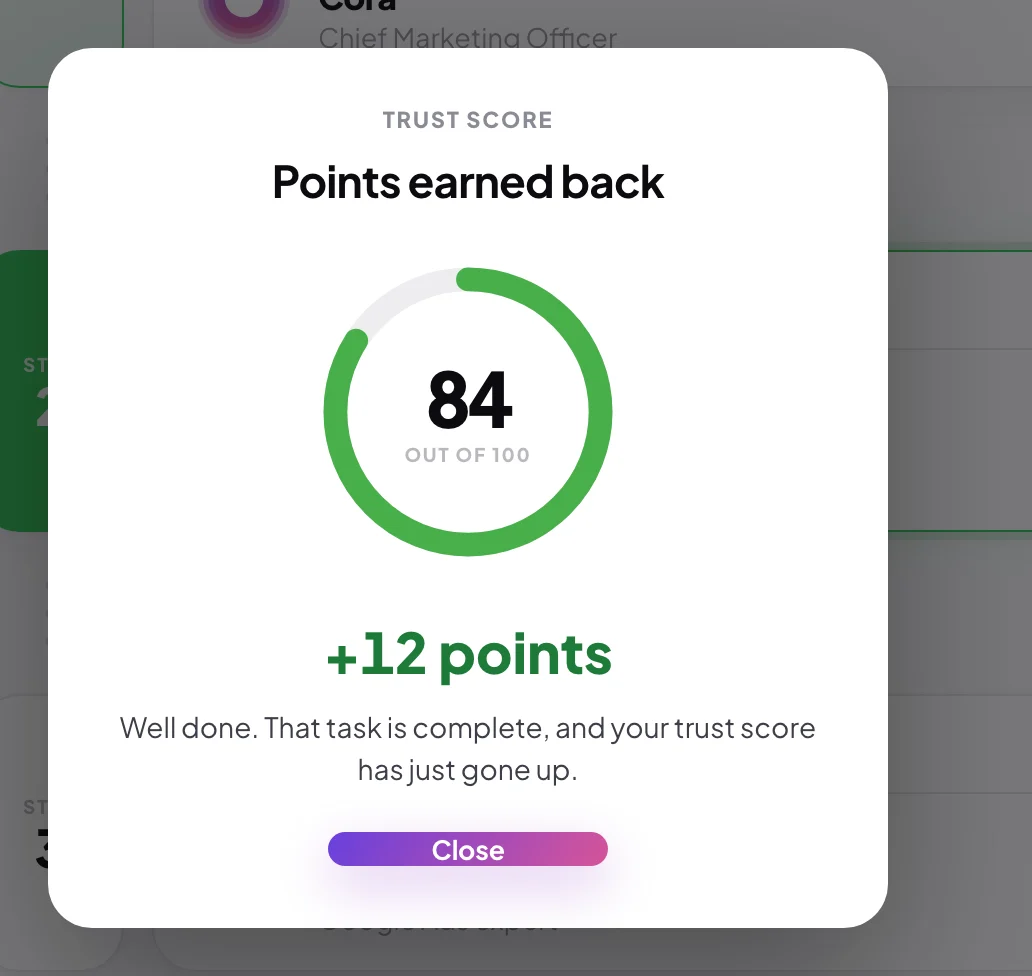
6 The points come back the moment the step is done.
What happens next
Cora checks the fix on the next nightly pass. If Cora can see it, the points stay. If Cora still sees the gap after about a week, the points come off again. While your trust score is under 60, Cora treats your performance score as provisional, because it rests on numbers Cora cannot fully trust yet.
Common questions
Why did my trust score go down when I changed nothing?
Cora checks your accounts every night. A connection that stopped working, or a new gap in your tracking, takes points off on the next pass.
I fixed something myself. When do the points come back?
Points come back at once only when you finish the step in your action plan. A fix you make another way is picked up on Cora's next nightly pass, if Cora can see it in your accounts.
Can it reach 100?
Yes. Each fix you finish brings its points back, and with every gap fixed the score is 100.