
Mark a step done
You do not tick a step yourself: you do it in a session with Cora or the specialist, and when the work is done and you confirm it, they close the session and the step is marked done on your plan. The next step turns green, and if the step fixed a gap in your data, your trust score goes up there and then.
- You have an action plan in Projects.
- CoraVision can see your screen and hear your microphone. On a Mac, see Allow CoraVision to see your screen on a Mac.
Start the step
-
Open the plan. On your dashboard, click Open the action plan on Your next step, or in Projects click Open action plan on a card.
-
On the green step, click Start session. If you choose a later step instead, Cora says This is not the order I would take and why; click Start anyway or Go back.
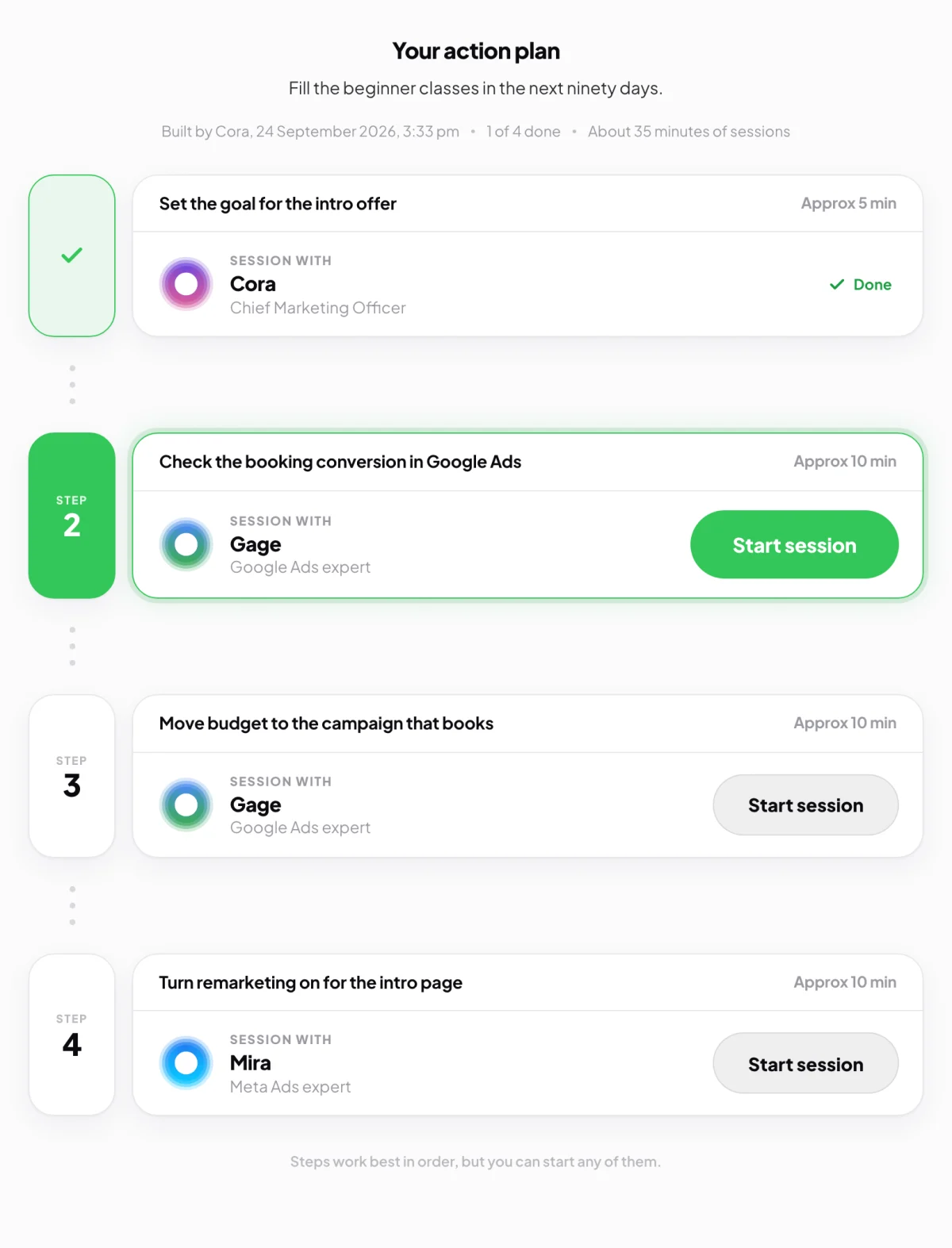
2 Start session on the green step. -
Read Why are we doing this?, who the session is with and roughly how long it takes, then click Start session.
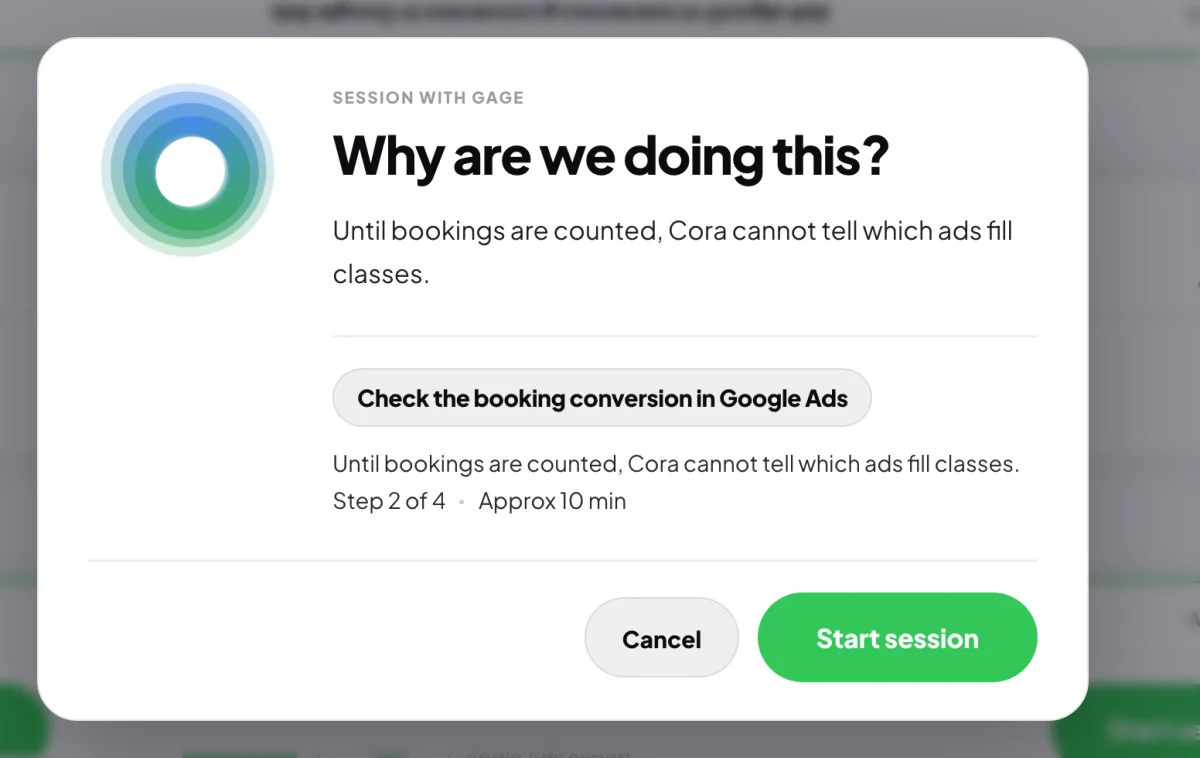
3 The reason comes first, then the step.
Do the work
-
The pill opens with the specialist for the step, for example Gage for Google Ads. Follow them on your screen. A design step with Dune opens the Design Studio instead.
-
When the job is done, say so. The specialist checks it with you, asks you to confirm, and closes the session.
Let them close the sessionIf you stop the session yourself before the specialist closes it, the step is not marked done. Start it again from the plan and tell them where you got to.
See it ticked off
-
Look at your dashboard window. The plan opens by itself, the step shows a tick and Done, and the next step is green.
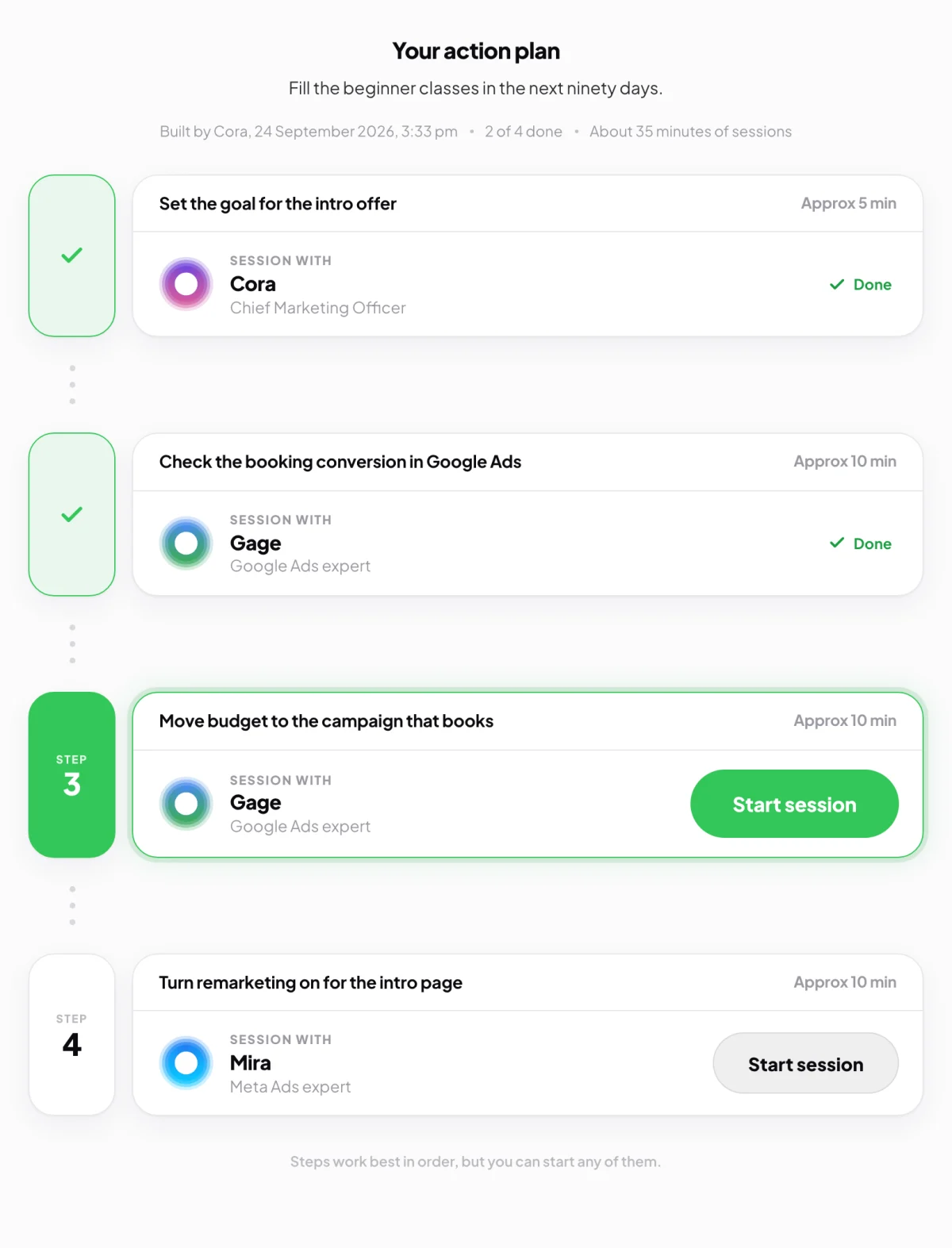
6 Ticked, and the next step is ready. -
If the step fixed a gap in your data, a pop-up headed Points earned back shows your trust score going up. Click Close.
What happens next
Your progress shows on the Projects page and the green Complete bar moves. The session is kept under Chats, with a line at the top naming the step it came from.
Common questions
I did the step on my own. Can I tick it?
There is no button to tick a step by hand. Click Start session, tell the specialist you have already done it, and they check it with you and close the session.
The plan still shows the step as not done. Why?
If CoraVision could not update the plan, a line above it says so. Start the step again and finish it with the specialist. If it keeps happening, send us a message from the contact page.
What does a clock beside a step mean?
The step needs real time to pass first, for example for new figures to come in. It says the date it opens, and there is nothing to do until then.