
Your dashboard at a glance
Your dashboard is the page CoraVision opens on, and it changes as you go: before your onboarding call it is the call, while Cora builds your strategy it is a countdown, and after your strategy session it shows your scores, your ad figures and your next step. It only shows; nothing on it changes your ad accounts.
- You are signed in to CoraVision on your computer.
- Your strategy session is the second call with Cora. In the app it is called session two.
Find your way around
-
Look at the sidebar on the left. From the top: New, Dashboard, Marketing Plan, CoraVersity and Connectors; then your Pinned items, Projects, Calls and Chats; and Settings at the bottom, above the version number.
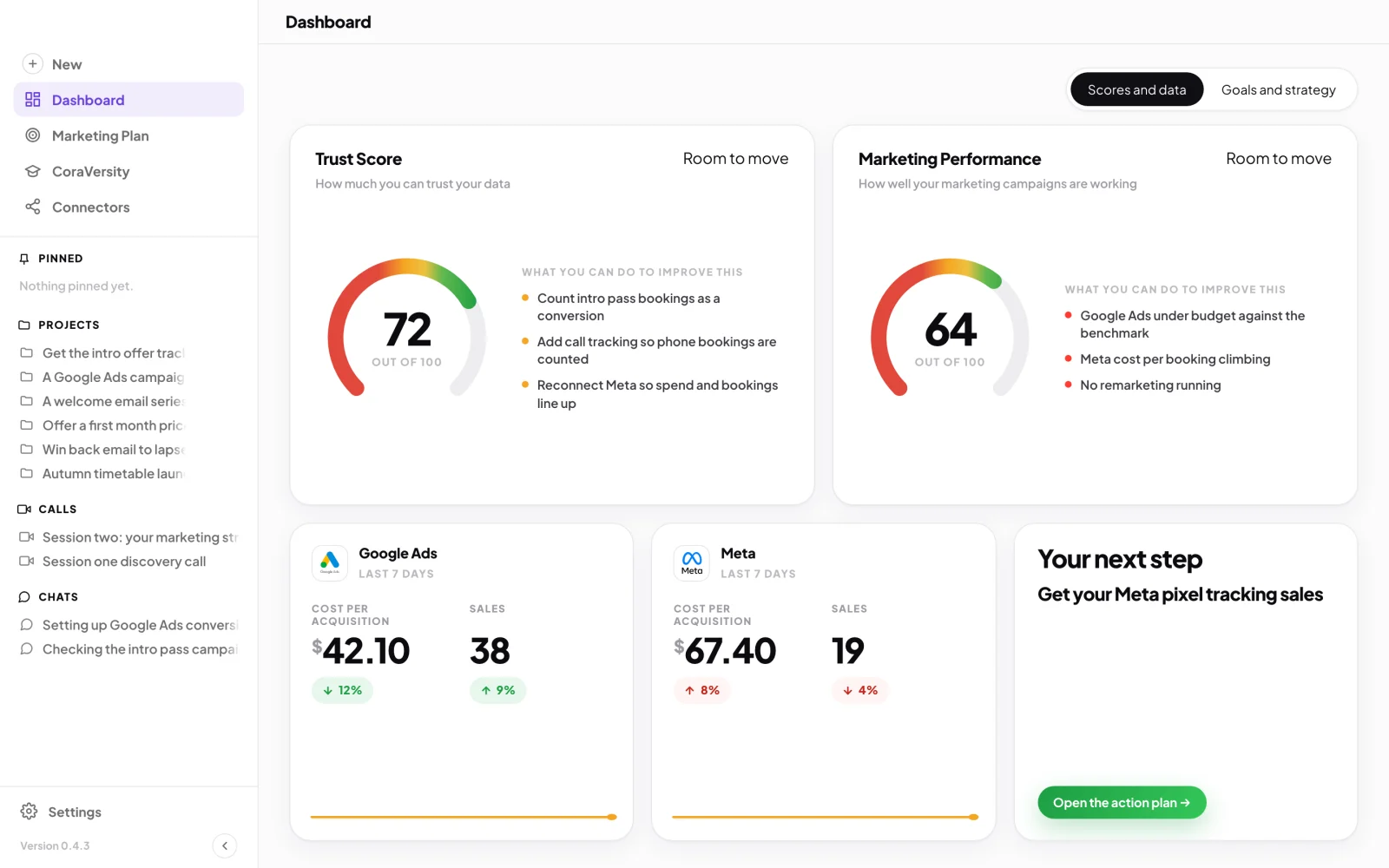
1 Everything in CoraVision starts from the sidebar. -
Click Dashboard at any time to come back to this page. To shrink the sidebar to icons, click the collapse button at its bottom right.
See where you are
-
Before your onboarding call, the page is one card: Cora is ready to start her onboarding call with you. Click Join now when you are ready. See What happens in your onboarding call.
-
After the onboarding call, the page counts down: Your marketing strategy will be ready in, with the time left and a button to book your strategy session. If Cora is waiting on an account you agreed to connect, it says Your marketing strategy is on hold. instead, with a button to connect it.
-
When your strategy session can start, the card says Your session two call with Cora is ready. Click Start call.
Read the live dashboard
-
After your strategy session, choose a view at the top: Scores and data or Goals and strategy. If no ad platform is sending figures yet, the page opens on Goals and strategy.
-
On Scores and data, read the two dials on top, the trust score and the performance score, then the three cards underneath: Google Ads, Meta and Your next step. Each ad card shows the last 7 days of cost per acquisition and sales (or leads), with the change on the 7 days before.
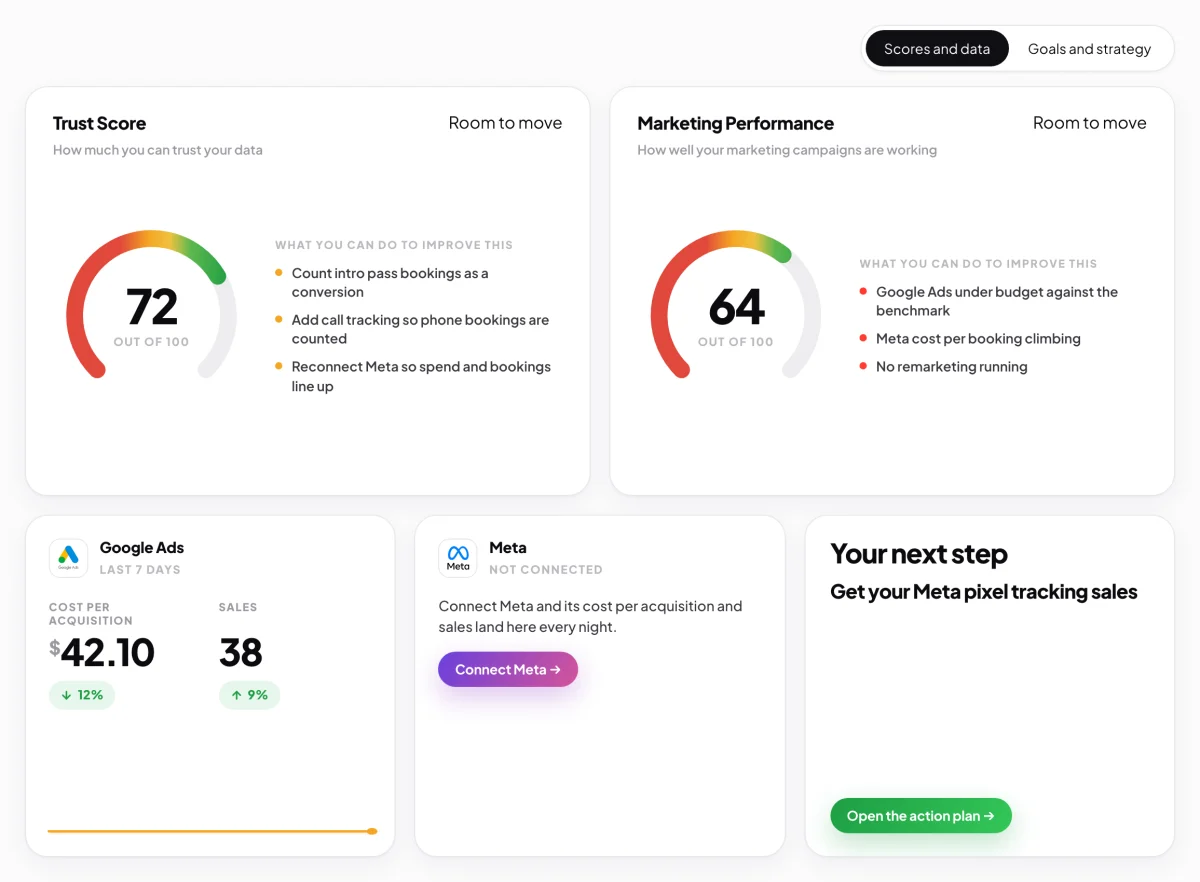
7 Two scores on top, your ads and your next step below. -
On Goals and strategy, read Your goal for the year, Why it matters to you, Your twelve month plan and your three strategies. Click Go to this strategy to open it in Projects.
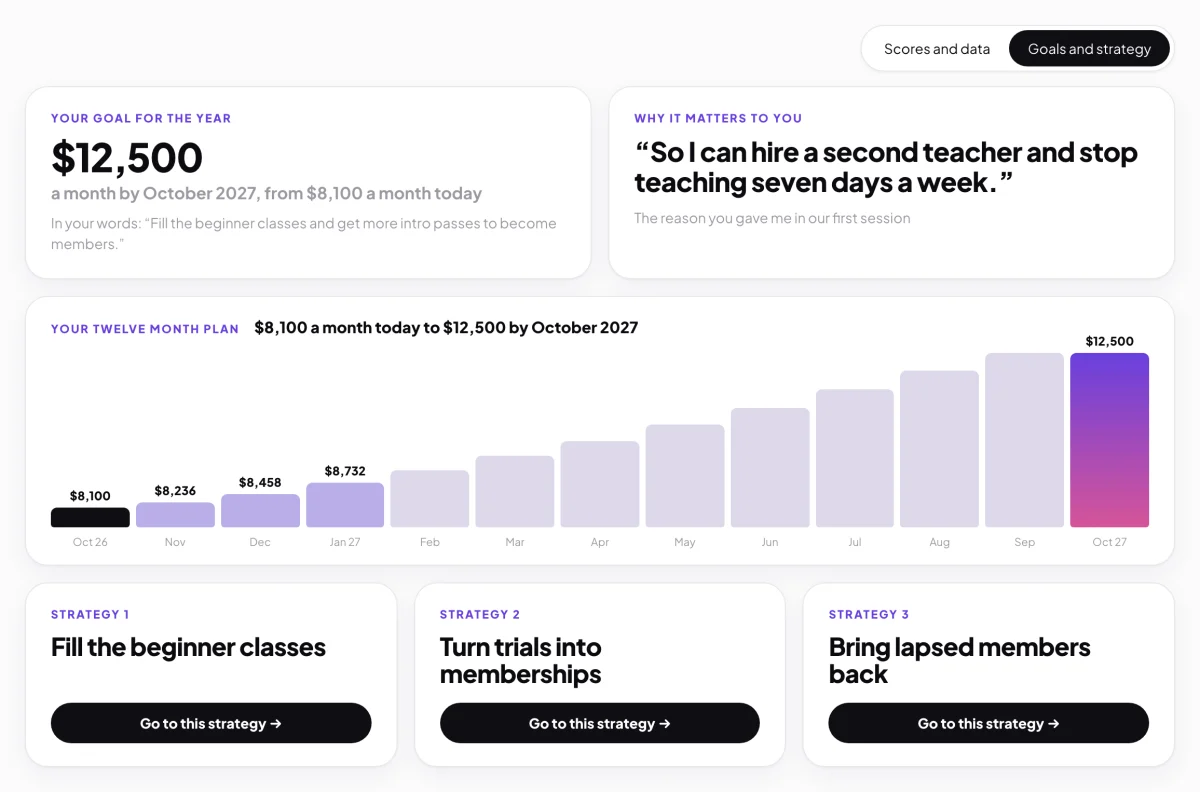
8 Your goal, the twelve month plan and your three strategies.
What happens next
Cora reads your connected platforms every night, so the figures and scores move as your marketing does. Start with Your next step, and read The trust score to see what the first dial means.
Common questions
Why is my dashboard blurred?
Your strategy session is done but no plan has been chosen yet. The pop-up says Your dashboard is ready to unlock; click See the packages to choose one, and the dashboard, your strategy document and the Design Studio unlock.
Why does the Google Ads card say there are no numbers yet?
Google Ads is connected, but the first read has not finished. Cora reads every night, and the figures appear after the first one lands. A card that says Not connected has a button to connect it.
The dashboard says it could not load. What do I do?
Click Try again. It is a connection problem, not a change to your account, and nothing has been lost.