
Talk to Gage or another expert in the pill
In the pill you can switch from Cora to an expert in one platform, such as Gage for Google Ads, without going back to the dashboard. Switching starts a fresh chat with that expert, and the chat you were in is saved under Chats.
Open Switch Expert
-
On the right of the pill, click the menu button, then click Switch Expert.
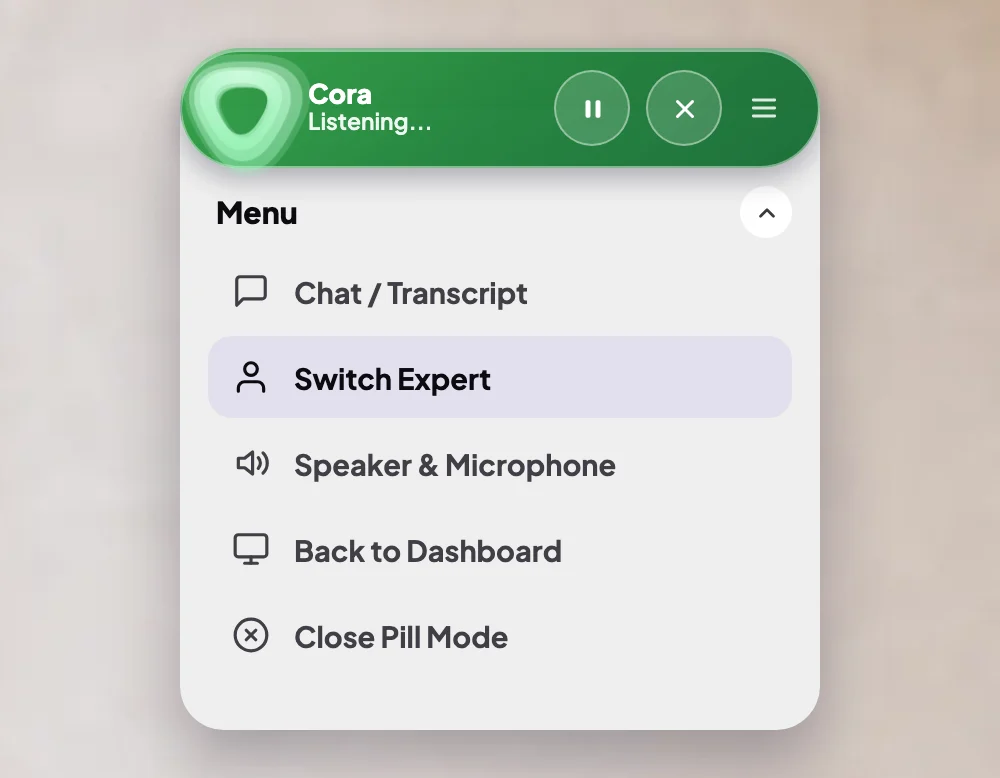
1 Switch Expert is the second item in the menu. -
Look down the list. Each expert shows their name and platform. The expert you are talking to now is not in the list, and an expert who is not available yet shows Soon.
Switch
-
Beside the expert you want, click Switch.
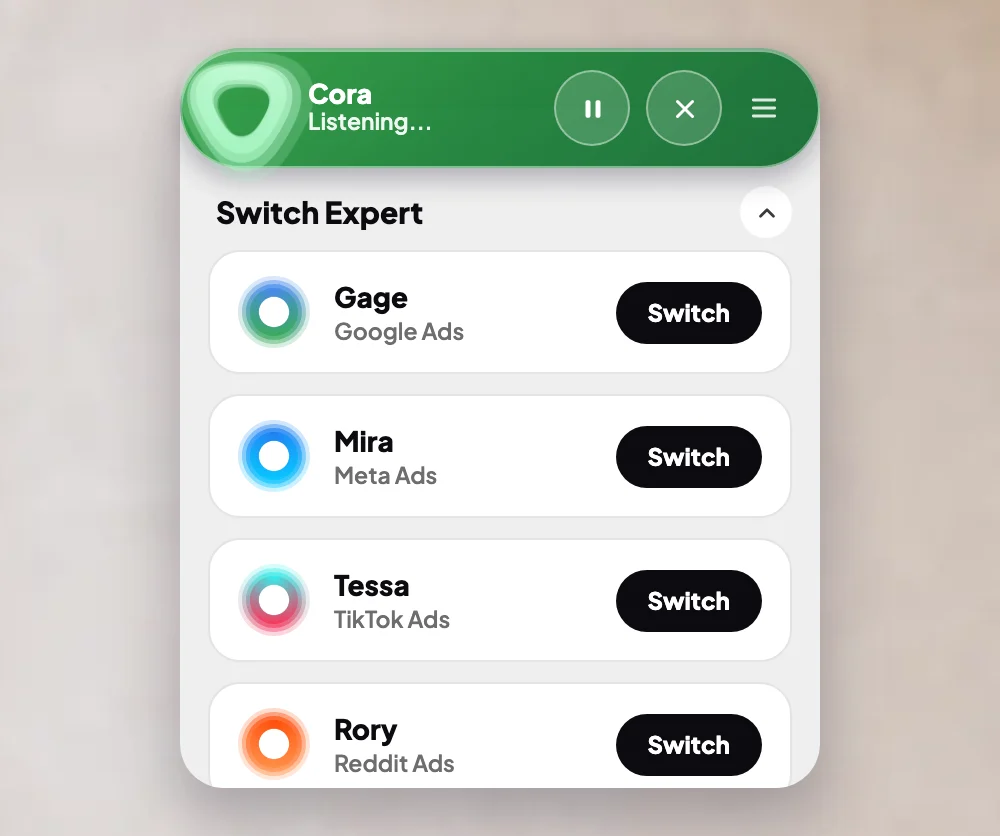
3 Switch beside the expert you want. -
The panel says this will start a fresh chat, and that your current chat is saved in your Chats list. Click Yes, switch, or Go back to keep talking to who you have.
-
The pill takes on the expert's colours and name. Tell them what you are working on.
What happens next
You are in a new chat with the expert, listed under Chats like any other. To go back to Cora, open Switch Expert again and click Switch beside Cora, who is there for your toughest challenges.
Common questions
Can I choose the expert before I start?
Yes. When you start a new chat, click Cora's name on the What are we working on? screen and choose another expert. See Start a chat in pill mode.
Do I lose what I said to Cora?
No. That chat is saved under Chats before the switch, and you can open it or continue it later.
Who are the experts?
Each covers one platform, such as Gage for Google Ads. See Who Cora, Gage, Dune and Mabel are.
Why does an expert say Soon?
That expert is not available yet. Ask Cora instead; Cora can help with any platform.