
What the CoraVision Pill is, and when to use it
The CoraVision Pill is Cora in a small bar that floats over whatever you are working on: Cora watches your screen, listens, and talks you through the next step in the tools you already use. Use it for everyday work, like a change in your ad account, and use a call when you want a full session with slides, like your onboarding call or session two.
- You have allowed CoraVision to see your screen. On a Mac, see Allow CoraVision to see your screen on a Mac.
- You have allowed the microphone.
Open the pill
-
In the sidebar, click New, then Create new chat.
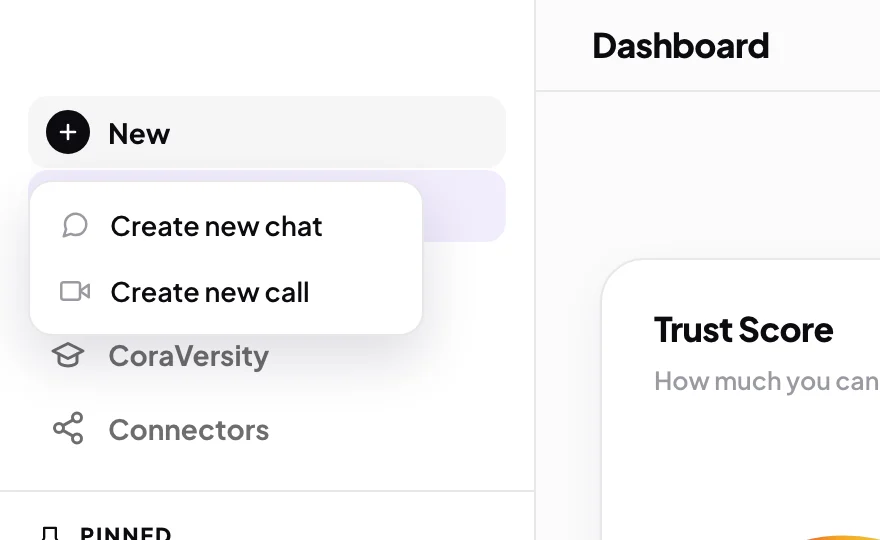
1 New sits at the top of the sidebar. -
Click Start chat. The dashboard folds away and the pill floats over your screen. The full steps are in Start a chat in pill mode.
Know the pill's parts
-
On the left of the pill, find the round button that turns Cora on and off. Purple, with Click to activate beside it, means Cora is off. Green, with Listening..., means Cora is on and can see and hear you.
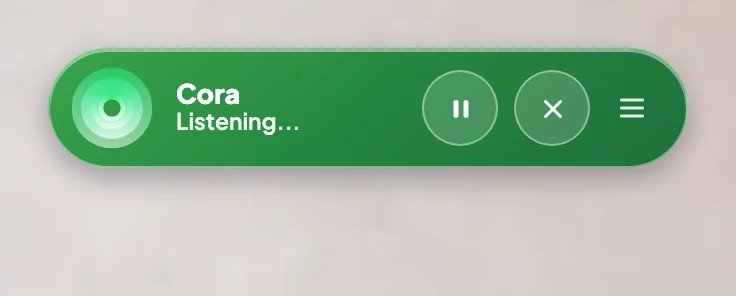
3 On and off. 4 Pause and end. 5 Menu. -
While Cora is on, use Pause Cora to take a break (Cora can neither hear nor speak until you resume) and End conversation to stop.
-
Click the menu button on the right for Chat / Transcript, Switch Expert, Speaker & Microphone, Back to Dashboard and Close Pill Mode.
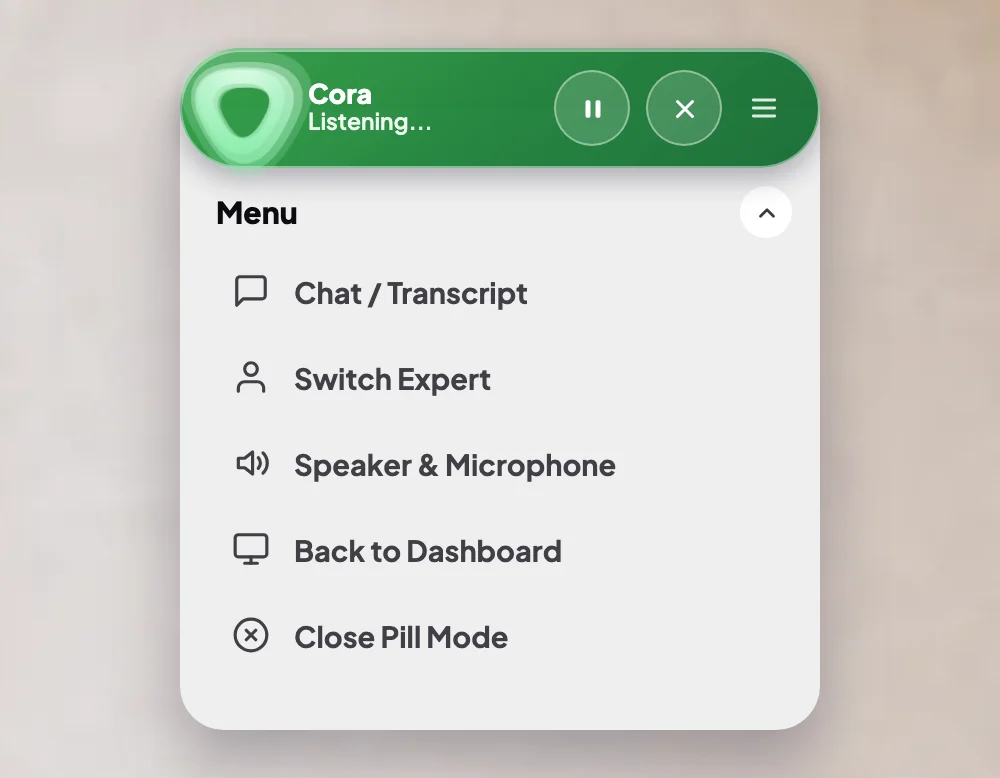
5 Back to Dashboard and Close Pill Mode both end the chat. -
To move the pill out of your way, drag it anywhere on your screen.
What happens next
Once Cora is on, tell Cora what you are working on. Cora looks at your screen when you finish speaking and when it changes, and shows you the next step, click by click. When you leave pill mode, the conversation ends and you land on its transcript, which is kept under Chats in the sidebar.
Common questions
Should I use a chat or a call?
Use a chat when you want help with something on your screen while you work. Use a call for a full session with Cora and the specialists, with slides and a plan at the end. You start both from New.
Can Cora click or change things for me?
No. Cora shows you what to do and why, and you make every click yourself, so you stay in control.
Who else can I talk to in the pill?
Open the menu and click Switch Expert to talk to one of Cora's colleagues, such as Gage for Google Ads. You can also choose the expert before you start the chat.
What can Cora see while the pill is open?
Your main display, while Cora is on. See What Cora can see while the pill is open.