
What Cora can see while the pill is open
While the pill is green, Cora sees still images of your main display: when the chat starts, when you finish speaking, when your screen changes, and if you go quiet for a while, so Cora's guidance matches what is in front of you. The images are used to answer you in the moment and are not saved to your CoraVision account, and Cora sees nothing while the pill is purple or paused.
Know when Cora is looking
-
Look at the pill. Green, with Listening... or one of Cora's thinking words, means Cora is on and can see your main display. Purple, with Click to activate, means Cora is off and sees nothing.
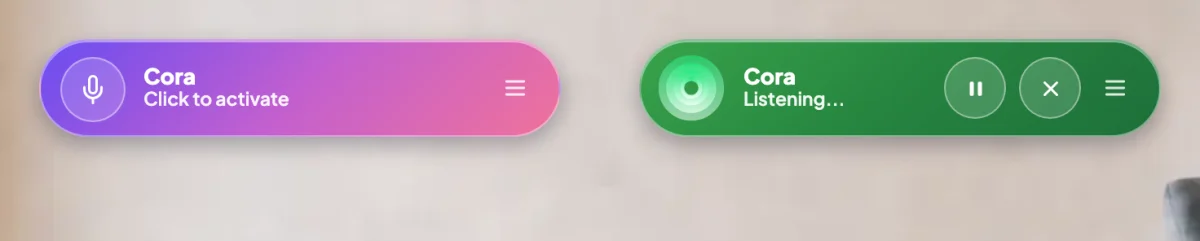
1 Purple, Cora sees nothing. Green, Cora can see your screen. -
On a Mac, look for the screen recording indicator in the menu bar at the top of your screen. It shows while a session with Cora is running.
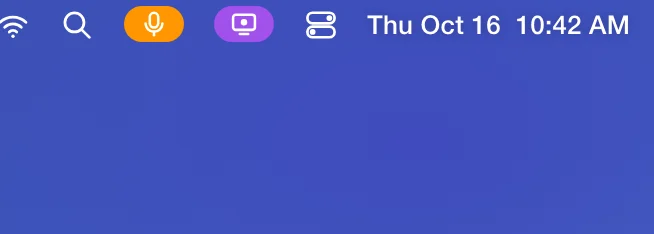
2 macOS shows this whenever an app is recording the screen.
Pause or stop Cora looking
-
Before you open something private, click Pause Cora on the pill. While the pill reads Paused, nothing from your screen is sent to Cora, and Cora can neither hear nor speak.
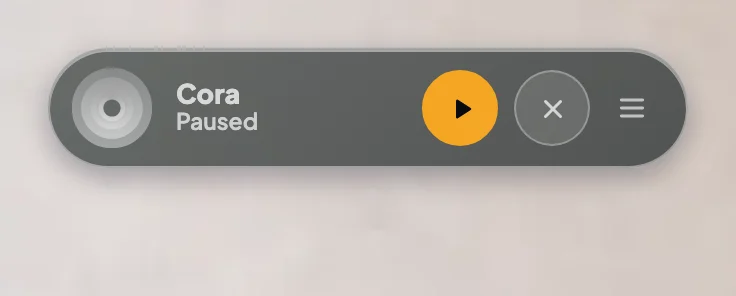
3 Paused: the pill goes grey and the button turns orange with a play triangle. -
Click Resume Cora when you are ready for Cora to look again.
-
To stop Cora looking altogether, click End conversation. The pill goes purple and CoraVision lets go of your screen.
What happens next
The next time you turn Cora on, Cora can see your main display again. What Cora said and what you said is kept as the chat's transcript under Chats; the screen images are not. For the whole picture, including calls, see What Cora sees, and when.
How she notices a changeWhile Cora is on, CoraVision compares your screen with the one before about once a second, on your computer, to notice when something changes, such as a menu opening or a page loading. That check stays on your computer. When it finds a real change, Cora gets a fresh image.
Common questions
Does Cora keep a recording of my screen?
No. Cora gets still images, not video. They are used to answer you in the moment and are not saved to your CoraVision account.
Can Cora see my second screen?
No. Cora sees your main display only. If you work across two screens, keep the window you want help with on your main display.
Can Cora see my screen when the pill is closed?
No. Nothing is captured when you are not in a session with Cora. When you click Close Pill Mode, the conversation ends and Cora stops looking.
Can Cora change anything on my screen?
No. Cora can point to where to click, but every click is yours.