
What is saved to your account, and what is not
CoraVision keeps what Cora needs to pick up where you left off: the transcripts of your chats and calls, the audio of your chats in the pill, your marketing plan and the numbers Cora reads from your accounts. It never keeps images of your screen, the audio of your calls or your card details, and you can delete chats, calls and projects yourself.
- Kept, privately, with your account: transcripts of your chats and calls; the audio of your chats with the pill; your onboarding answers, strategy, brand style guide, projects and reports; what Cora remembers from your calls; the connection to each platform you connect and the numbers Cora reads from it.
- Never kept: images of your screen; the audio of your calls (a call keeps a transcript only); the camera image Cora looks at when a call starts; your card details, which go straight to Stripe; your Google or Facebook password, which you only ever type into Google or Facebook.
Read what is saved
-
In the sidebar, click Calls (or Chats) to open the list.
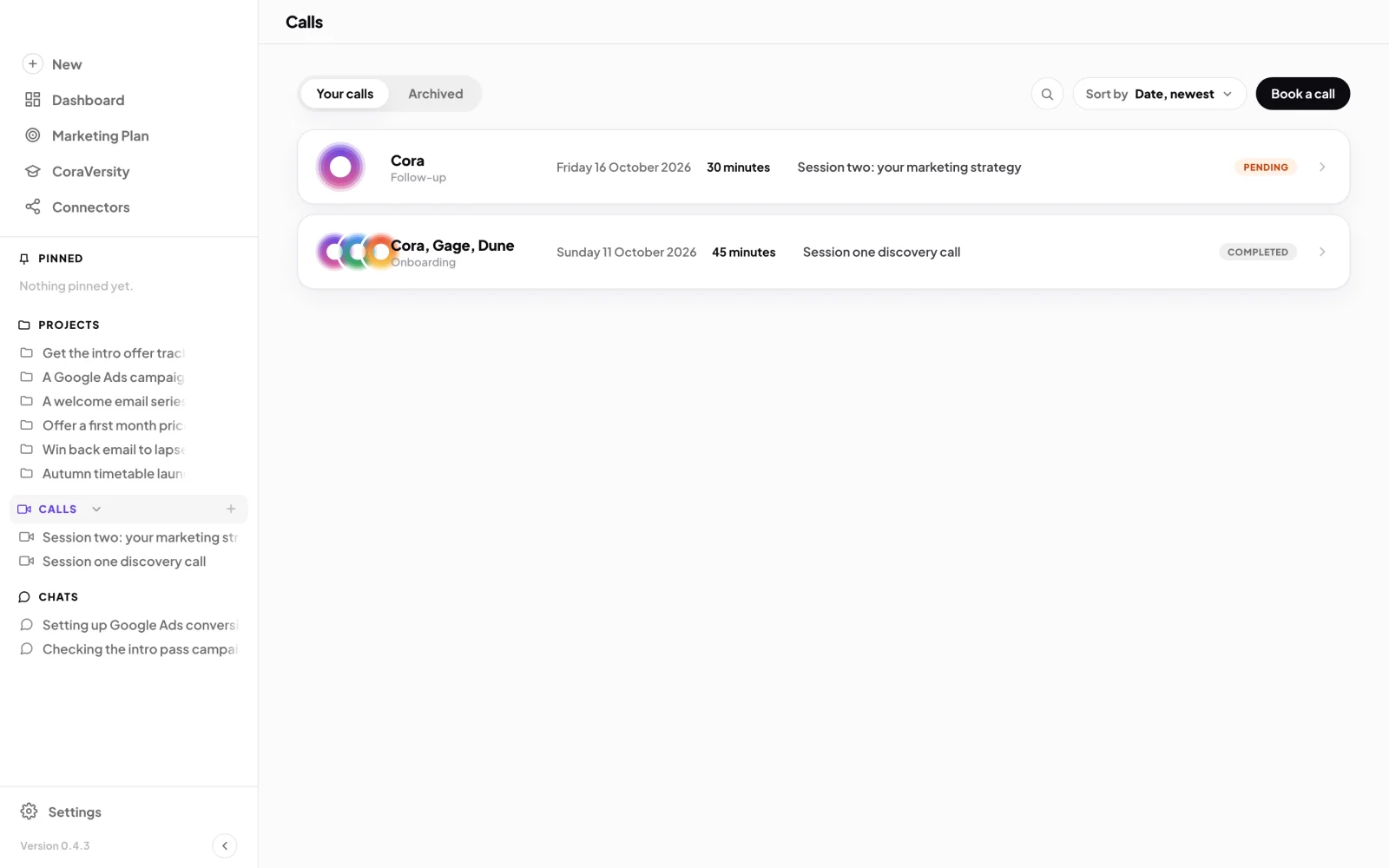
1 Calls in the sidebar. 4 The Archived tab. -
Click a call or chat to open it. Its transcript is on the page: every line you and Cora said, in order.
Delete a chat, call or project
-
Point at the chat, call or project in its list, click the three dots that appear, and choose Archive. Archiving hides it and can be undone.
-
At the top of the list, click the Archived tab.
-
Point at the item and click the bin icon, Delete forever.
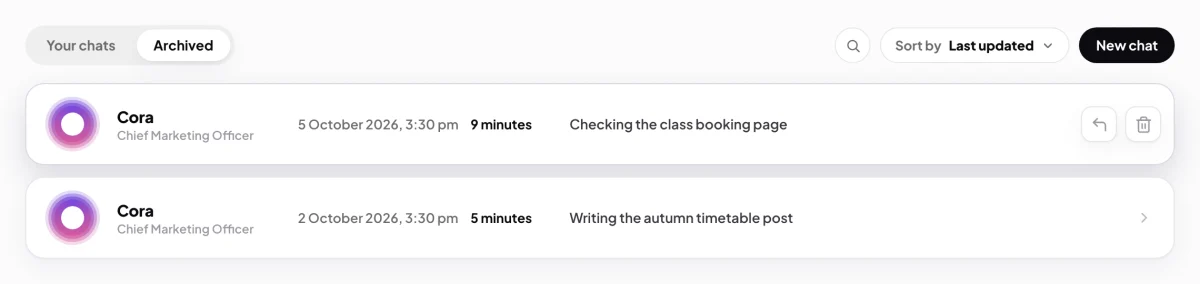
5 The bin deletes for good. The arrow beside it restores. -
Click Yes, delete. The item, its transcript and any audio are removed, and Cora no longer remembers it.
This cannot be undoneA deleted chat, call or project cannot be brought back. Your onboarding call cannot be archived or deleted.
Reset what Cora remembers from your calls
-
At the bottom of the sidebar, click Settings, then My details.
-
On the Coach memory card, click Reset Cora's memory, then Reset memory. Cora forgets your calls together and any booked sessions are cancelled. Your onboarding answers, projects and call history stay.
What happens next
Anything you delete is gone from your account and from Cora's memory. To stop Cora reading a platform, click Manage on its card in Connectors and disconnect it: CoraVision removes the access it holds, and reports already prepared stay in your account. To deactivate your account or ask us to erase it, send a message from the contact page.
Common questions
The call window says the call is recorded. Is the audio kept?
No. The call window says the call is recorded and transcribed; what is kept is the transcript. The audio of a call is not saved. Only chats in the pill keep audio.
Are images of my screen saved?
No. Cora uses them to answer you in the moment, and they are not saved to your account. See What Cora sees, and when.
Can my whole account be erased?
You can ask, from the contact page. We are required to keep transaction and account records for seven years, so those are kept, but no one can sign in to or use the account again.