
Delete archived projects, chats and calls
Deleting takes two steps on purpose: you archive the item first, which hides it and can be undone, then delete it from the Archived tab, which removes it, its transcript and any audio for good and takes it out of Cora's memory. Each step takes a few seconds, and your onboarding call is the one thing you cannot archive or delete.
Archive it
-
In the sidebar, point at the chat, call or project, click the three dots that appear beside it, and choose Archive. It fades out of the list. There is no question to answer, because archiving can be undone.

1 Archive is the last item on every row's menu. TipThe Calls, Chats and Projects pages have the same three dots on every row and card, so you can archive from there too.
Delete it from the Archived tab
-
In the sidebar, click the heading Calls, Chats or Projects to open its page.
-
At the top of the page, click Archived.
-
Point at the item. Two icons appear on the right: an arrow, Restore, and a bin, Delete forever. Click the bin.
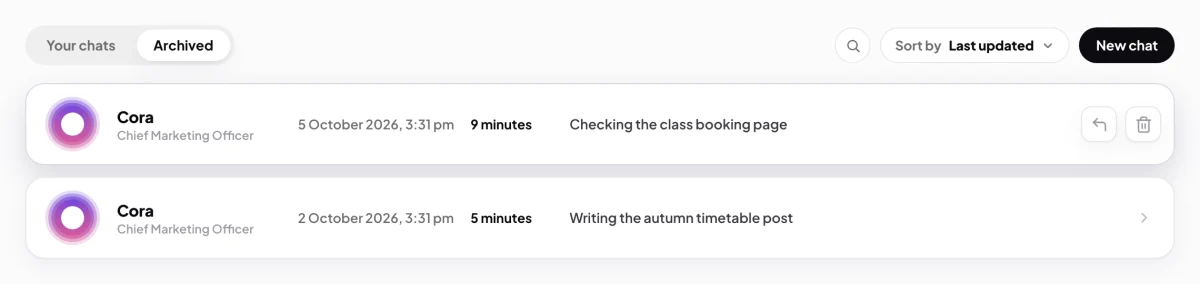
4 The bin deletes for good. The arrow restores. -
CoraVision asks you to confirm, and says the delete is permanent and removes the item from Cora's memory for good. Click Yes, delete, or No, keep it to stop.
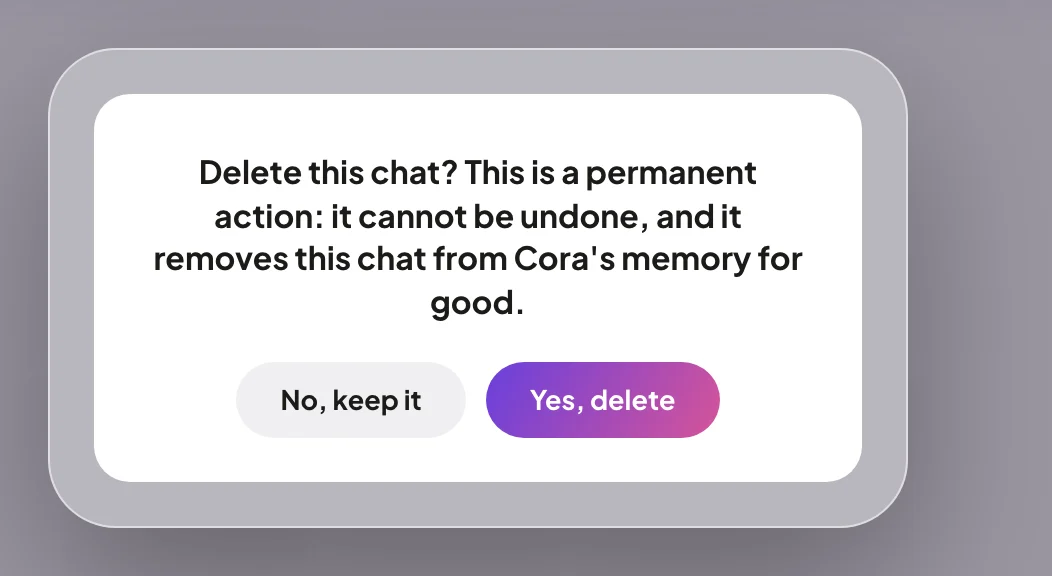
5 Yes, delete removes it. There is no undo. This cannot be undoneA deleted chat, call or project cannot be brought back, by you or by us.
Changed your mind? Restore it
-
On the Archived tab, point at the item and click the arrow, Restore. Click Yes, restore. It goes back to its list, and a restored chat comes back as a finished chat.
What happens next
A deleted chat goes with its transcript and the audio of the chat. A deleted call goes with its transcript. A deleted project goes with its steps and its history; the chats and calls that were in it are not deleted, and stay in your lists outside any project. Cora no longer remembers anything you deleted.
Common questions
Why can't I archive my onboarding call?
Its menu shows Archive greyed out with the line You cannot archive or delete a session one onboarding call. The onboarding call always stays on your account.
Does deleting a project delete the chats and calls in it?
No. They stay where they are and keep their own state. Archive and delete them one by one if you want them gone too.
Why do I have to archive before I can delete?
So nothing you can still see in your lists can be deleted by one stray click. Archiving is the cooling-off step; deleting from the Archived tab is the permanent one.
Can I delete everything at once?
Not in the app. To close your whole account, see Deactivate your account.