
The welcome tour, and how to take it again
The first time your new account opens the dashboard, Cora gives you a short spoken tour of CoraVision and ends by pointing you to your onboarding call. It plays once per account, you can pause or skip it, and it changes nothing in your account.
- Your account is new and you have finished the audio checks.
- Your sound is on: the tour is spoken.
Before the tour starts
-
On Choose how CoraVision looks, click Light, Dark or Glass, then click Save. You can change it later in Settings, under Display settings.
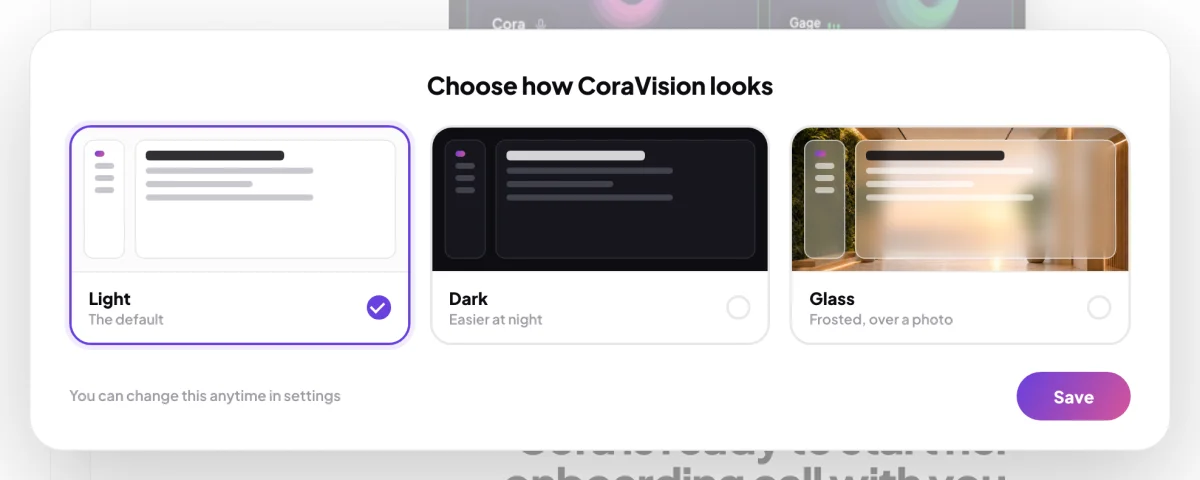
1 Choose a look and click Save. The tour starts next. -
Cora appears beside your onboarding call card, greets you and starts the tour.
During the tour
-
Listen and watch. Cora opens each part of the app for you. While Cora talks, CoraVision ignores other clicks, scrolling and keys, so nothing you press can interrupt Cora by accident.
-
To pause, click the round pause button under Cora's orb. Click it again to carry on. The tour also pauses by itself if you minimise or hide the CoraVision window.
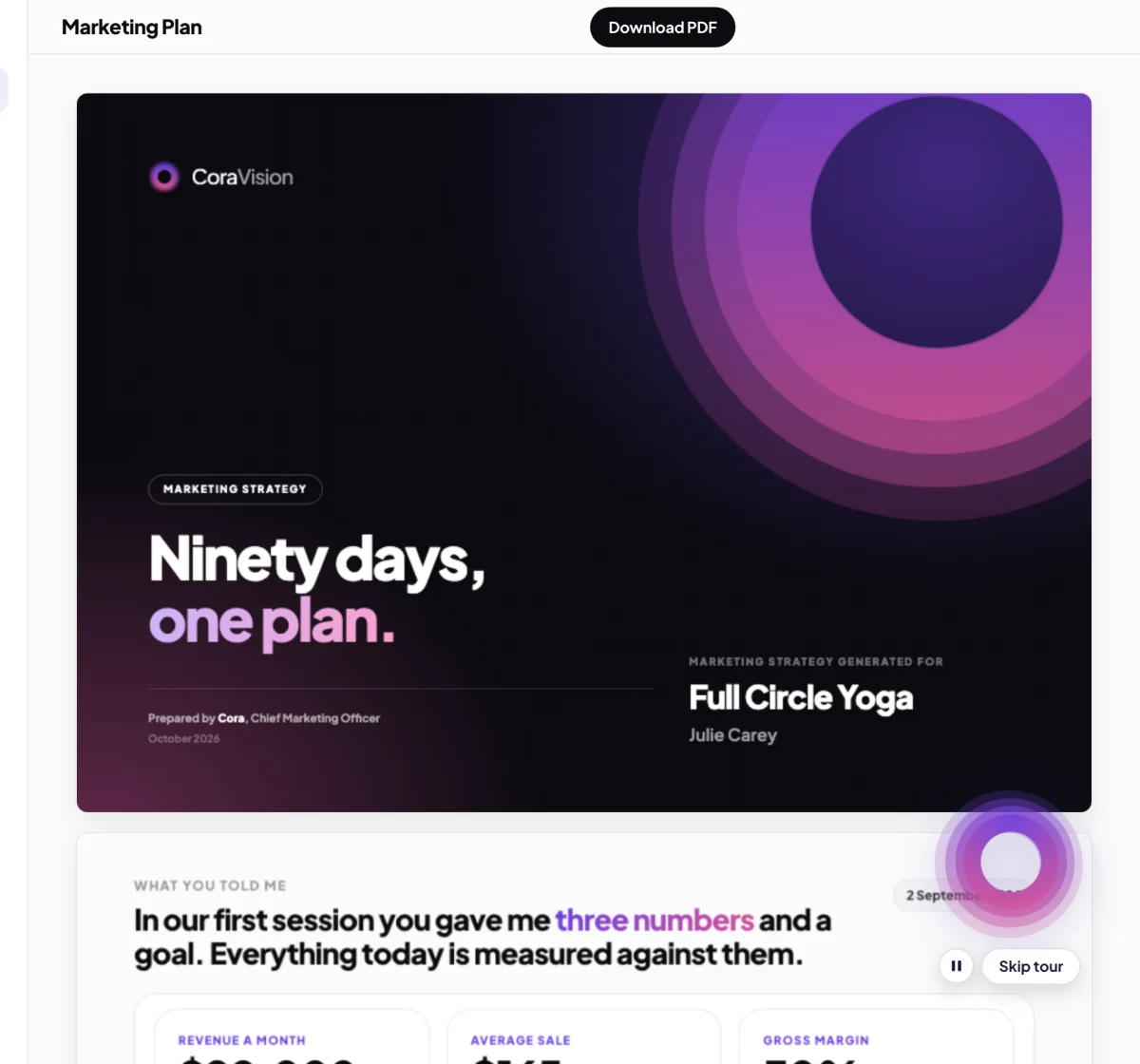
4 Pause and Skip tour sit under Cora's orb. -
To stop, click Skip tour. Cora says goodbye and leaves you on your dashboard.
NoteThe tour plays once per account, on any computer, and there is no button to start it again. A reload or restart in the middle does not replay it either.
After the tour
-
When you are ready, click Join now on your onboarding call card. See Join a call.
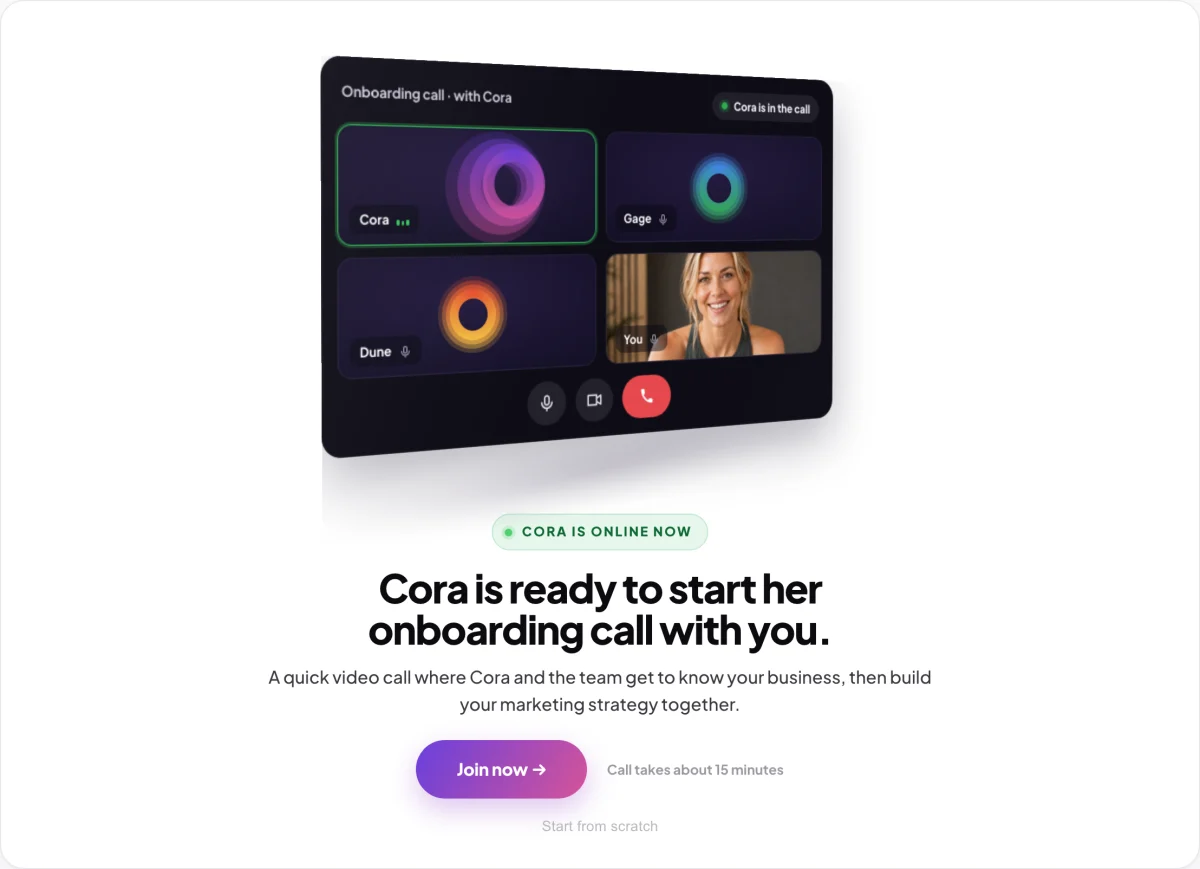
6 Your onboarding call is the first thing to do.
What happens next
Your dashboard is back to your own account, with nothing from the tour saved to it except a note that you have seen it. Your first step is the onboarding call. See What happens in your onboarding call.
Common questions
Can I take the tour again?
There is no button to replay it. Until your onboarding call has started, you can replay it from your dashboard with a keyboard shortcut: Command, Shift and Y on a Mac, or Ctrl, Shift and Y on Windows. Once your onboarding call has started, the tour cannot be replayed.
What does the tour show?
Where your onboarding call happens, your strategy document, a sample brand style guide, the Design Studio with Dune, CoraVersity with Mabel, your connectors, your calls and chats, and the dashboard as it looks once your calls are done, with your trust score and marketing performance score.
Is the brand style guide in the tour mine?
No. The tour uses sample documents for a made-up yoga studio so you can see what you will get. Yours arrives after your session one call, and your strategy document after session two.
Do I need to connect my accounts during the tour?
No. Cora shows you the connectors, and you connect your platforms during your first call.