
Auto top-up
Auto top-up buys credit with your saved card whenever your balance falls below a minimum you choose, so a call never pauses because your credit ran out. You choose how much it adds each time, the minimum balance, and if you like a most it may spend in a month.
- You are on a plan. Auto top-up is not offered on the free trial.
- You have a saved card in Billing. Without one, the window says Auto top-up charges your saved card. Add a card in Billing first.
Turn it on
-
At the bottom of the sidebar, click Settings, then Billing.
-
Beside Auto top-up, click Turn on.
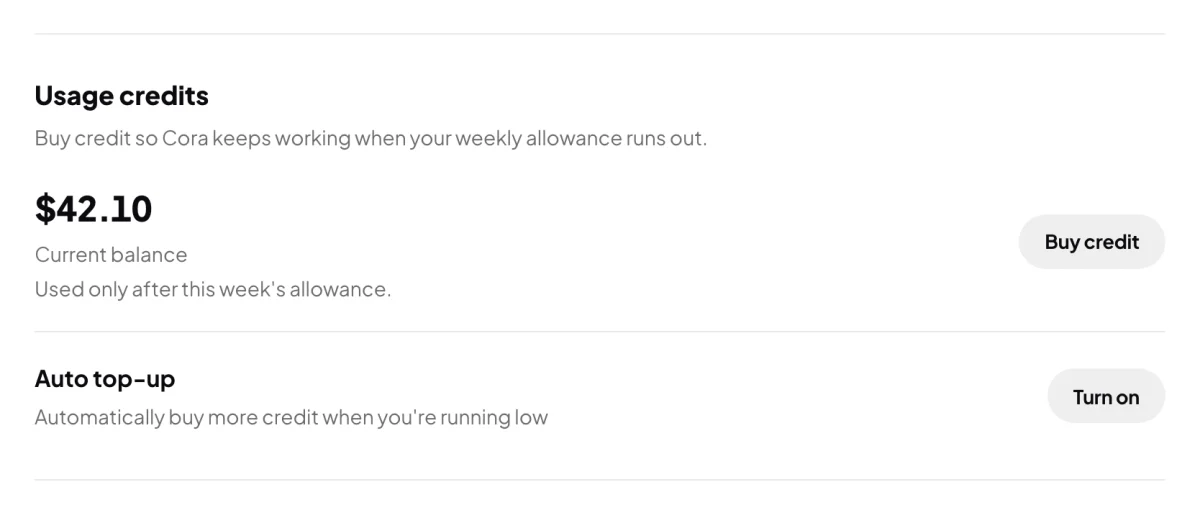
2 Auto top-up sits under your balance. -
Under Top up by, click the amount to add each time, or click Other and type one.
-
Under Minimum balance, type the balance at which to top up. When your credit falls below it, the amount above is added.
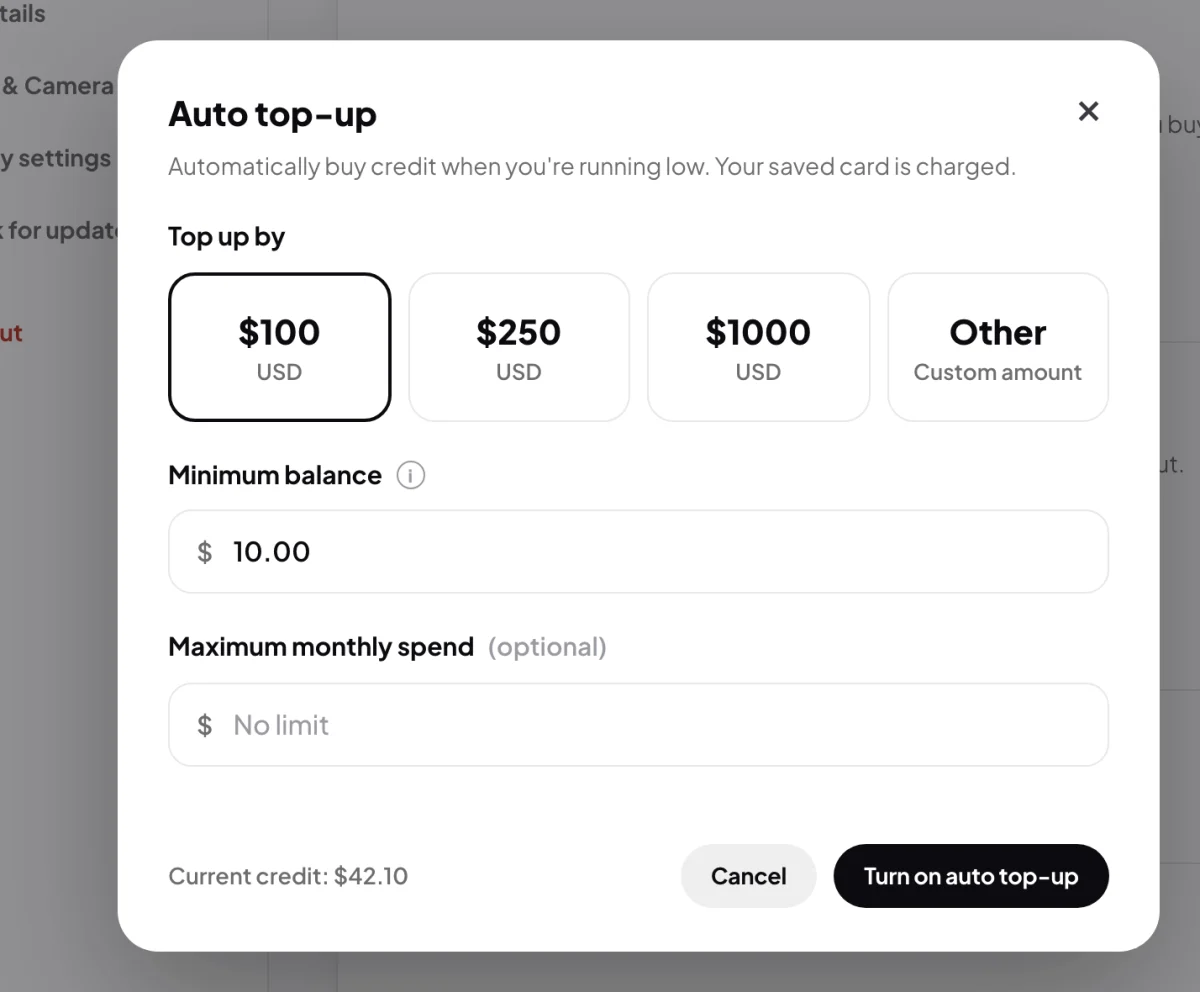
4 When to top up. 5 An optional monthly limit. -
If you want a limit, type it under Maximum monthly spend. Leave it empty for no limit.
-
Click Turn on auto top-up. The row in Billing now starts with On: and says how much is added and when.
Change it or turn it off
-
To change it, beside Auto top-up click Change, edit the amounts, then click Save changes.
-
To stop it, click Turn off.
What happens next
Each top-up charges your saved card, adds the credit to your balance, and gets a tax invoice and a receipt email like any payment. Check what it has bought under Invoices in Billing.
Common questions
What if my card is declined?
Auto top-up turns itself off, and the row in Billing starts with Off: and the reason. Update your card, then turn it on again.
What happens when I reach my monthly limit?
A top-up that would go over the limit is not made. Auto top-up stays on and starts again next month, counted by the calendar month in Brisbane time.
Is there a smallest amount?
Yes. If the amount is too small, the window says so and asks for more before it saves.