
Cancel your plan
Cancelling stops your plan from renewing. It runs to the end of the period you have paid for, with this week's allowance as it is, then ends; until that day you can change your mind with one click.
- If you only want to pay less, a downgrade may suit you better: see Change your plan.
- Cancelling ends your plan, not your account. Your calls, chats, projects and documents stay.
Cancel your plan
-
At the bottom of the sidebar, click Settings, then My Plan & Usage, then View plans.
-
At the bottom of the plans page, under the plan cards, click Cancel my plan.
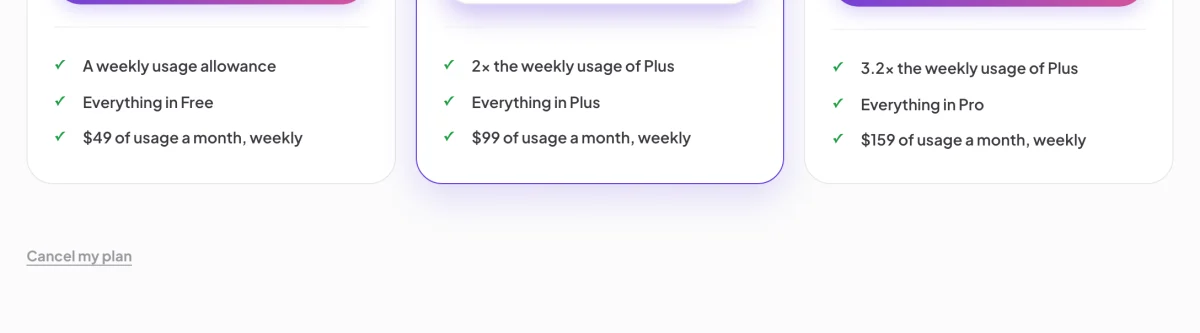
2 Cancel my plan sits under the plans. -
In Cancel your plan?, click Cancel plan. To stop instead, click Keep my plan.
-
Check My Plan & Usage: your plan is tagged Ending, and the line under it says the day it ends.
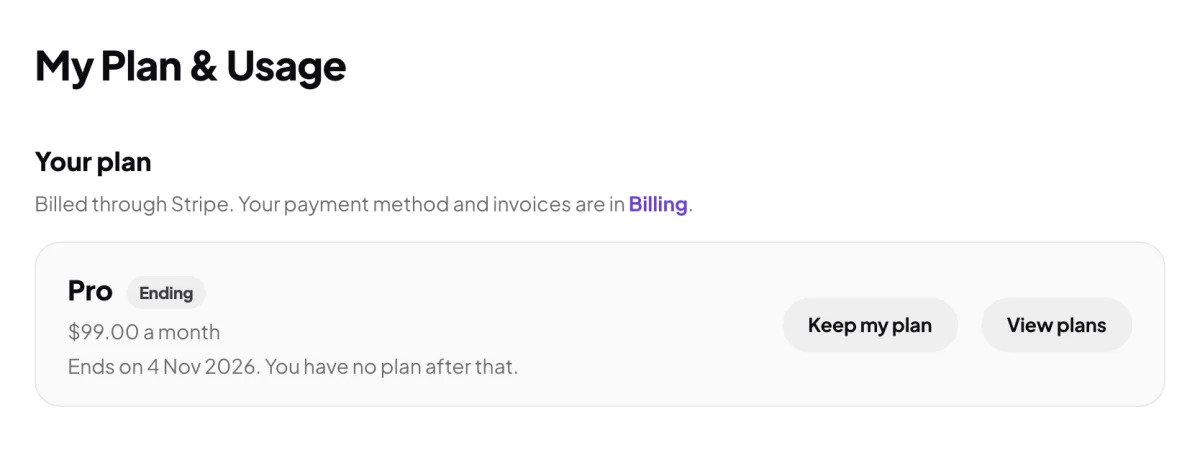
4 The day your plan ends. 5 Keep it with one click.
Change your mind
-
Before the end date, in My Plan & Usage, click Keep my plan. The note says Your plan continues. and it renews as before.
What happens next
Nothing changes until the end date: you keep your plan and this week's allowance. On that day the plan ends and you have no plan, and no weekly allowance. Auto top-up, if it was on, waits until you are on a plan again. To start again, choose a plan from the same page.
Common questions
Do I get money back for the rest of the period?
No refund is made for the time left, unless the law requires one: your plan keeps running until the end of the period you paid for, so you can use it until then. If you think you were charged in error, send us a message from the contact page.
Can I change plans while my plan is ending?
Not straight away. Click Keep my plan first, then change it from the plans page.
Does cancelling close my account?
No. Cancelling only ends the plan. To close your account, see What is saved to your account, and what is not.