
Buy credit (top up)
Credit keeps Cora working after this week's allowance runs out. You buy it in Settings, Billing, in one of the set amounts or an amount of your own, and it is added to your balance as soon as the payment clears, usually within a minute.
- Credit is for plan members. On the free trial, Buy credit asks you to Choose a plan first.
- Your card details go into a form run by Stripe, our payment provider. They never reach CoraVision's servers.
Open Buy credit
-
At the bottom of the sidebar, click Settings, then Billing.
-
Under Usage credits, check your Current balance, then click Buy credit.
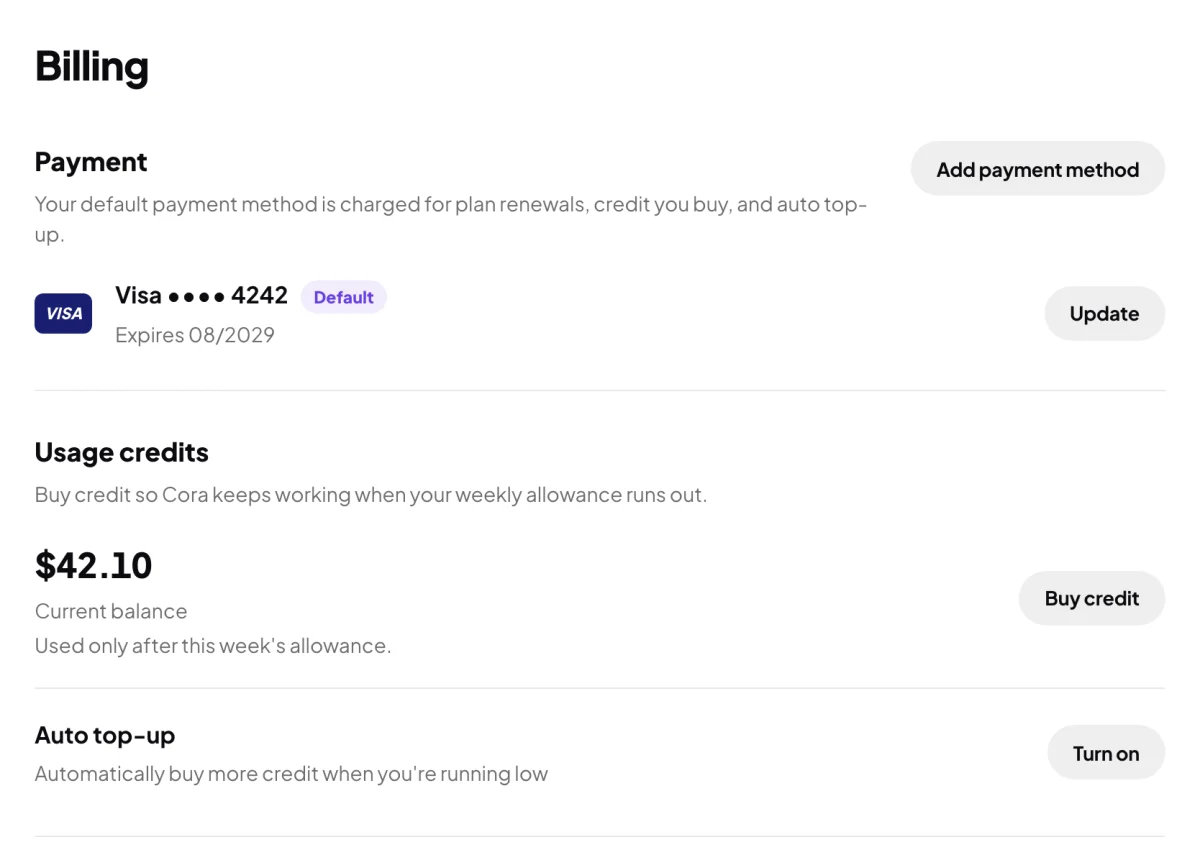
2 Your balance, and the button to add to it.
Choose and pay
-
Under Amount, click a tile. For an amount of your own, click Other and type it in US dollars.
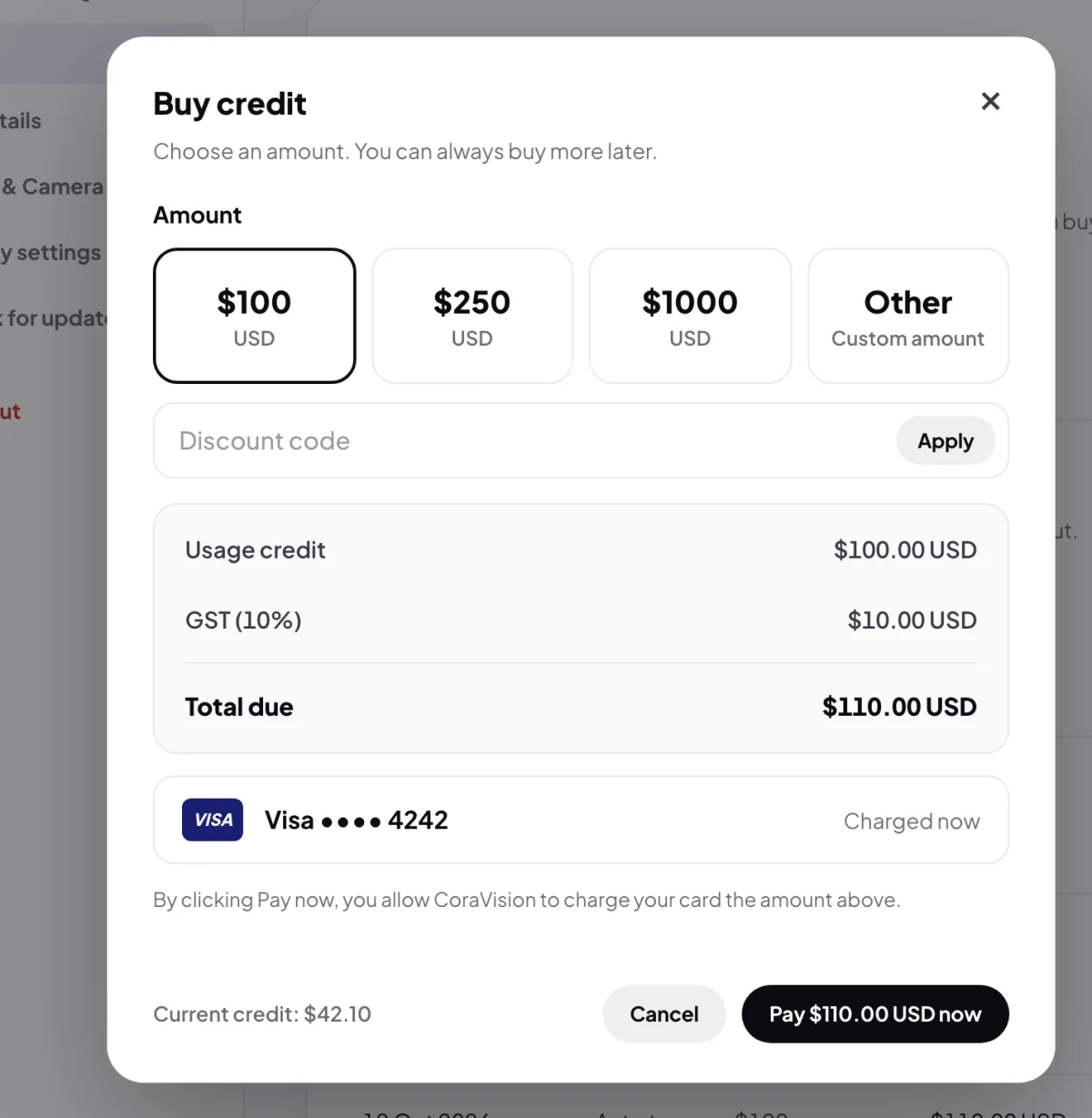
3 Choose an amount. 5 Check the total. -
If you have a discount code, type it in Discount code and click Apply. A tick and the amount off show when it works.
-
Check the summary: Usage credit, any Discount, GST where it applies, and Total due.
-
Click the Pay button, which shows the total. With a saved card, that card is charged. With no saved card, enter your card details in the form that appears, then pay.
-
When you see Payment successful and the credit added to your balance, click Continue.
What happens next
Your credit shows as Current balance in Billing. Cora uses your weekly allowance first and your credit only after the allowance is used up. The payment gets a tax invoice and a receipt email: see Invoices and receipts.
Common questions
What if my card is not accepted?
The window says Your card was not accepted and nothing is charged. Click Try again, or update your card first.
Does credit expire?
Credit you buy stays in your balance from week to week until Cora uses it.
The window says it is still confirming with Stripe. Should I pay again?
No. Check Billing before paying again: if the payment went through, your credit lands the moment it clears.