
Your weekly allowance and the usage percentage
The usage percentage shows how much of this week's allowance you have used, from 0 to 100 percent. It counts your plan's allowance only (never credit you bought), and the allowance starts again every week at 12:00 am Brisbane time on your reset day.
- Everything Cora does for you uses some of the allowance: chats in the pill, calls, and the work Cora does for you between them.
- CoraVision always shows usage as a percentage, never as a dollar figure.
- On the free trial there is no weekly allowance. The percentage is how much of your free trial credit you have used.
See your usage
-
At the bottom of the sidebar, click Settings. From 75 percent a small ring with the percentage sits beside it, so you can see your usage from any page.
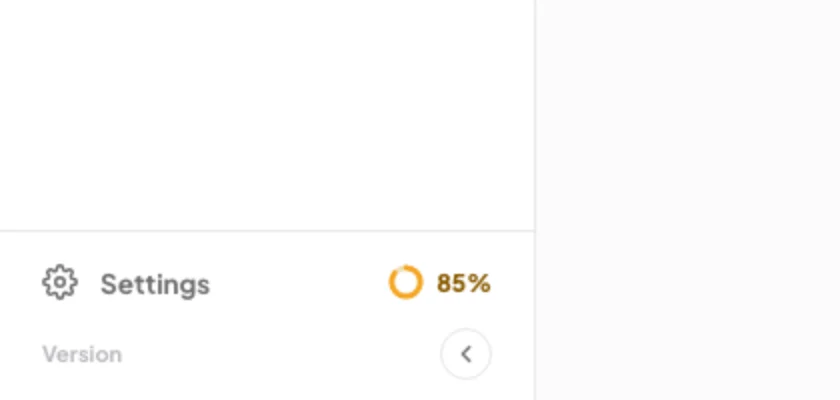
1 The ring beside Settings shows from 75 percent. -
In the Settings menu, click My Plan & Usage.
-
Under Usage, read the Weekly allowance meter. On the right it says how much you have used, for example 62% used. The line under it says when it resets, for example Resets in 2d 4h followed by the day and 12:00 am Brisbane time.
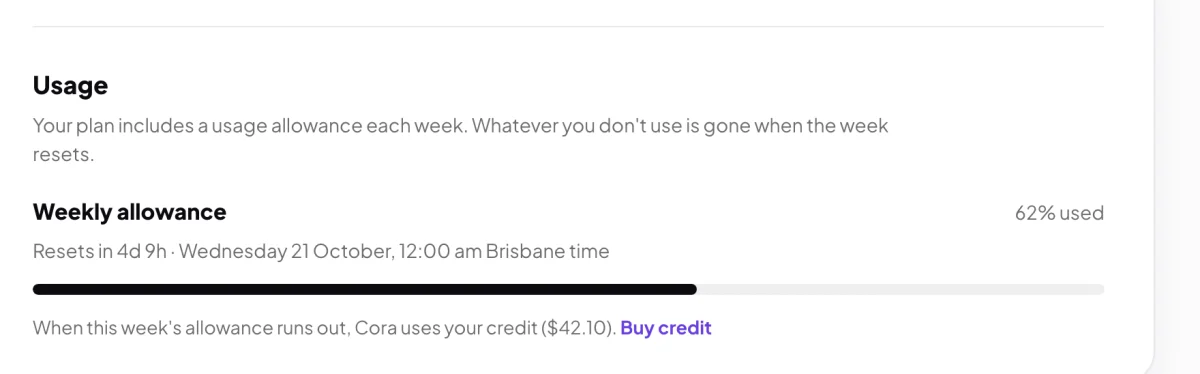
3 How much is used, and when it resets. 4 What happens when it runs out. -
Read the line under the bar. It tells you what happens when the allowance runs out: Cora carries on using your credit, or, if you have none, calls pause until the reset.
Keep Cora working when the allowance runs out
-
To add credit now, click Buy credit under the meter (or in Billing, under Usage credits). Choose an amount and click the Pay button.
-
To top up without thinking about it, in the Settings menu click Billing, then beside Auto top-up click Turn on. Choose the amount to top up by and the minimum balance, then click Turn on auto top-up.
NoteCredit and auto top-up are for plan members. On the free trial, My Plan & Usage offers View plans instead.
What happens next
As the percentage rises, CoraVision shows a notice at 75, 85 and 90 percent. When the allowance is used up, Cora carries on with your credit if you have some. When both are used up, calls pause and pill chats end until the week resets or you buy credit. The notices at 75, 85, 90 and 100 percent shows each one.
Common questions
Does unused allowance carry over to next week?
No. Whatever you do not use is gone when the week resets, and the new week starts at 0 percent.
Does the credit I bought count in the percentage?
No. The percentage only measures this week's allowance. Credit you bought shows separately in Billing, as Current balance, and is used only after the allowance runs out.
Why a percentage and not dollars?
So you can see at a glance how much of the week is left, whichever plan you are on. Your plan's price and any credit you buy are in US dollars in Billing.
When does my week reset?
At 12:00 am Brisbane time, on the day shown in the reset line. Your plan's weeks run from when the plan started, so the day depends on your plan.