
The notices at 75, 85, 90 and 100 percent
CoraVision shows a short notice when you reach 75, 85 and 90 percent of this week's allowance, and another when the allowance is used up. Nothing stops until both your allowance and your credit are used up; then calls pause and the window to buy credit opens.
- The percentage is of this week's allowance only. Your weekly allowance and the usage percentage explains how it is counted.
- The notices appear wherever you are: at the top of the dashboard, at the top of a call, or above the pill.
At 75, 85 and 90 percent
-
Read the notice. It has a ring at the percentage and one line, for example You've hit 75% of your usage. It is amber at 75 and 85 percent and red at 90 percent, and the number keeps counting up while it is open.
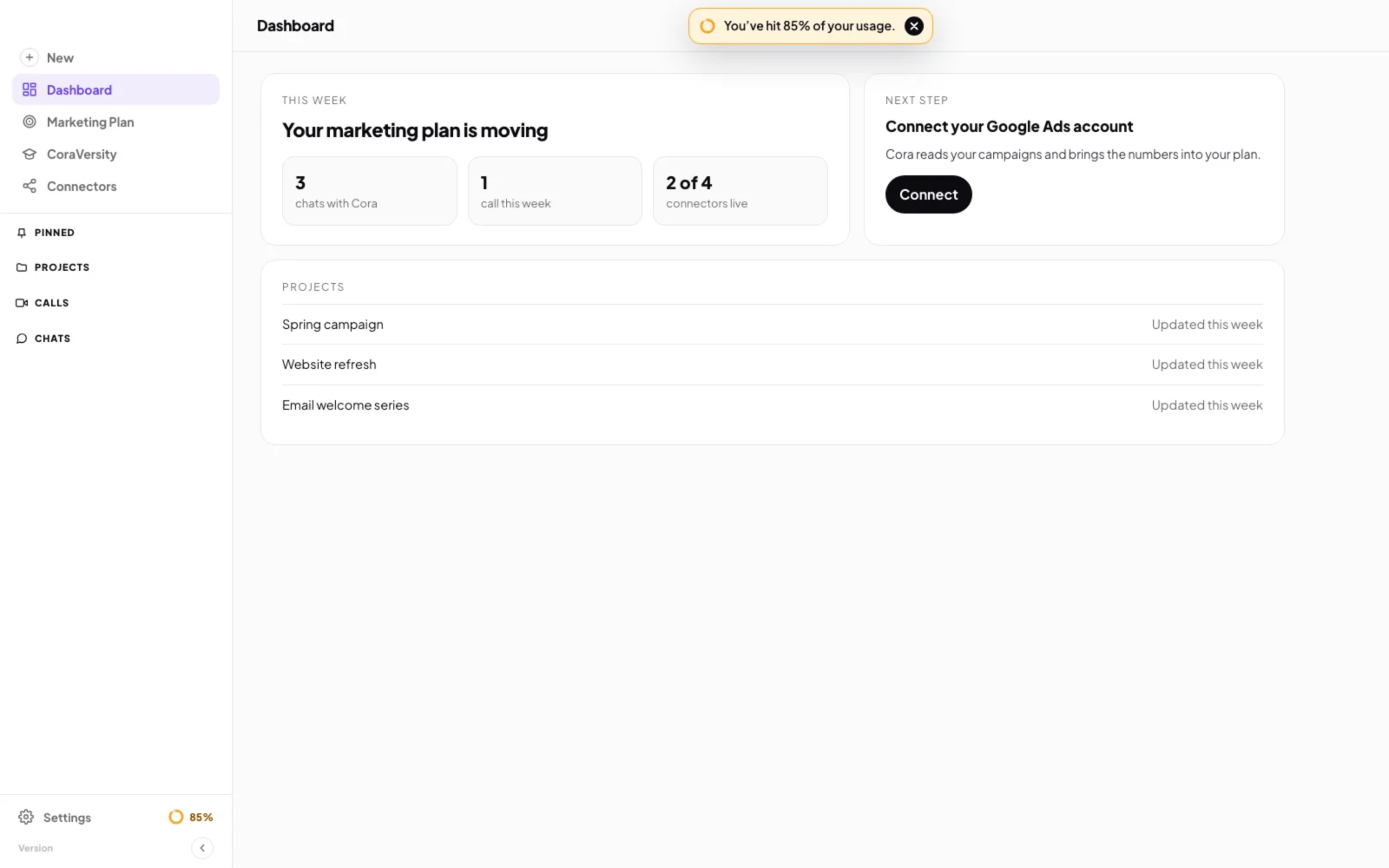
1 The notice. 2 The close button. -
Click the black close button on the right of the notice. It does not come back for that level. The next notice appears only when you reach the next level.
-
To see how long is left this week, at the bottom of the sidebar click Settings, then My Plan & Usage. If you want to be sure Cora keeps working, buy credit or turn on auto top-up there.
At 100 percent
-
If you have credit, a green notice says Plan usage exceeded, now using credit balance. You do not need to do anything. Cora carries on and uses your credit until the week resets.
-
If your allowance and your credit are both used up, the Buy credit window opens on its own with a red message at the top. Choose an amount and click the Pay button.
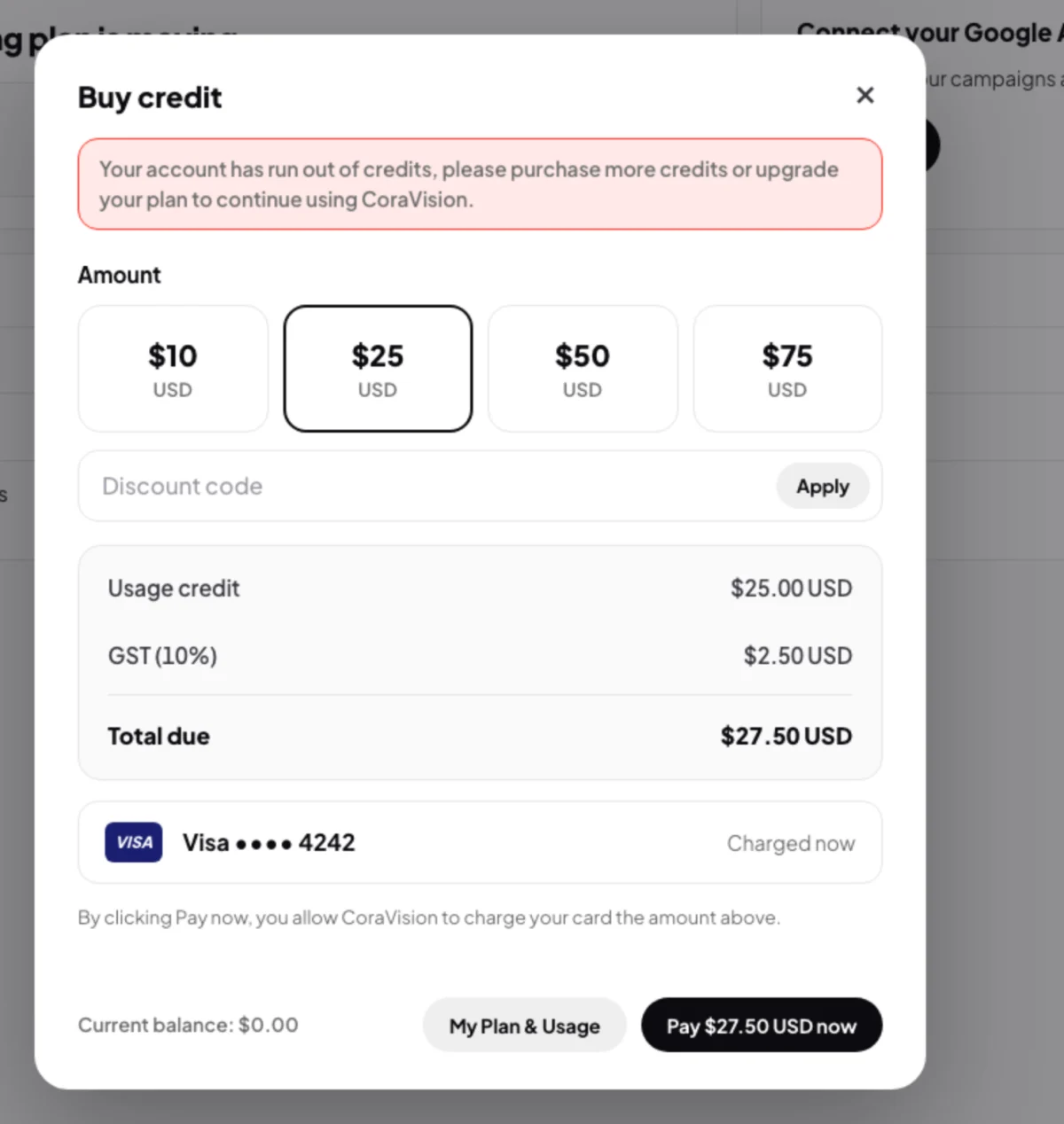
5 At 100 percent the Buy credit window opens on its own. -
If this happens during a call, the call pauses and the same window opens over it. Pay there, then click Resume meeting: the call does not carry on by itself. If you have no saved card, CoraVision takes you to the dashboard to add one. My Plan & Usage takes you out of the call to the dashboard, and the call stays paused until you come back.
A pill chat endsA chat in the pill cannot pause, so it ends with Out of credits. Buy credit, then start a new chat. Cora remembers what you talked about.
-
On the free trial, the plans page opens instead, with the same red message. Choose a plan to keep going. See Plans and what each includes.
What happens next
When the week resets, your allowance starts again at 0 percent, the ring beside Settings disappears, and paused calls can carry on. Credit you bought and did not use stays in your balance for next time.
Common questions
Can I turn the notices off?
No, but each one closes with one click and does not come back for that level.
Why did I see the same notice twice?
Each week starts again at 0 percent, so you see the notices again in a new week if your usage reaches those levels. Within one week, each notice shows once.
How do I make sure a call never pauses?
Keep some credit in your balance, or turn on auto top-up in Billing. Auto top-up buys credit with your saved card when your balance falls below the minimum you set.