
Invoices and receipts
Every payment, whether a plan, a renewal, a change of plan, credit or an auto top-up, gets a tax invoice from Stripe, our payment provider, which you open from Settings, Billing. CoraVision also emails you a receipt, with the PDF attached, within a minute of each payment.
- The invoice opens in your web browser, on Stripe's page.
- Invoices are in US dollars, with GST shown where it applies.
Find an invoice in Billing
-
At the bottom of the sidebar, click Settings, then Billing.
-
Scroll to Invoices. Each payment shows its Date, what it was For, the Total and its Status: Paid, Pending, Failed or Refunded.
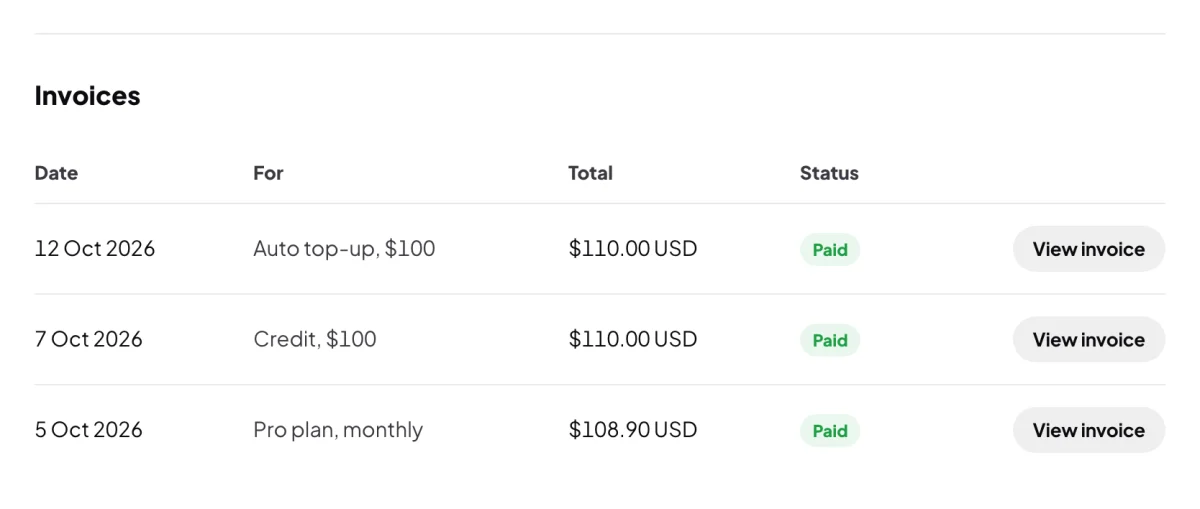
2 One row per payment, newest first. -
Click View invoice on the payment. Stripe's page opens in your web browser.
-
On Stripe's page, download the invoice or the receipt as a PDF.
-
For older payments, click Show older invoices under the table.
Find your receipt email
-
In your email, look for a message from Cora with the subject Payment received: followed by the amount and what it was for.
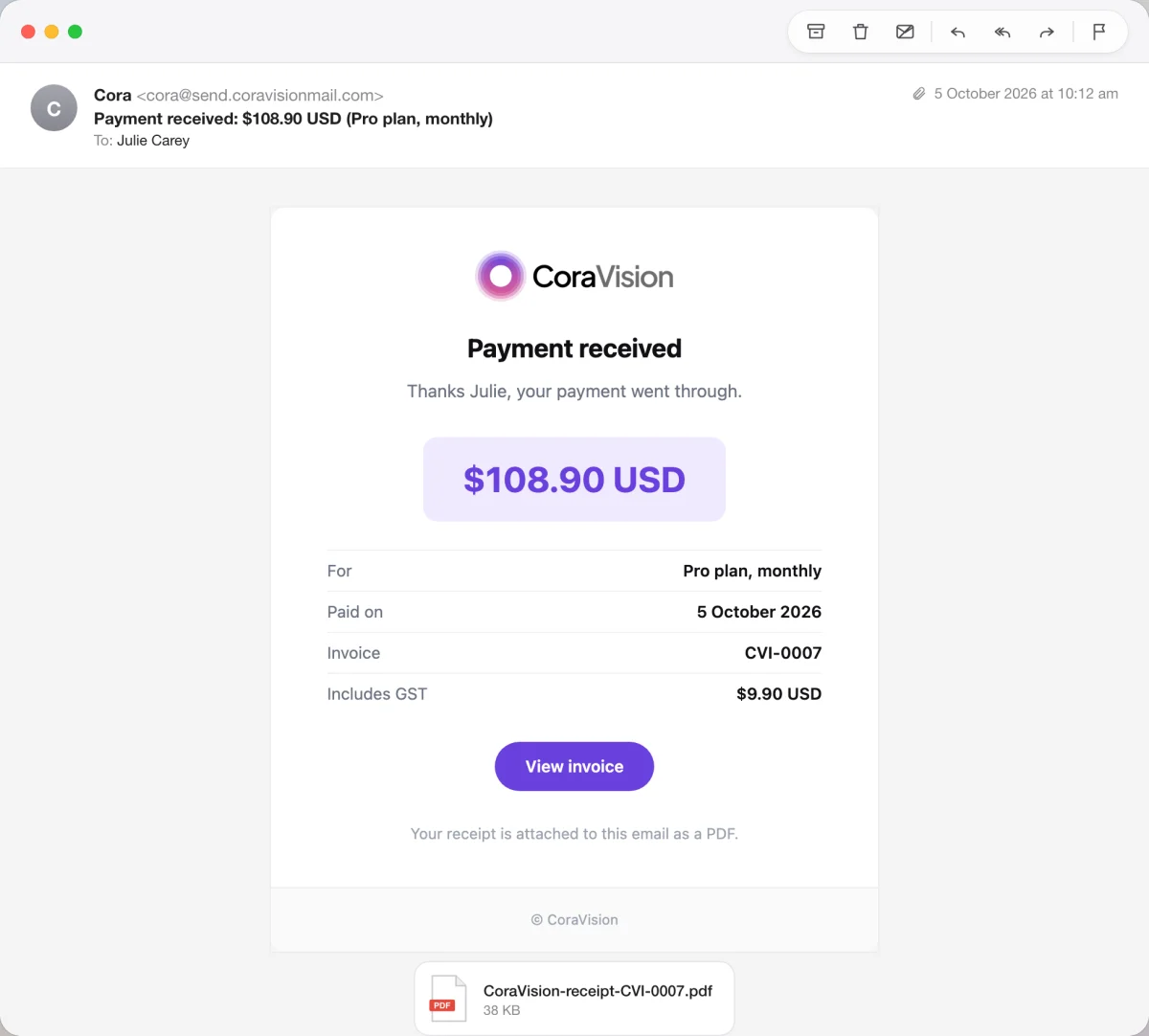
6 The receipt PDF is attached. -
Open the attached PDF, named CoraVision-receipt and the invoice number. It shows the date paid, what was paid for, GST where it applies and the card used. Click View invoice in the email for the tax invoice.
What happens next
Keep the receipts for your records. A failed payment has no invoice to open, because nothing was paid: see Update your card.
Common questions
Why does an invoice PDF say an amount is due when I have paid?
Stripe draws its invoice PDF a moment before your card is charged, so it can still read as due. The receipt PDF, attached to your email and offered on Stripe's page, shows the payment as paid.
Whose name is on the invoice?
Your business name, then your name and your email. If you change your business name, it shows from your next payment.
I did not get a receipt email. Where is it?
Check your junk folder for a message from Cora. The invoice is always in Billing, whether or not the email arrived. A payment with nothing to pay, such as a plan code's free months, has no receipt.