
Change your plan
You change your plan from the plans page in Settings. An upgrade starts at once and you pay only the difference for the rest of the period you have already paid for; a downgrade waits until your renewal date, and nothing is charged until then.
- You are on a plan. To choose your first one, see Plans and what each includes.
- If your plan is ending, click Keep my plan in My Plan & Usage first. If your last renewal failed, update your card first.
Open the plans page
-
At the bottom of the sidebar, click Settings, then My Plan & Usage.
-
Under Your plan, click View plans. The page is titled Change your plan, and your own plan's button says Your current plan.
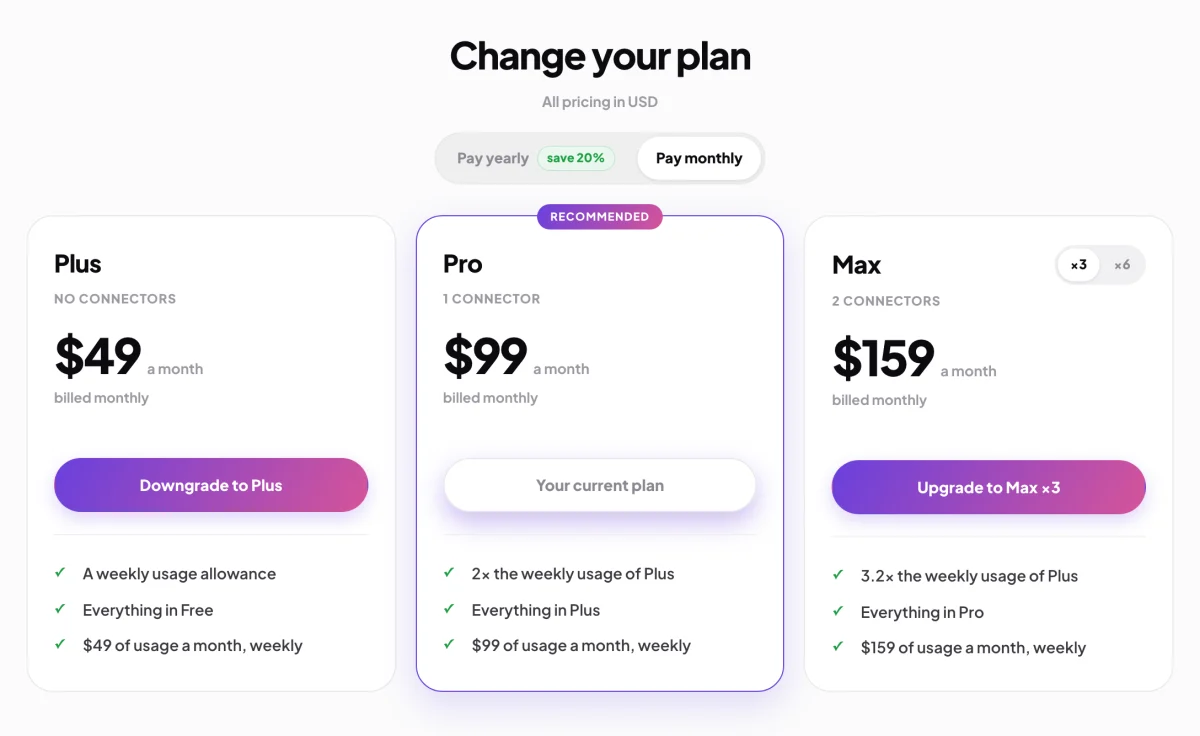
2 Your plan. 3 The buttons say up or down.
Upgrade
-
Choose Pay yearly or Pay monthly at the top, then click Upgrade to and the plan's name.
-
On the checkout page, read the sum: the new plan for the rest of this period, less the unused part of your current plan, plus GST if it applies, and the Total due today. The note under it says what you pay from your renewal date.
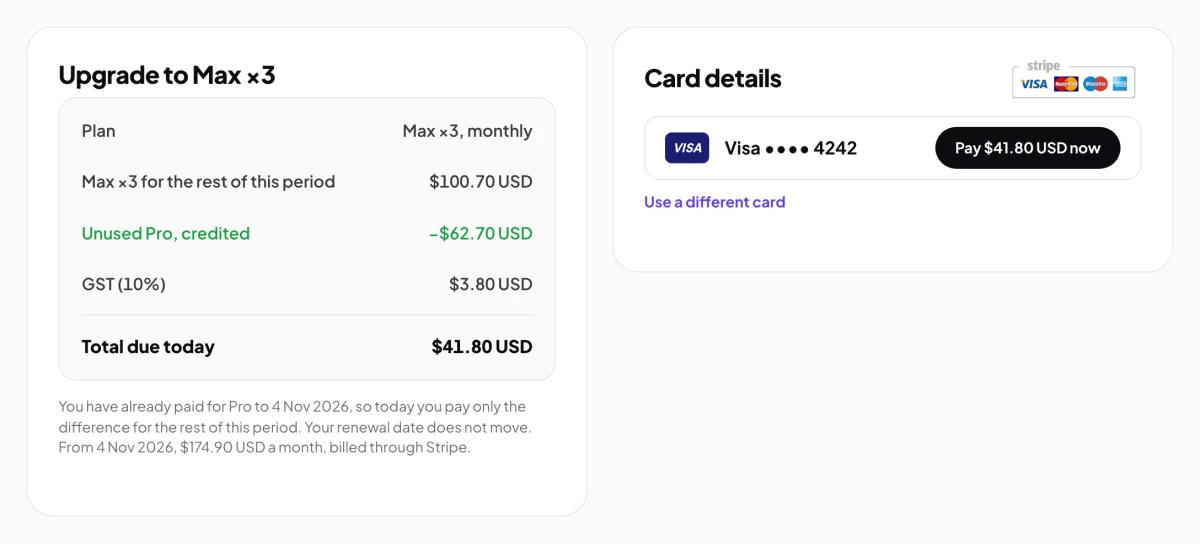
4 You pay the difference, nothing more. -
On the right, click the Pay button beside your saved card, which shows the total. To pay with another card, click Use a different card and enter it.
-
When you see Payment successful, click Continue. Your new plan and its weekly allowance start straight away.
Downgrade
-
Click Downgrade to and the plan's name. A window shows Payable today as nothing, and the day the new plan starts.
-
Click the button that names the plan and the date, for example Downgrade to Plus on your renewal date.
-
Back in My Plan & Usage, check the line Changes to the new plan on that date. To undo it before then, click Keep my current plan.
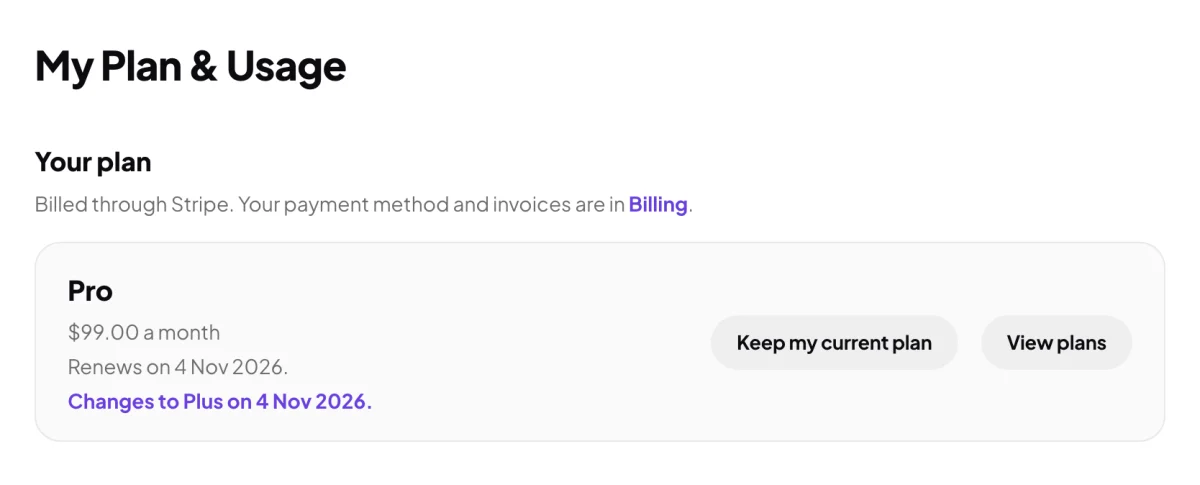
9 The change waits for your renewal, and you can undo it.
What happens next
An upgrade keeps your renewal date, and from then you pay the new plan's price. A downgrade changes nothing until your renewal date, when the new plan and its allowance start. Every payment gets an invoice and a receipt email: see Invoices and receipts.
Common questions
What if I switch between monthly and yearly?
An upgrade that also changes between monthly and yearly restarts your billing period today: you pay the whole new period now, less the unused part of your current plan, and your renewal date moves. Moving the same plan from yearly to monthly waits for your renewal date. The page says which before you confirm.
My bank wants to confirm the upgrade. What do I do?
An upgrade cannot show your bank's check yet. Use a different card for the upgrade, or cancel your plan and start the new one afresh when it ends.
Can I use a code on an upgrade?
No. Codes are for a first payment, so the upgrade checkout has no code field. Enter a code when you start a plan, on the checkout page.