
How card payments are handled
When you pay in CoraVision, you type your card into a form run by Stripe, our payment provider, and your card details go straight to Stripe. They never touch CoraVision's servers; all CoraVision shows you afterwards is the card type, its last four digits and its expiry, read back from Stripe.
Where you enter a card
-
You enter a card when you choose a plan, buy credit, or add a card yourself. To add one, click Settings, then Billing, then Add payment method (or Update beside a saved card).
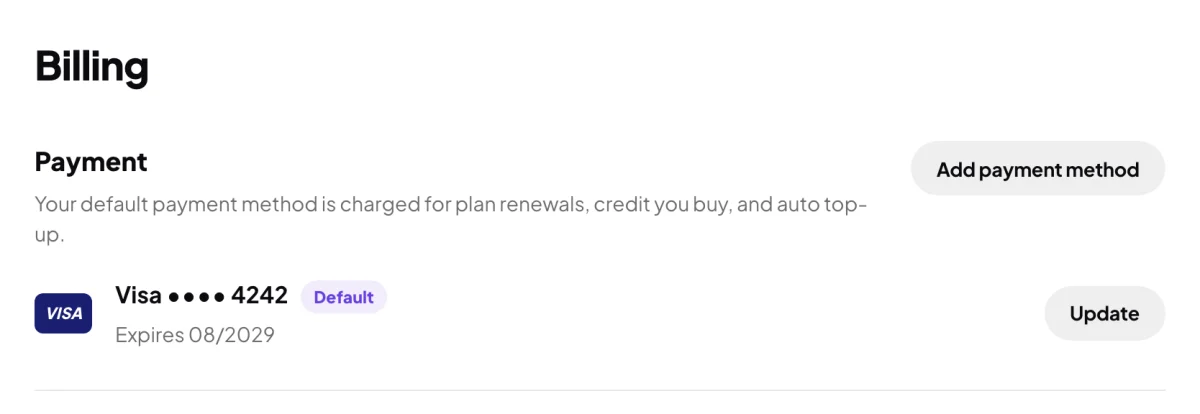
1 All CoraVision shows of your card: type, last four, expiry. -
In the card form, type the card number, expiry and security code. The form asks for nothing else: your country comes from your account.
Your card stays with StripeThe boxes you type into belong to Stripe. CoraVision never sees or stores your full card number or security code.
If your bank asks to check it's you
-
Some banks ask you to approve a payment, for example in their app or with a code by text. CoraVision then says Your bank wants to confirm it's you. Complete the check below, or press Back to try another card. Complete your bank's check in the form.
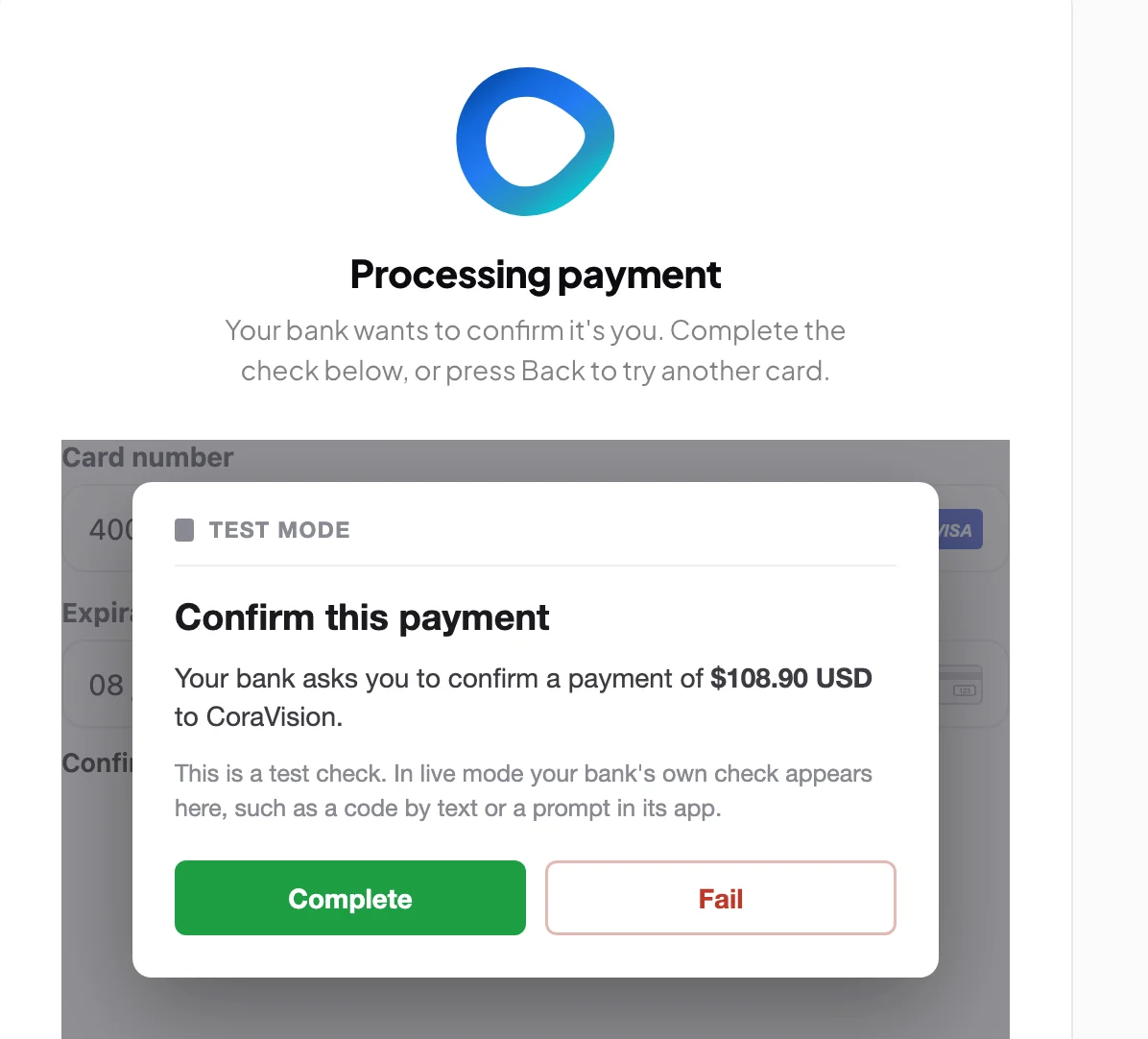
3 The bank's check appears inside the form. -
If you see A quick security check is needed. instead, complete the check below it the same way.
After you pay
-
CoraVision shows that it is confirming with Stripe, then Payment successful. Credit is only added once Stripe confirms the payment. If the card is refused, you see that it did not go through and nothing has been charged.
-
A receipt is emailed to you, and every payment is listed under Invoices in Billing. See Invoices and receipts.
What happens next
The card becomes your default payment method. It is charged for your plan renewals, the credit you buy, and auto top-up if you turn it on, and only through Stripe. To use a different card, click Update beside it in Billing.
Common questions
Is there a card fee?
No. CoraVision does not add a surcharge for paying by card.
Can I pay with Apple Pay, Google Pay or PayPal?
No. CoraVision takes cards only, typed into the card form.
Why was GST added?
If the country on your account is Australia, GST is added at checkout. Customers in other countries are not charged GST.
Can someone at CoraVision see my card number?
No. We only ever see what you see in Billing: the card type, the last four digits and the expiry.