
Connect Meta (Facebook and Instagram) ads to CoraVision
Connecting Meta lets Cora read the results of your Facebook and Instagram ads, so Cora's advice rests on your real spend and sales. It takes a few minutes, and because CoraVision asks Meta only for permission to read your ads, nothing in your ad account changes.
Beta testers only, for nowWhile Meta reviews CoraVision, Meta connections are open to invited beta testers. If you are not one yet and Connect refuses your sign-in, that is why. It opens to everyone once the review is through, and this guide will say so.
- You are signed in to CoraVision on your computer.
- You know which Meta ad account runs this business's ads (its name, or the number Meta shows as the ad account ID).
- The Facebook account you sign in with must be assigned to that ad account itself. Being an admin of the business portfolio is not enough on its own. The fix is in Why isn't my business ad account listed?
Open your connectors
-
In the sidebar on the left of your dashboard, click Connectors.
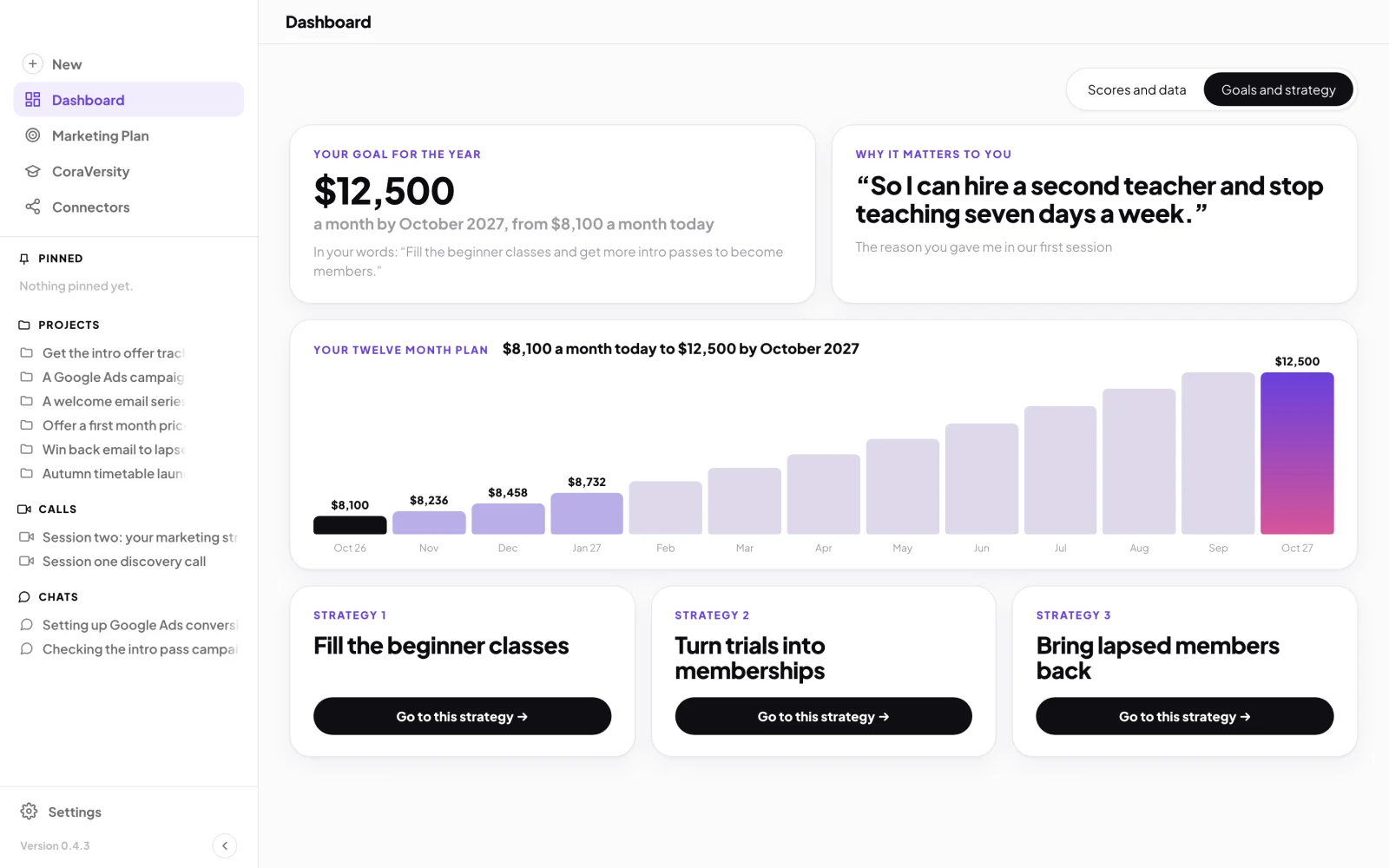
1 Connectors sits in the sidebar, under CoraVersity. -
On the Meta card, click Connect. The button changes to Connecting… while you sign in, and the line under it reminds you who must sign in.
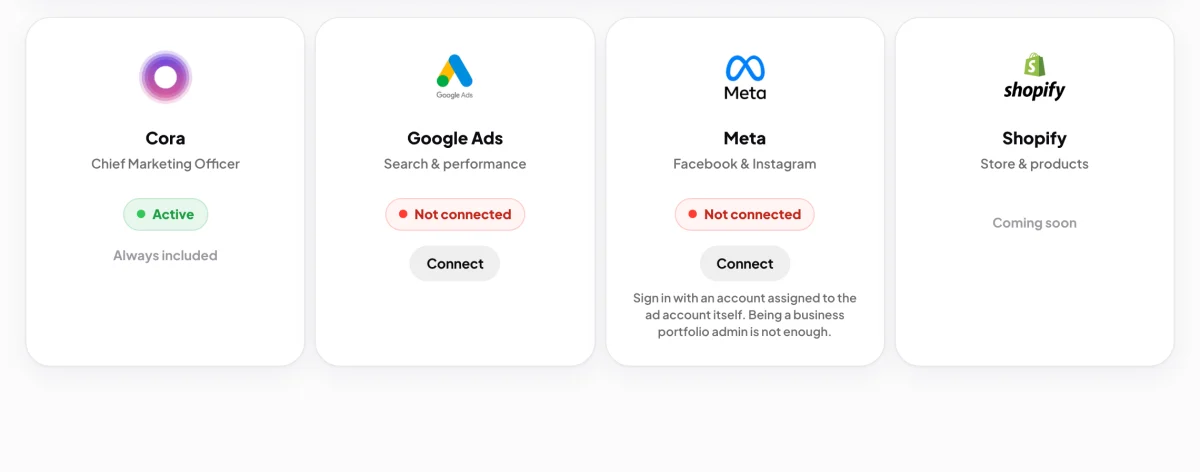
2 The line under Connect says who must sign in.
Sign in with Facebook
-
Your web browser opens on Facebook and the CoraVision window steps aside. Log in with the Facebook account that is assigned to your business's ad account.
TipCora joins you while you do this and talks you through Facebook's screens. Cora can hear you and see your screen until you are back in CoraVision.
-
Facebook asks you to let CoraVision read your ads. Check it is your own name at the top, then click Continue.
Read onlyCoraVision asks Meta for one permission: to read your ads data. Cora can see campaigns, spend and results. Cora cannot create, change or pause anything, and Cora cannot post to your pages.
-
Your browser shows Meta connected and counts down. CoraVision comes back to the front on its own. If it does not, click the button on that page to go back.
Confirm the ad account Cora reads
-
CoraVision shows the ad accounts Facebook listed for your login: Confirm your ad account if there is one, or Choose your ad account if there are several. Each row shows the account's name, its ID and its currency.
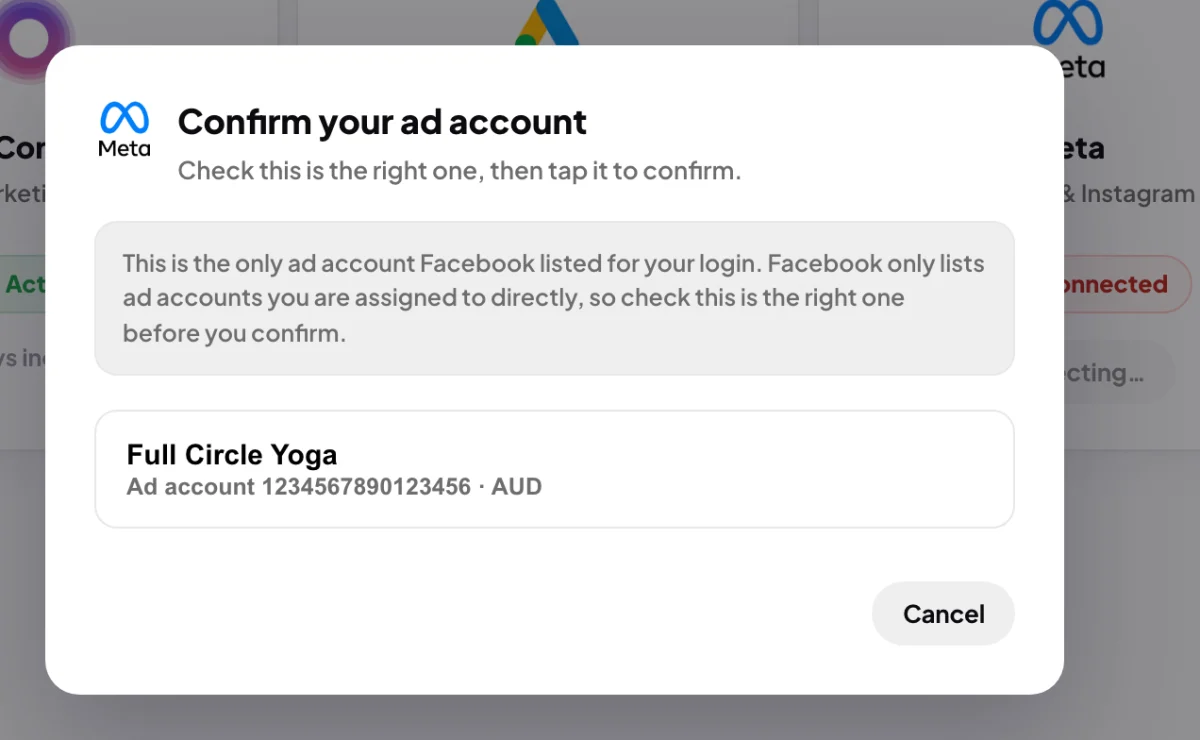
6 Read the note first, then check the account name and ID. -
Read the names before you choose. A row tagged Looks like your personal account carries your own name and is usually not the business account. If the business account is not in the list, click Cancel and follow Why isn't my business ad account listed?
NoteFacebook only lists ad accounts you are assigned to directly. So a single account in the list is not proof it is the right one. CoraVision always asks you to confirm, even when there is only one.
-
Click the row for your business's ad account.
-
A window headed Importing and the account name shows a tick beside Meta Ads. Click Done. The Meta card now reads API connected, with a Manage button.
What happens next
Cora starts reading your ad account straight away and then reads it again every night. Until the first read lands, the Meta card on your dashboard says there are no numbers yet. After that it shows the last seven days of cost per acquisition and sales (or leads), and Cora uses the real figures in calls and chats.
If no ad account was foundCoraVision says it could not find an importable Meta account on that login. The Meta card can still read API connected, with no account behind it. Add yourself to the ad account (see below), then click Manage on the Meta card, click Disconnect Meta, type disconnect, and connect again.
Common questions
Why isn't my business ad account listed?
Facebook only lists ad accounts your login is assigned to directly, and an admin of the business portfolio is not assigned to every ad account automatically. In Meta's Business Settings, open the ad account under Accounts, add yourself as a person with access to it (view access is enough), then connect again in CoraVision.
Does the Meta connection expire?
Yes. Meta's access lasts for a set time. In the week before it ends, Manage on the Meta card shows a Reconnect soon line with the date. To renew it, disconnect Meta and connect again.
Can I connect more than one Meta ad account?
No. CoraVision reads one Meta ad account for your business. To switch, disconnect Meta from Manage on the Meta card, then connect again and choose the other account.
Will connecting change anything in my ads?
No. Cora reads. Cora shows you what to change and why, and you make the change yourself.