
Book your strategy session (session two)
Your strategy session, which the app calls session two, is a 30 minute call in which Cora presents the strategy Cora built from your onboarding call and your accounts. You book it at the end of your onboarding call or later from your dashboard, and the earliest time is the next day, because Cora's analysis takes up to 24 hours.
- You are in the last part of your onboarding call, or you have finished it.
- You know a day and time in the next few weeks that suits you.
Book it at the end of your onboarding call
-
Near the end of your onboarding call, Cora shows Let's book your session two. with a New calendar appointment card. Tell Cora the day and time that suits you, such as "Thursday at 10 am". Cora fills in the Date and Time on the card.
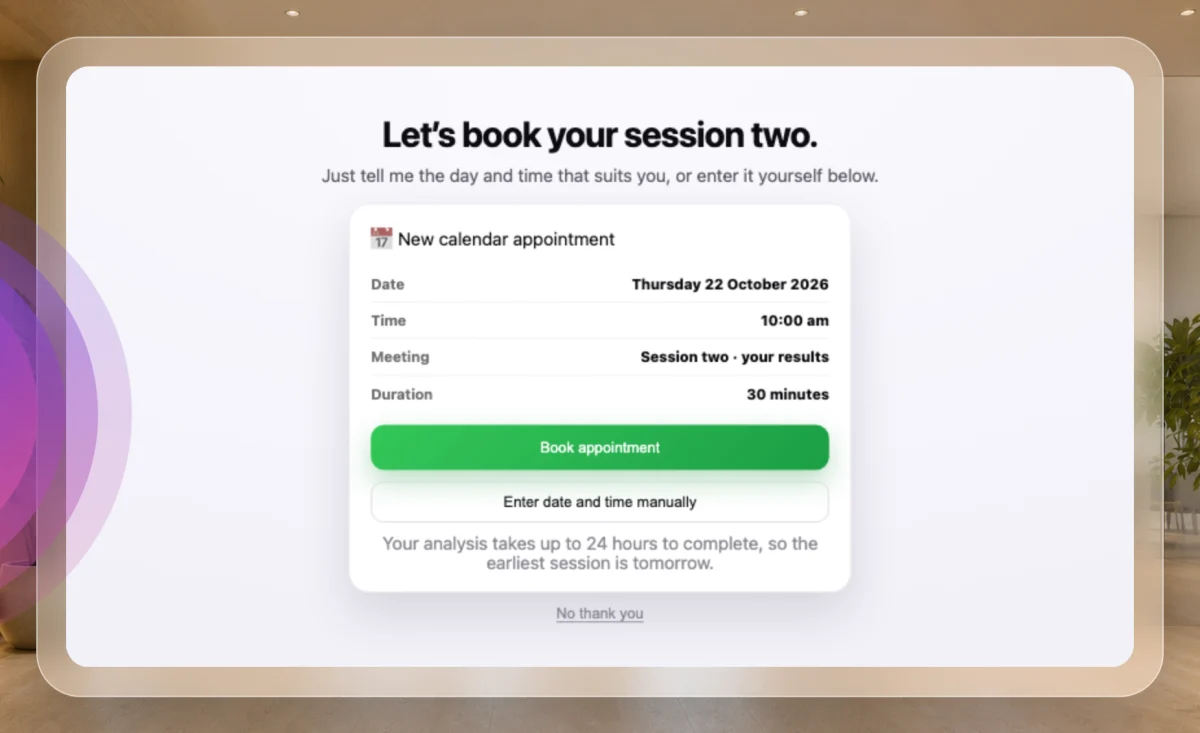
1 Cora fills in the card. 2 Or choose the time yourself. -
To choose the time yourself instead, click Enter date and time manually, then click a day and choose a time.
-
Check the date and time on the card, then click Book appointment. Only this button books; Cora saying a time does not.
NoteThe earliest time is tomorrow, and the latest is 90 days ahead. A time outside that range leaves the button greyed out and the card says why.
-
The card says Locked in with your date and time, and that a calendar invite is on its way. If you would rather book later, click No thank you instead.
Or book it later from your dashboard
-
If you have not booked, a bar at the top of your dashboard says You haven’t booked a time for Session 2 yet. Click Book now.
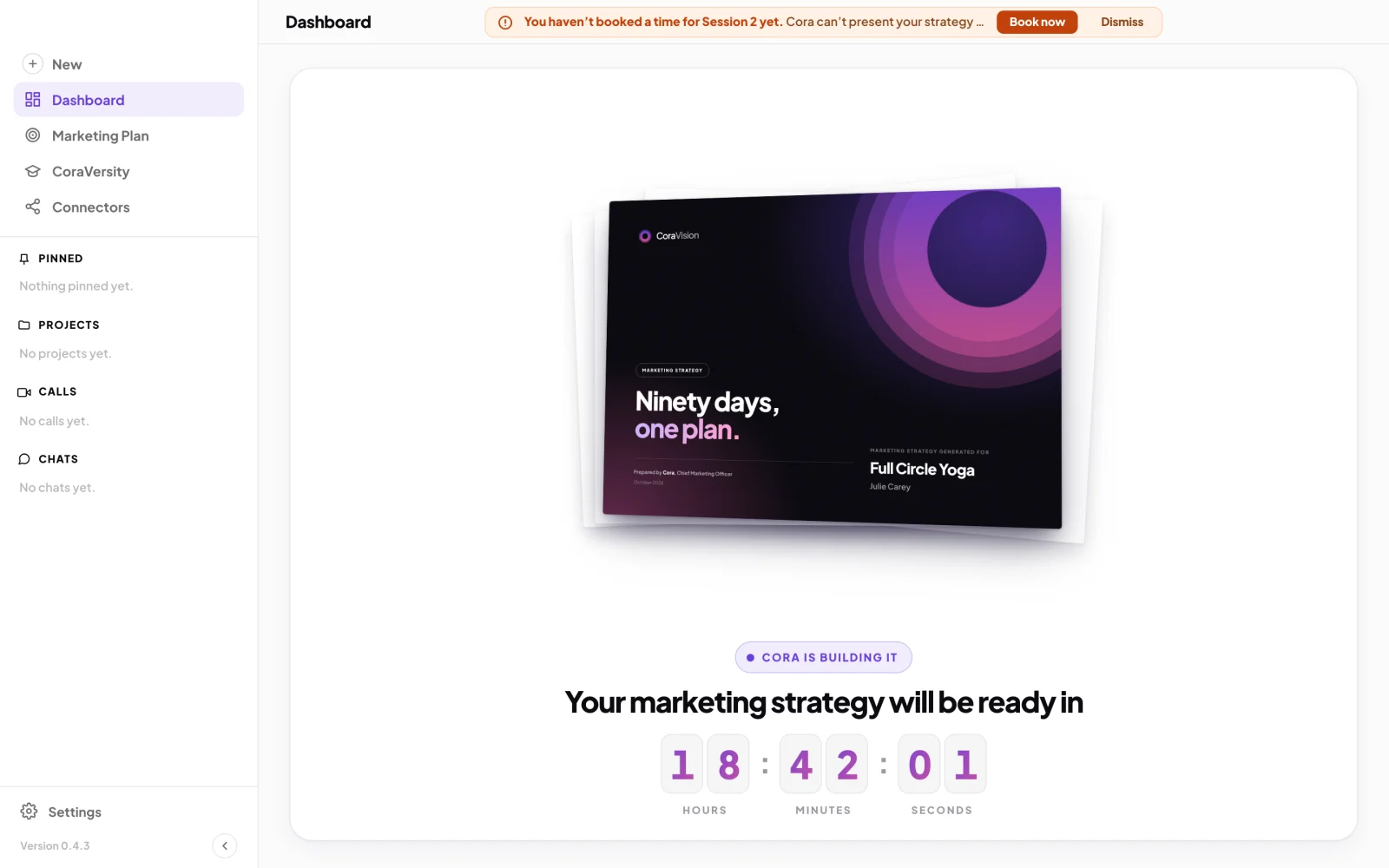
5 The bar shows until a time is booked. -
On Book your strategy session with Cora, under Pick a day, click a day. Days with no times left are greyed out.
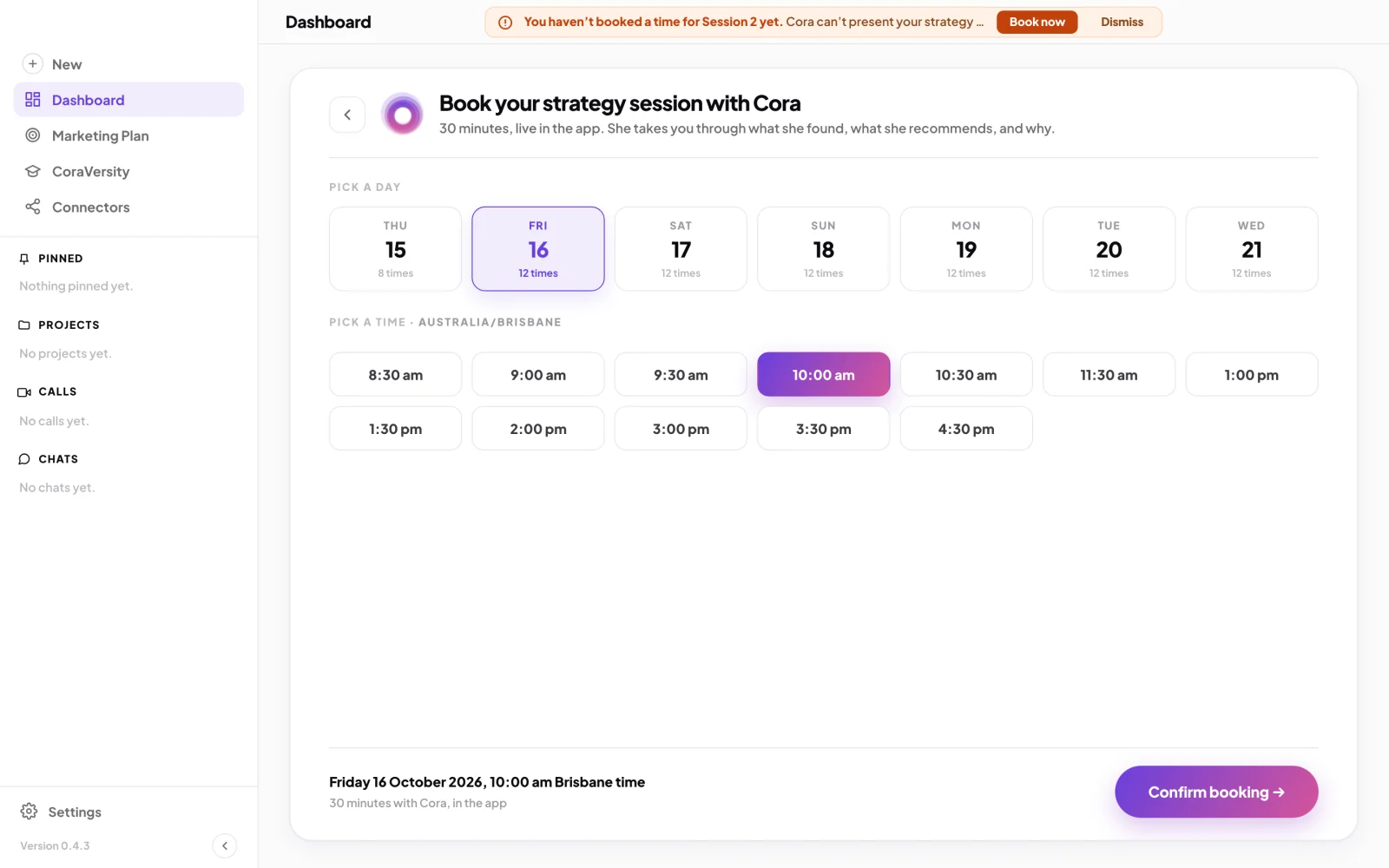
6 A day. 7 A time, in your time zone. 8 Confirm. -
Under Pick a time, click a time. Your time zone shows beside the heading.
-
Click Confirm booking. If it says the booking did not go through, nothing was booked: wait a moment and try again.
What happens next
A calendar invite from Cora arrives by email, and the booking is listed under Calls in the sidebar. The invite's Join with Cora link opens the CoraVision app. When your strategy is ready, your dashboard says Your session two call with Cora is ready. and you start the call with Start call. What happens in the call is in What happens in your strategy session.
Common questions
Why can't I book it for today?
Cora's analysis of your accounts takes up to 24 hours after your onboarding call, so session two opens no sooner than 24 hours after it ends.
Do I have to book a time?
No. Once your strategy is ready, you can click Start call on your dashboard whenever suits you. A booking puts it in your calendar so it does not slip.
How do I change the time?
In the sidebar, click Calls, open the booking, and click Edit. To call it off, click Cancel; the calendar invite is withdrawn.
The calendar invite has not arrived. What do I do?
Check your junk or spam folder for an invite from Cora, sent to the email you sign in with. The booking is still listed under Calls, and you start the call from your dashboard either way.