
Read a call's transcript and summary
Every call with Cora is transcribed as it happens, and after the call Cora writes a short summary of it. You can read the transcript live during the call, and both stay on the call's page under Calls, where only you can see them.
Read the transcript during a call
-
In the bar at the bottom of the call window, click Transcript. The transcript opens on the right, with the newest line at the bottom.
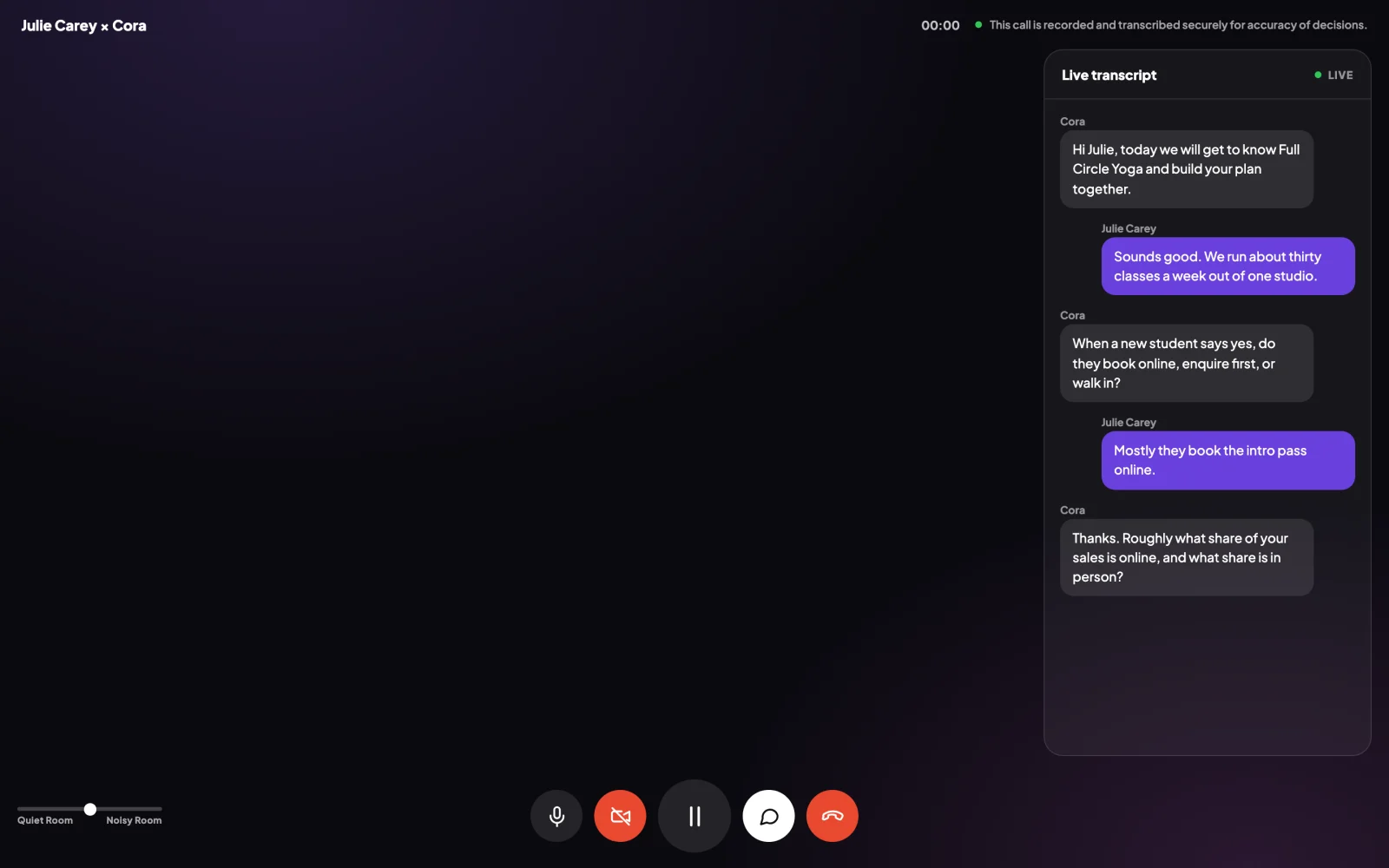
1 Transcript opens and closes the panel. -
Click Transcript again to close the panel.
Read it after the call
-
In the sidebar on the left of your dashboard, click Calls. Your calls are listed, newest first, each with a status such as Completed.
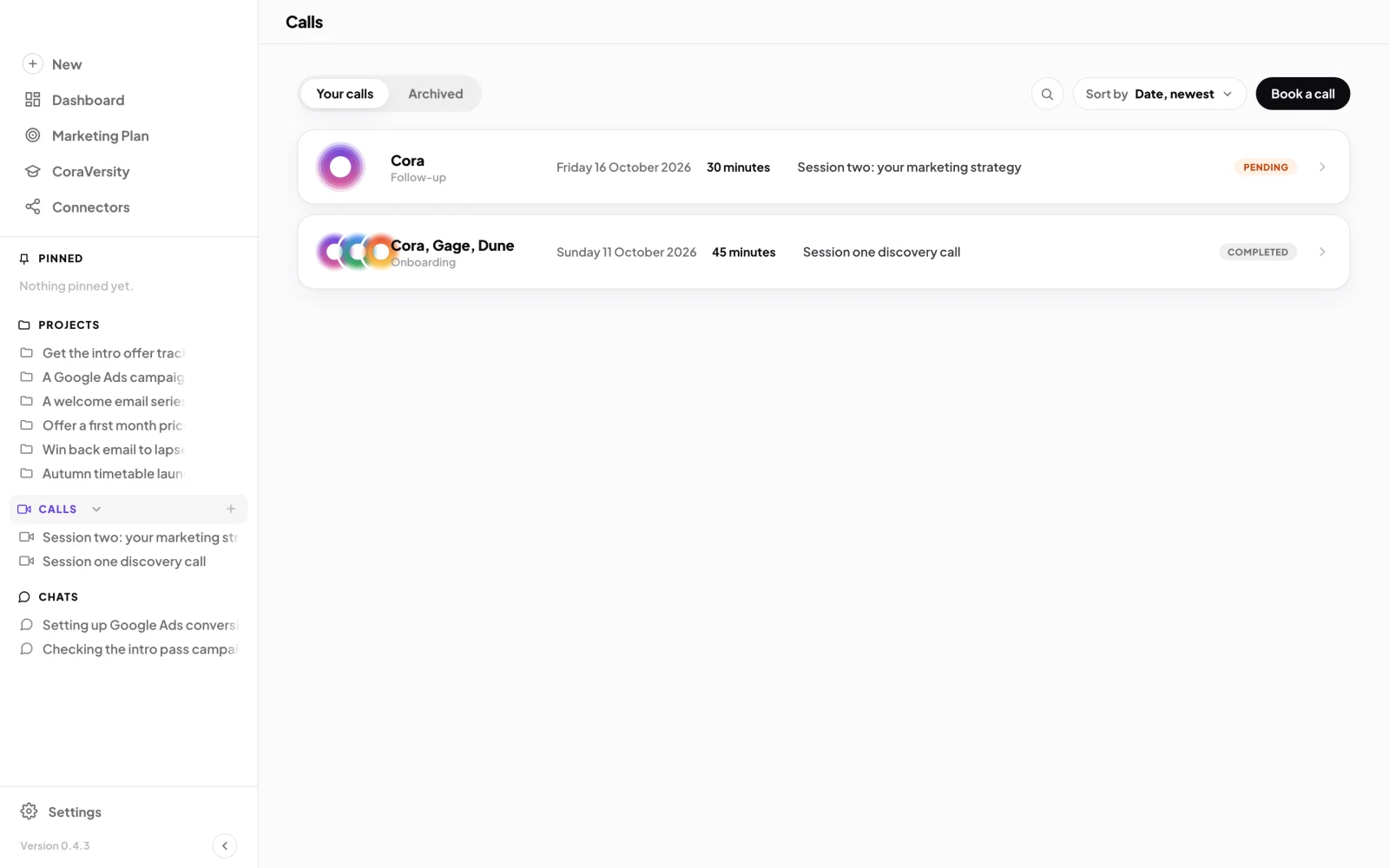
3 Calls in the sidebar. 4 Click a call to open it. -
Click the call. Your onboarding call is listed as Session one discovery call.
-
Read the transcript in the middle of the page. Your words are on the right; Cora's and the team's are on the left, with who said them above each line. To see earlier lines of a long call, scroll to the top and click Load more.
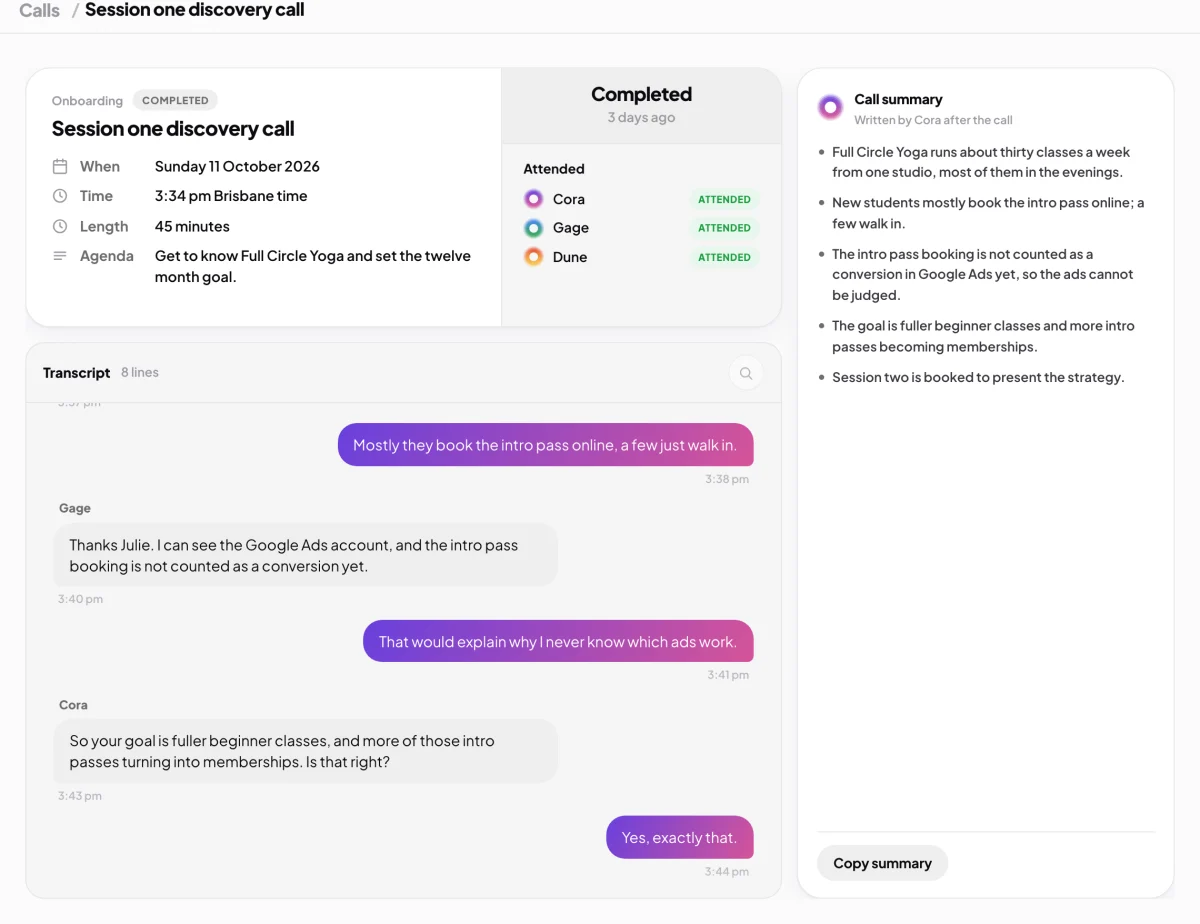
5 The transcript. 6 Cora's summary, as points. -
Read the summary on the right, under Call summary, Written by Cora after the call. To paste it somewhere else, click Copy summary.
What happens next
The transcript and summary stay with the call. Cora uses what was said in your calls to pick up where you left off in later calls and chats. To tidy your list, you can archive a call; your onboarding call cannot be archived or deleted. See Delete archived projects, chats and calls.
Common questions
Why does it say No summary yet?
Cora writes the summary when the call ends, so it can take a moment to appear. A call that ended within its first minute or so has too little in it to summarise, and stays without one.
Can I listen to a recording of the call?
No. Calls keep a transcript only, never audio or video.
Who can see my transcripts?
Only you, in your own CoraVision account. See What is saved to your account, and what is not.
The transcript has a word wrong. Does that matter?
Transcripts are made by speech recognition and can mishear a name or a number. Figures you confirm on screen, such as your numbers in your onboarding call, are the ones Cora uses.