
Use the question box during a call
When Cora asks you a question in your onboarding call, a white box beside Cora shows the question in one sentence, an example of the kind of answer wanted, and how far through the set you are. Its three round buttons let you go back a question, hear the question again, or ask for an example, without having to interrupt Cora.
Read the box
-
Look to the right of Cora. At the top of the box, a label such as Q3 of 8 sits over a row of dots, one per question in this part of the call. The violet dots are the questions you have reached.
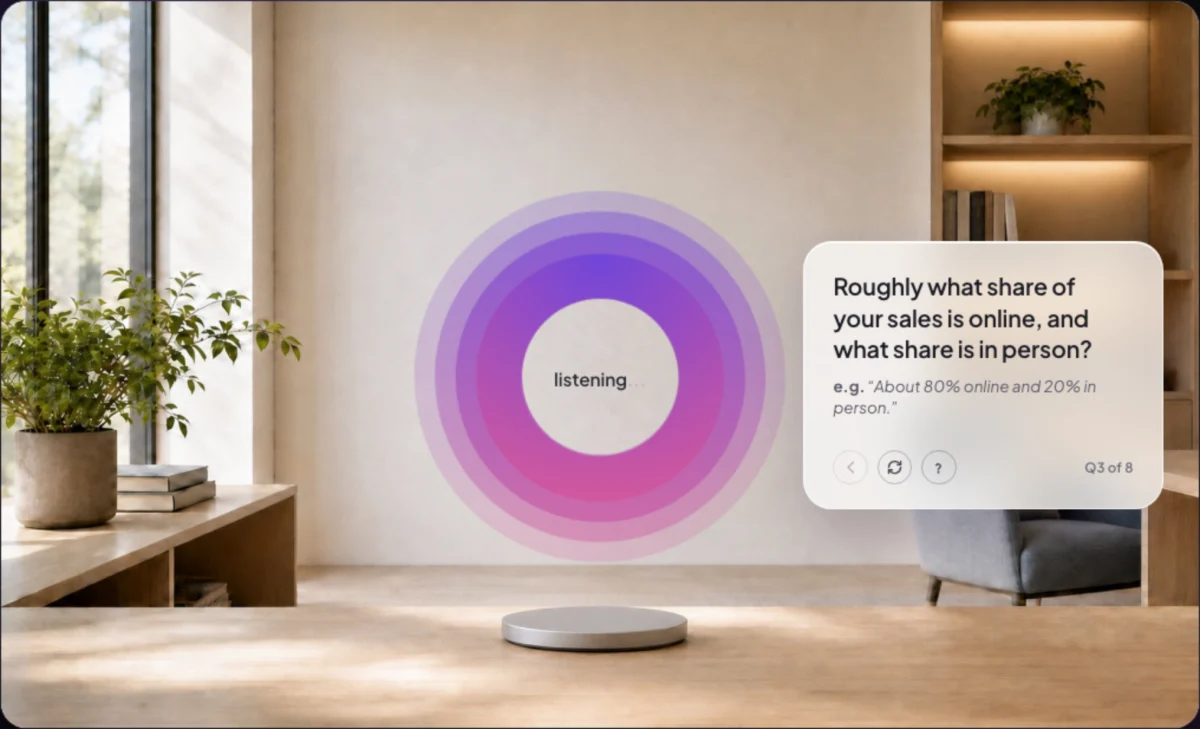
1 Where you are. 2 The question and an example. 3 The buttons. -
Read the question, and the example under it after e.g.. The example shows the kind of answer that helps; answer out loud, in your own words.
Use the three buttons
-
Wait until Cora has finished asking. The buttons are greyed out while Cora speaks; hover over one and it says Wait for Cora to finish.
-
To hear the question again, click the middle button, Repeat the question. Each button shows its name when you hover over it.
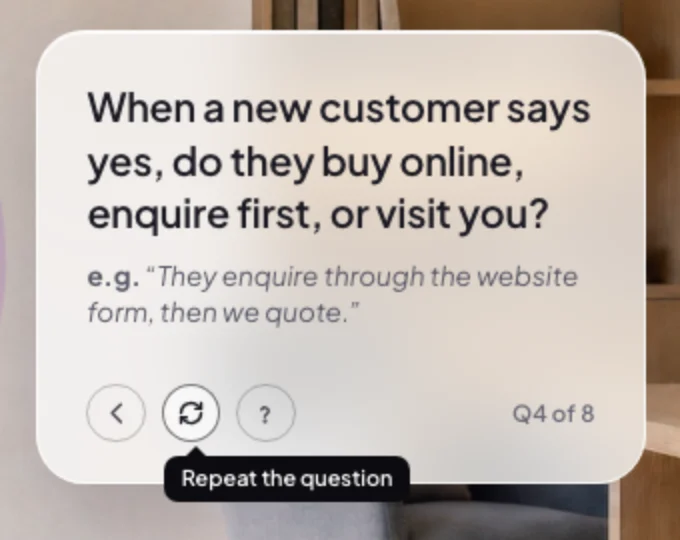
4 The label appears when you hover. -
To see what a good answer looks like, click the right-hand button, Give me an example. Cora gives one short example and asks the question again. Cora never answers it for you.
-
To change your last answer, click the left-hand button, Go back a question. Cora takes you back to the previous question and asks it again, and your new answer replaces the old one.
NoteOn the first question of a set, Go back a question is greyed out and says No earlier question in this set. It does not go back into an earlier part of the call.
What happens next
When Cora accepts your answer, the box fades out while Cora comments on it, and the next question brings it back with the next dot lit. A question without a box, such as the welcome to Cora's office, is not counted in the dots.
Common questions
Can I say it instead of clicking?
Yes. "Can you repeat, please", "say that again", "one more time" or "pardon" repeats the question. "Go back a question" goes back. "Give me an example", "like what?" or "such as?" gets an example.
Why are the buttons greyed out?
Cora is still asking, or the call is paused. They come back as soon as Cora is listening for your answer.
What happens to the box if I pause?
It stays where it is under the pause card, because the question is still open. When you resume, Cora asks it again.