
What Cora can see and hear during a call
In a call, Cora hears you through your microphone and does not look at your screen, except while Cora talks you through signing in to Google or Meta. If your camera is on as your onboarding call starts, Cora looks at one still picture to say one friendly line, and that picture is not saved.
What Cora hears
-
Talk to Cora when asked something. Cora listens while waiting for your answer. While Cora presents parts of the call, such as the introduction, the call does not listen at all.
-
To stop Cora hearing you for a moment, click the microphone button, Mute, in the bar at the bottom of the call window. The buttons are icons; their names show when you point at them. The muted microphone shows crossed out, its name reads Unmute, and the name on your own tile shows you are muted.

2 Mute stops your microphone until you click it again. -
To stop the whole call, click Pause meeting. While the call is paused it hears nothing. Click Resume meeting to carry on.
What Cora sees through your camera
-
Leave your camera off, or click Stop video, and Cora sees nothing of you. The camera is optional; see Camera on or off during a call.
-
If your camera is on as your onboarding call starts, CoraVision takes one still picture from your camera as the call begins. An AI model writes one friendly line from it, about something you are wearing or something in the room, never your face or looks, and Cora says it. The picture is not written to your account or to any log.
What Cora sees of your screen
-
Use your computer as you like during the call. Cora does not look at your screen, so nothing you open is sent to Cora.
-
When Cora asks you to connect Google or Meta and you click to connect, Cora watches your screen while you sign in on their pages, so Cora can talk you through it. A green frame goes around your screen while Cora watches, and Cora stops when you are back in the call.
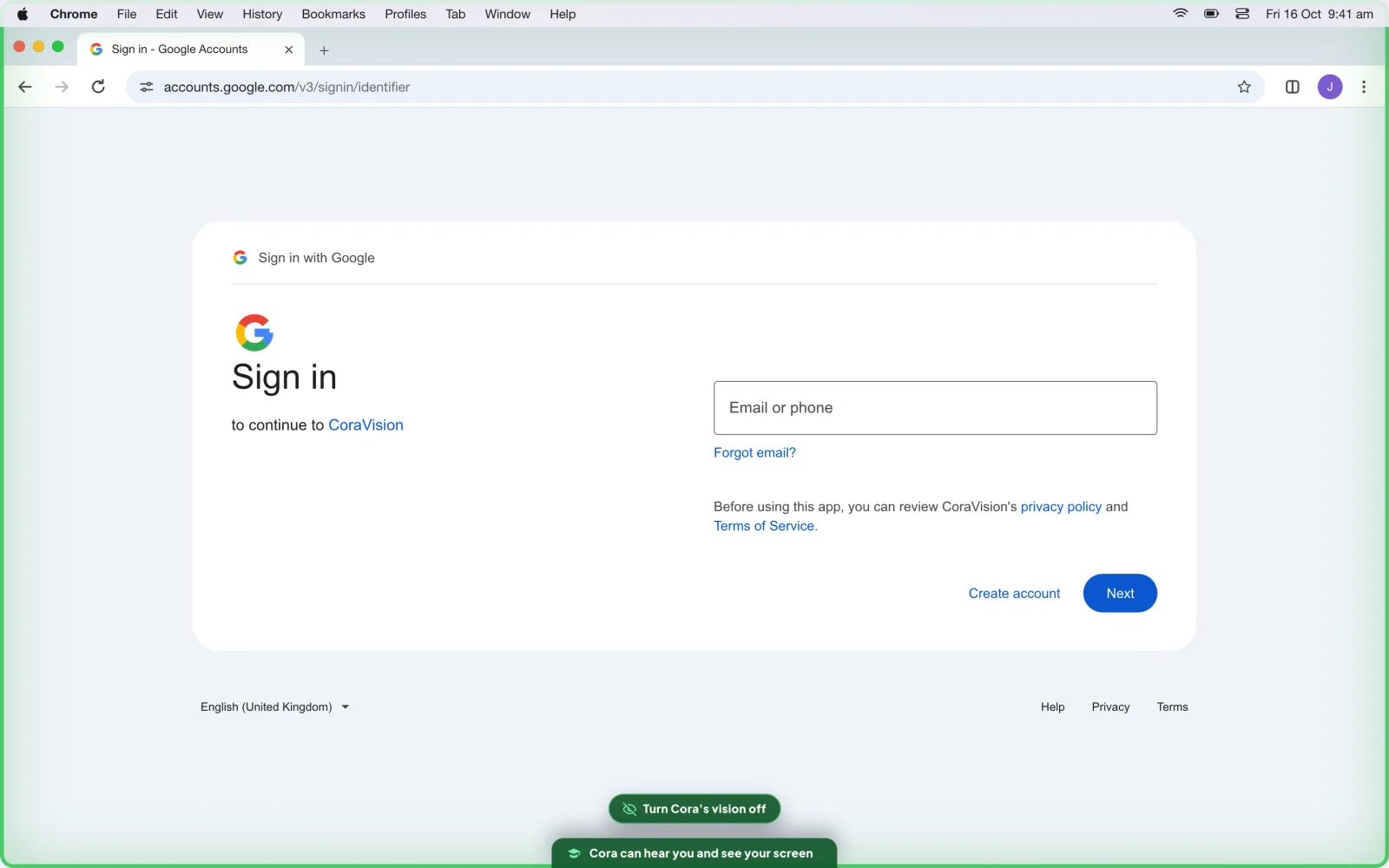
7 The green frame shows while Cora watches you sign in. -
To make Cora stop looking straight away, click Turn Cora's vision off on the green frame.
What happens next
The call keeps a written transcript of what you and Cora said, which is what the line This call is recorded and transcribed securely for accuracy of decisions. at the top of the call window means. The sound of the call, your video and the camera picture are not kept. Read the transcript afterwards in Read a call's transcript and summary.
Common questions
Is my voice recorded?
Your words are kept as the transcript. The audio of a call is not saved; it goes to the voice service so Cora can hear and answer you, and CoraVision does not save it.
Can Cora see my other windows during a call?
No. Outside the Google or Meta sign-in, nothing from your screen is sent during a call. In the pill it is different: see What Cora can see while the pill is open.
Does Cora look at my ad accounts during the call?
Cora uses the numbers CoraVision reads from the accounts you connected, read only. That reading happens on our servers, not on your screen.