
Rejoin a call that dropped
If your onboarding call stops part way, because the app closed, your computer went to sleep or you ended it early, your progress is saved and you can rejoin in under a minute. Cora picks up at the part you had not finished, and the questions you already answered are not asked again.
Try this first: if the call window is still open
-
If a note says The voice dropped out. Reconnecting, one moment..., wait. Cora reconnects without you doing anything and the call carries on.
-
If the window shows This call could not start, click Continue the call. The call starts again and picks up the session it had.
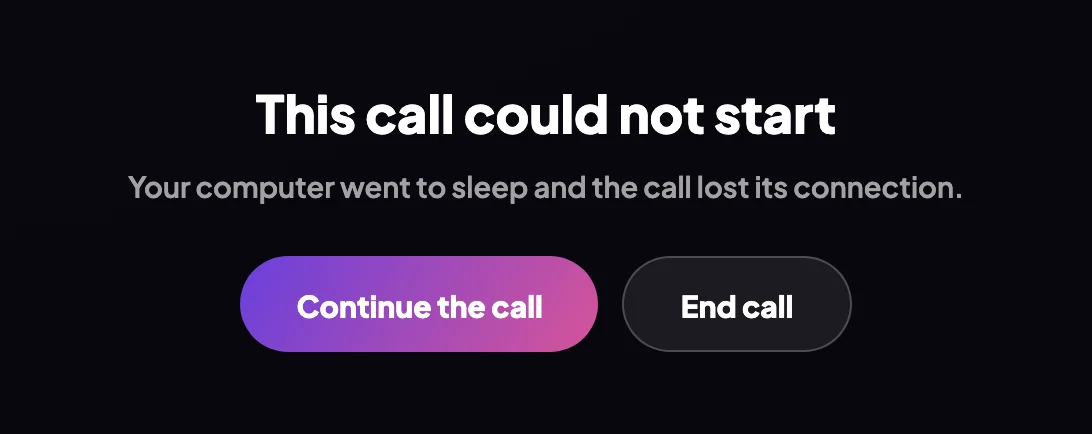
2 Continue the call rejoins. End call closes the window.
If the call window has closed: rejoin from your dashboard
-
Open CoraVision and sign in if it asks. On your dashboard, under Cora is ready to pick your onboarding call back up, click Rejoin the call.
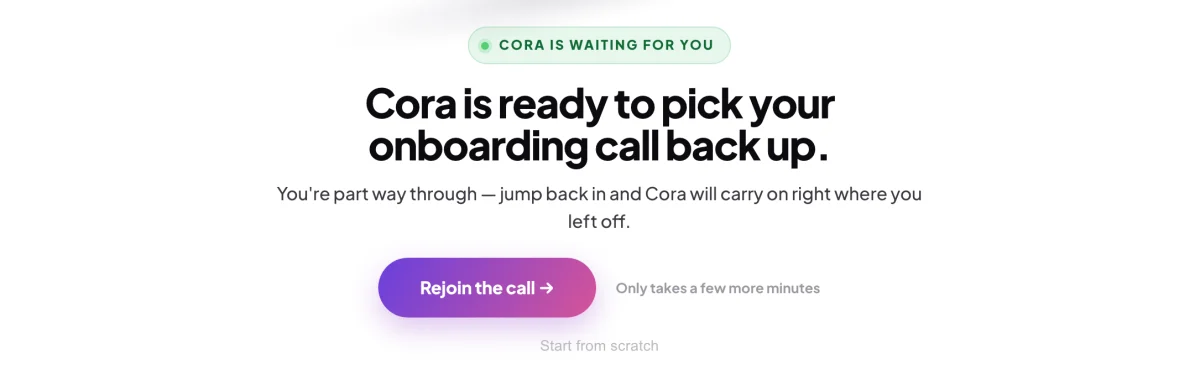
3 The dashboard remembers that you are part way through. Do not click Start from scratchThe small Start from scratch link under the button deletes your onboarding answers so far and starts the call again from the beginning. It asks Are you sure? first; click Cancel to keep your answers.
-
Click Continue on the Cora works best in a quiet place screen, and again on the screen about your Google and Meta ad accounts.
-
In the lobby, which now reads Ready to pick up where you left off?, click Rejoin call.
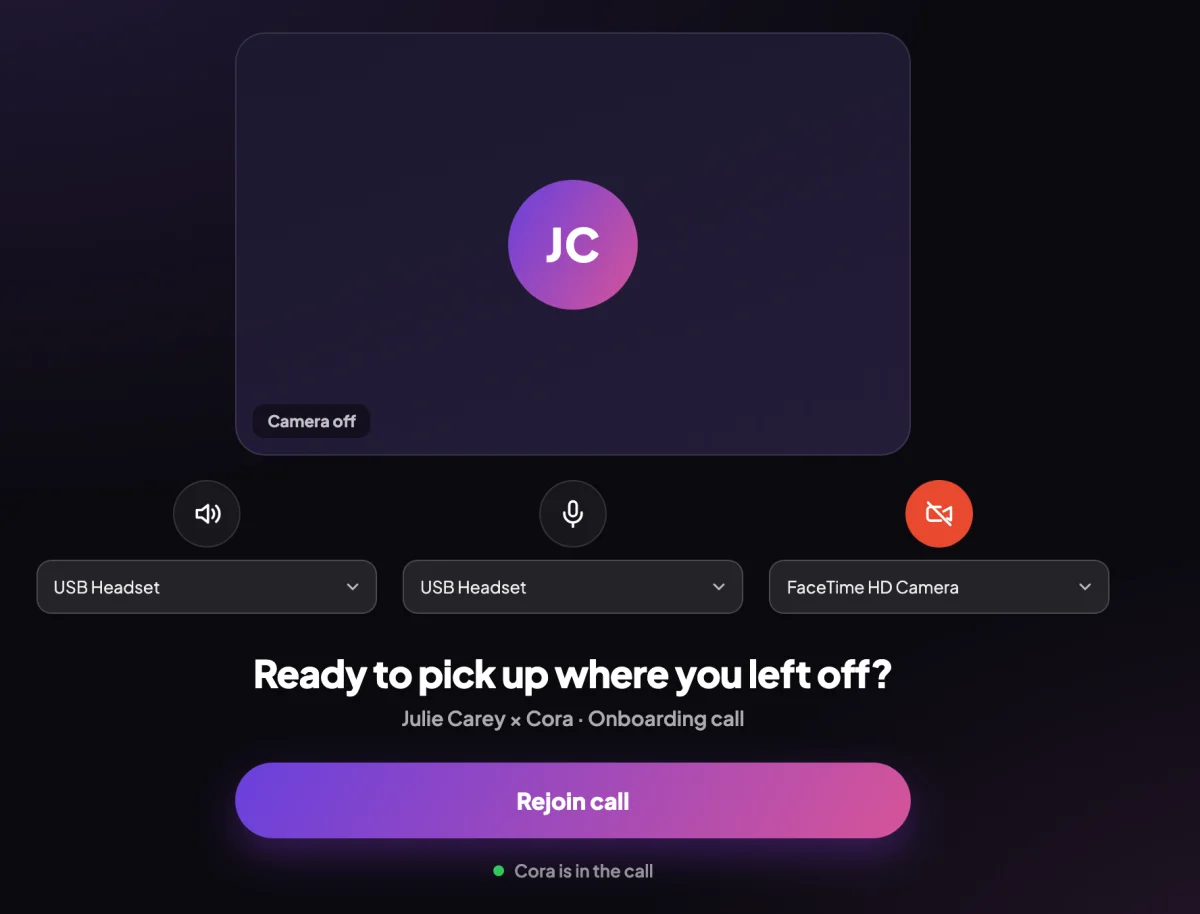
5 Rejoin call takes you back in where you stopped.
If it was your session two call
-
On your dashboard, click Start call again.
What happens next
Cora carries on with the first part of the call you had not finished. If the call will not open at all, you see Your call with Cora did not open: try again, and if it happens a second time, quit CoraVision, open it and try once more. If it still fails, send us a message from the contact page with the time it happened.
Common questions
Will Cora ask me the same questions again?
No. The answers you gave are kept, and Cora carries on from the part you had not finished.
What if the call dropped before I answered anything?
Then there is nothing to pick up. Your dashboard shows Join now, and the call starts from the beginning.
I clicked End call by mistake. Is my progress lost?
No. Ending your onboarding call part way saves your progress, and the End call box says so. Rejoin from your dashboard as above.