
End a call
To leave a call, click End call and confirm. If you leave your onboarding call or your strategy session part way, your progress is saved and Cora picks up at the part you had not finished when you come back.
End the call
-
In the bar at the bottom of the call window, click End call, the red button on the right.

1 End call is the red button on the right. -
CoraVision asks Are you sure you want to end this call? Click Yes, end call. To stay in the call, click No, stay, or click anywhere outside the box.
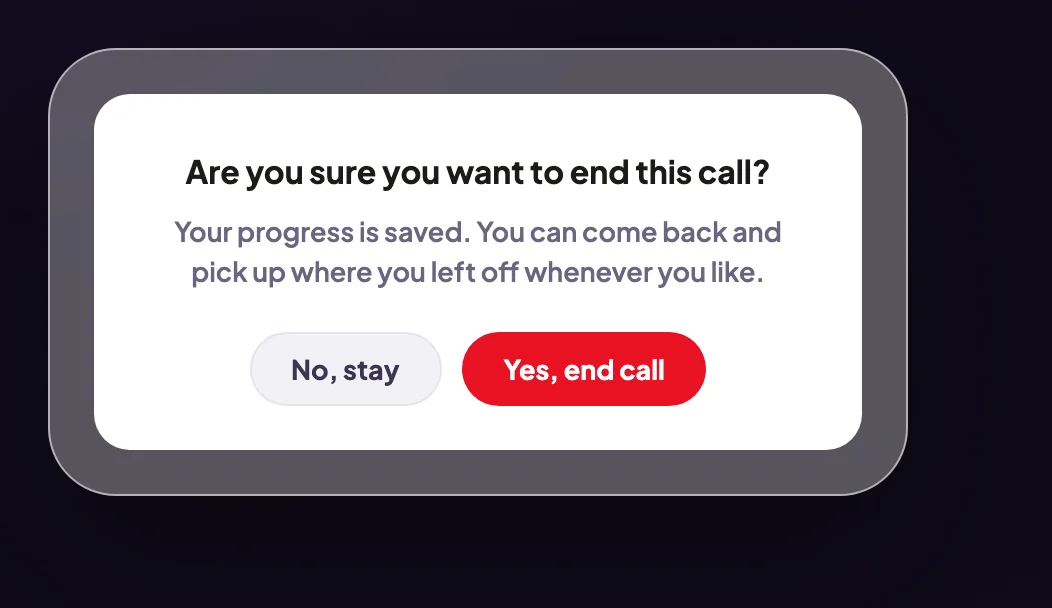
2 In your first two calls, the box says your progress is saved. -
The call window closes and you are back on your dashboard.
The Esc key ends the callPressing Esc on your keyboard during a call ends it straight away, without asking. Press it only when you mean to leave.
When the call finishes on its own
-
At the end of a call, after the goodbyes, the window shows Call complete. Click End call to close it.
What happens next
The call is listed under Calls in the sidebar with its transcript, and a summary from Cora once the call is long enough to summarise. If you left your onboarding call part way, your dashboard says Cora is ready to pick your onboarding call back up; click Rejoin the call. For your strategy session, click Start call again. See Rejoin a call that dropped.
Common questions
What is saved when I end a call part way?
Your answers so far and the call's transcript. In your onboarding call and your strategy session, Cora picks up at the part you had not finished. A call you start yourself from New does not pick up again; start a new one.
What if I close the window or quit the app instead?
The call ends the same way and your progress is kept. Rejoin from your dashboard.
How do I leave before the call starts?
In the lobby, before you click Join now, click Back to dashboard at the top left.
Is anything recorded after I end the call?
No. The microphone and camera turn off when the call ends. Calls keep a transcript only, never audio. See What is saved to your account, and what is not.