
Choose which Google Ads account Cora reads
Cora reads one Google Ads account for your business. You choose it by choosing your business when you connect Google; you can check which account it is under Manage on the Google Ads card, and to switch you disconnect Google and connect again, which takes a few minutes.
How CoraVision picks the account
When you connect, CoraVision lists the Google Ads accounts your sign-in is added to and groups them with your Analytics, Merchant Center and Tag Manager accounts into businesses. A Google Ads account joins a business when it is linked to that business's Google Analytics property, or failing that, when its name matches. A Google Ads account that matches nothing becomes a business of its own in the list. Manager accounts are never read as a business.
If your sign-in sees one business, CoraVision picks it for you. If it sees more, it shows Choose your business and you pick.
Check which account Cora reads
-
In the sidebar on the left of your dashboard, click Connectors.
-
On the Google Ads card, click Manage.
-
Read the Google Ads row. It shows Imported and the account's name. Click Close.
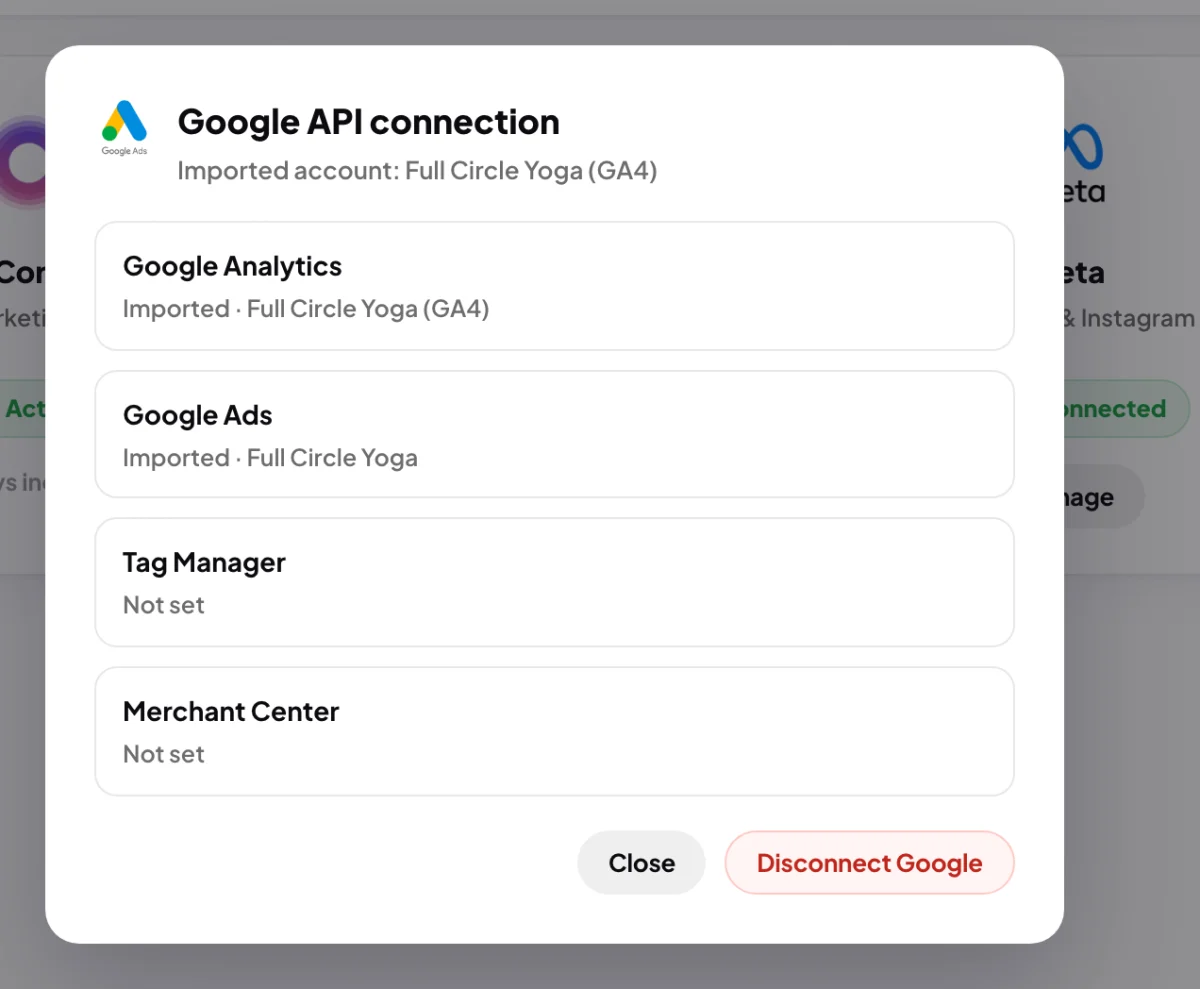
3 The Google Ads row names the account Cora reads.
Switch to a different account
-
In the same window, click Disconnect Google, type disconnect in the box, and click Disconnect Google again. Then click Done.
-
On the Google Ads card, click Connect and sign in with the Google account that can open the account you want. Tick every box and click Continue.
-
In Choose your business, click the row with the right name and website. The grey labels on each row show which Google products CoraVision found for it, so look for one that includes Google Ads.
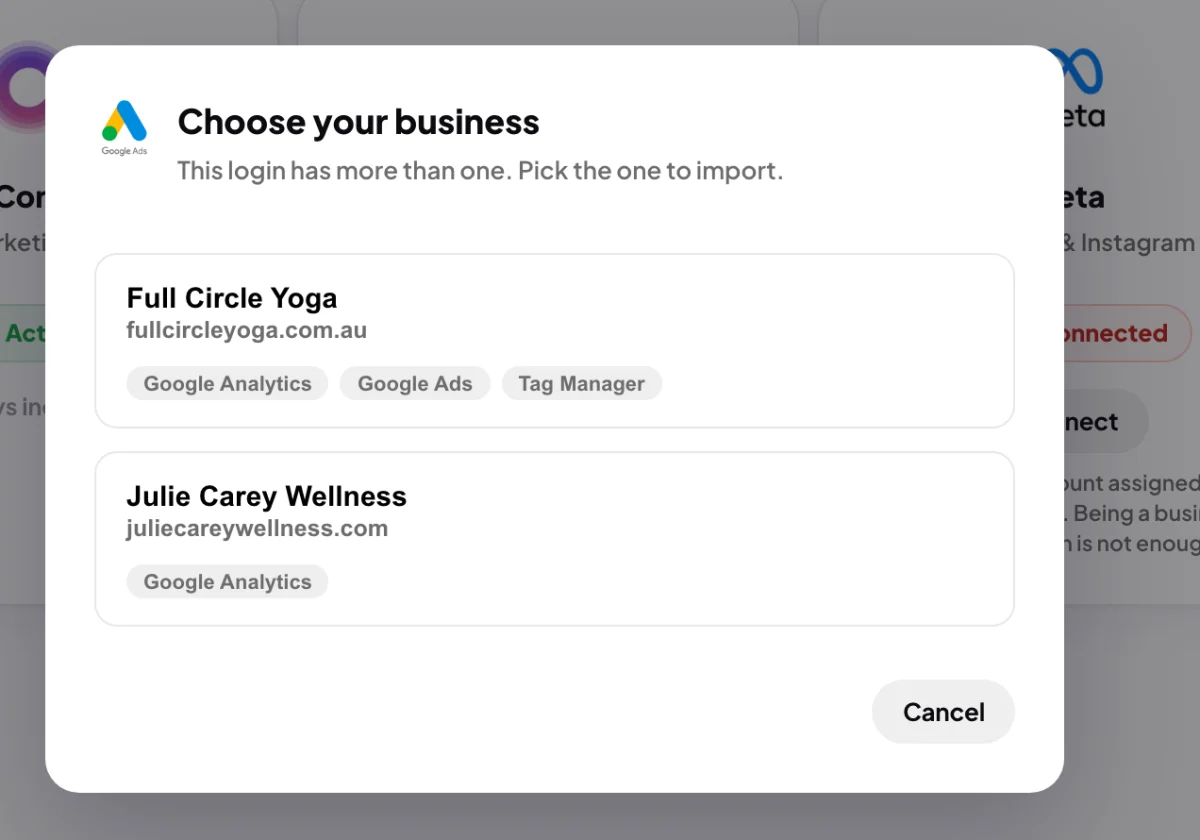
6 Pick the business whose labels include Google Ads. -
In the Importing window, check the Google Ads row names the account you want, then click Done.
TipThe surest way to have the right Google Ads account matched is to link it to your Google Analytics property in Google Analytics, before you connect. CoraVision treats that link as the strongest sign the two belong together.
What happens next
Cora reads the new account straight away and every night after that. Numbers Cora already read from the old account stay in your account.
For about two weeks after a switch, the Google Ads card on your dashboard can still count the old account's recent days together with the new one's. After that it shows the new account only.
Common questions
Why is there no Change account button?
Switching is done by disconnecting and connecting again, so each connection starts clean and Cora never mixes two accounts' numbers.
My business has two Google Ads accounts. Which one is read?
One of them. If both are linked to the same Analytics property, CoraVision reads the first one Google lists. To be sure Cora reads the right one, link only that account to your Analytics property, or send us a message from the contact page.
My account sits under an agency's manager account. Can I choose it?
Only once your own sign-in is added to the account directly. See Who needs to be the account owner (and what to do if an agency runs your ads).