
Disconnect a platform from CoraVision
You can disconnect Google or Meta at any time from the Connectors page, in about a minute. CoraVision stops reading, asks Google or Meta to withdraw its permission, and deletes the access it holds; reports and numbers it already gathered stay in your account, and disconnecting Google disconnects all four Google products together.
Open the connection
-
In the sidebar on the left of your dashboard, click Connectors.
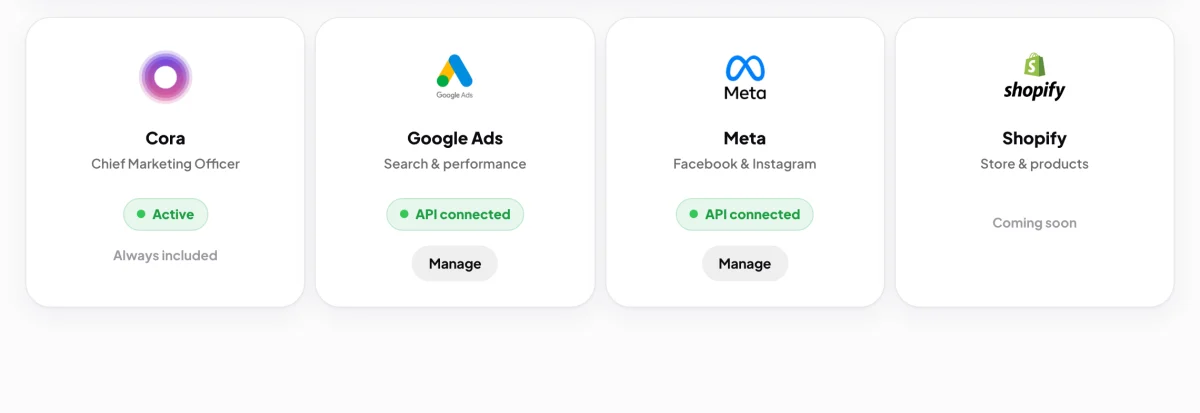
2 Manage on the card you want to disconnect. -
On the Google Ads card (or the Meta card), click Manage.
-
Click the red Disconnect Google (or Disconnect Meta) button.
Confirm
-
Read what disconnecting will do: CoraVision stops importing new data, your reporting freezes and weekly numbers stop updating, and you will need a fresh connection before data resumes.
-
In the box under Type disconnect to confirm, type disconnect. The red button only works once the word is typed.
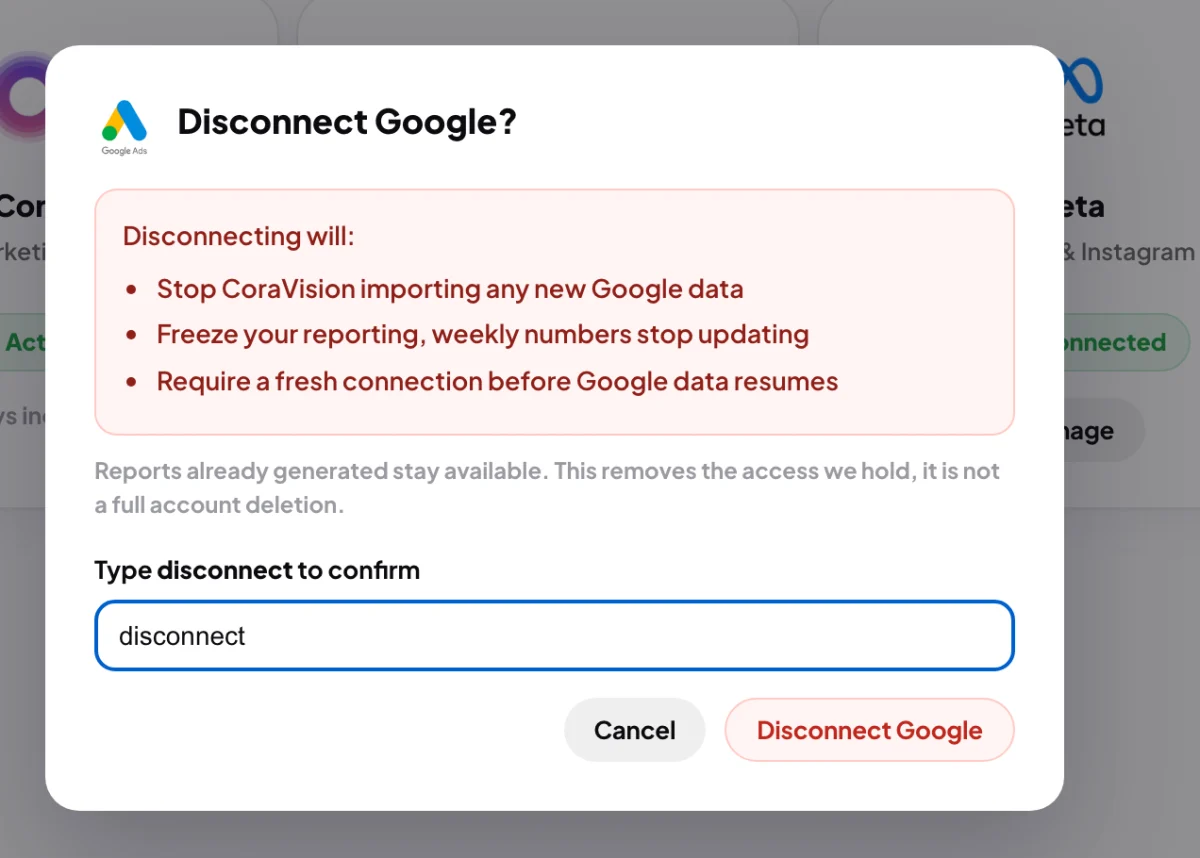
5 Type disconnect. 6 Then the red button works. -
Click Disconnect Google (or Disconnect Meta).
-
The window says Google disconnected and Access has been successfully removed. Click Done. The card goes back to Not connected with a Connect button.
What happens next
From now on, Cora stops reading that platform. Reports and the numbers Cora already read stay in your account, so your strategy and past calls still make sense. The card on your dashboard keeps showing days already read until they leave its seven-day window. To connect again later, click Connect on the card.
If CoraVision could not confirm with Google or MetaThe window says it removed the connection on its side but could not confirm the withdrawal. Your connection is gone from CoraVision either way. To be thorough, remove CoraVision from the third-party apps list in your Google account, or from the business integrations in your Facebook settings.
Common questions
Does disconnecting delete my reports?
No. Disconnecting removes the access, not your account's history. To have your account and its data erased, send us a message from the contact page.
Can I disconnect only Google Analytics, and keep Google Ads?
Not on its own: the four Google products share one connection. Disconnect Google, connect again, and untick the product you do not want on Google's screen. Cora then reads only the ones you allowed.
Someone else uses the same Google login in their CoraVision account. Does my disconnect affect them?
No. Your connection is removed from your account only. CoraVision leaves Google's or Meta's permission in place while another CoraVision account still uses that login.
I removed CoraVision in my Google account. Do I also need to disconnect here?
Yes. Removing it at Google stops the reads, but the card keeps saying API connected until you disconnect it in CoraVision too.