
Connect your accounts during the onboarding call
During your onboarding call, Cora puts a connect slide on screen for Google and then one for Meta, and the call pauses while you sign in in your browser. Each takes a couple of minutes, Cora only asks to read, and you can skip either one and connect later from Connectors.
- Sign in to Google and to Facebook in your usual web browser before the call. The screen before the call reminds you: it makes the connect step quicker.
- Know which Google sign-in and which Facebook profile can open your ad accounts. See Who needs to be the account owner (and what to do if an agency runs your ads).
- On a Mac, allow CoraVision to see your screen, so Cora can guide you through Google's and Facebook's screens: see Allow CoraVision to see your screen on a Mac.
Connect Google
-
When the slide Connect your Google data to Cora appears, click Two click simple connection to all your Google properties.
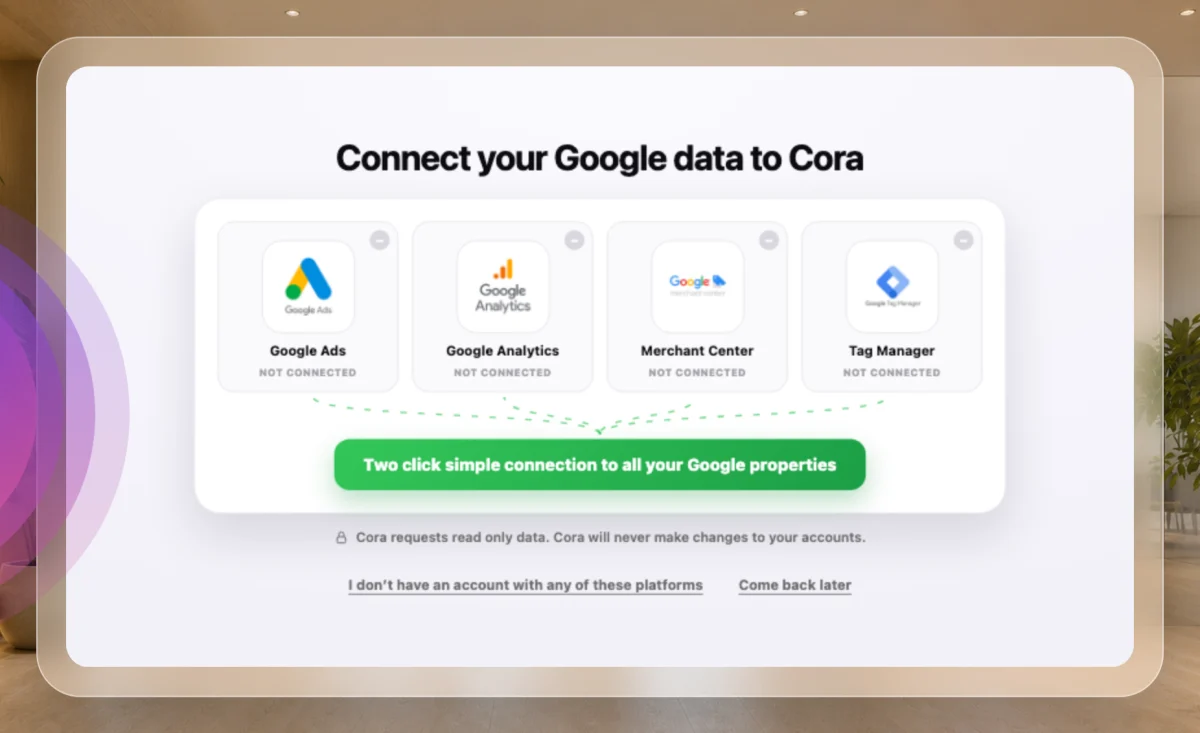
1 One button connects all four Google products. -
The call pauses and your web browser opens on Google. A green frame around your screen says Cora can hear you and see your screen: Cora talks you through each Google screen. Choose your Google account, sign in, tick every box and click Continue.
NoteIf Google says it has not verified the app, click Continue, the small link, not Back to safety. See Google says the app is unverified.
-
Your browser says Google connected, the call window comes back, and Cora carries on. If your login holds more than one business, Cora asks which one to import: click it, then click Use this account.
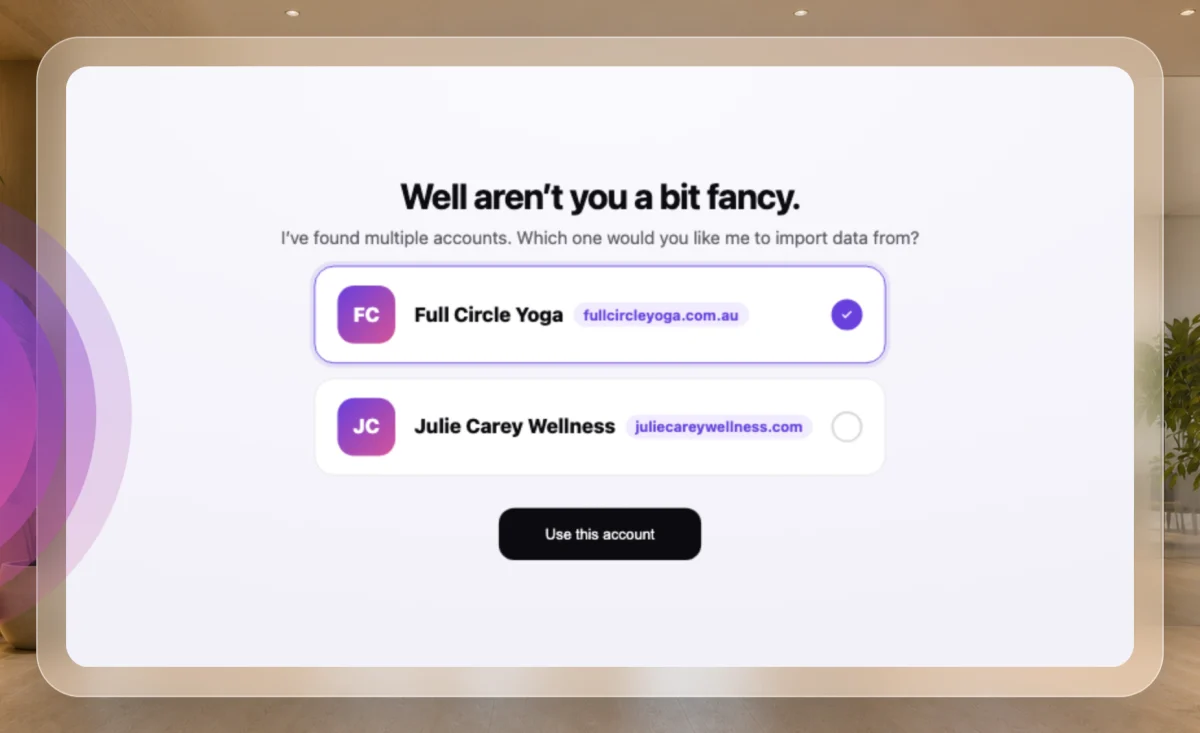
3 Pick your business, then Use this account.
Connect Meta
-
When the slide Connect your Facebook and Instagram ads to Cora appears, click Connect your Meta ad account.
Beta testers only, for nowMeta connections are open to invited beta testers while Meta reviews CoraVision. If you are not one, skip this slide; you can connect Meta later.
-
Log in to Facebook in your browser with the profile assigned to your ad account, and click Continue on Facebook's screens.
-
Back in the call, check the ad account is the business's, not your personal one, and click Use this account. If it is not the right one, click Not this one, I'll sort it out later.
Skip a platform
-
On the connect slide, click I don't have an account with any of these platforms (on the Meta slide, I don't have a Meta ads account), or click Come back later.
-
Cora asks Are you sure you want to skip? Click Yes, skip, or Go back to connect after all.
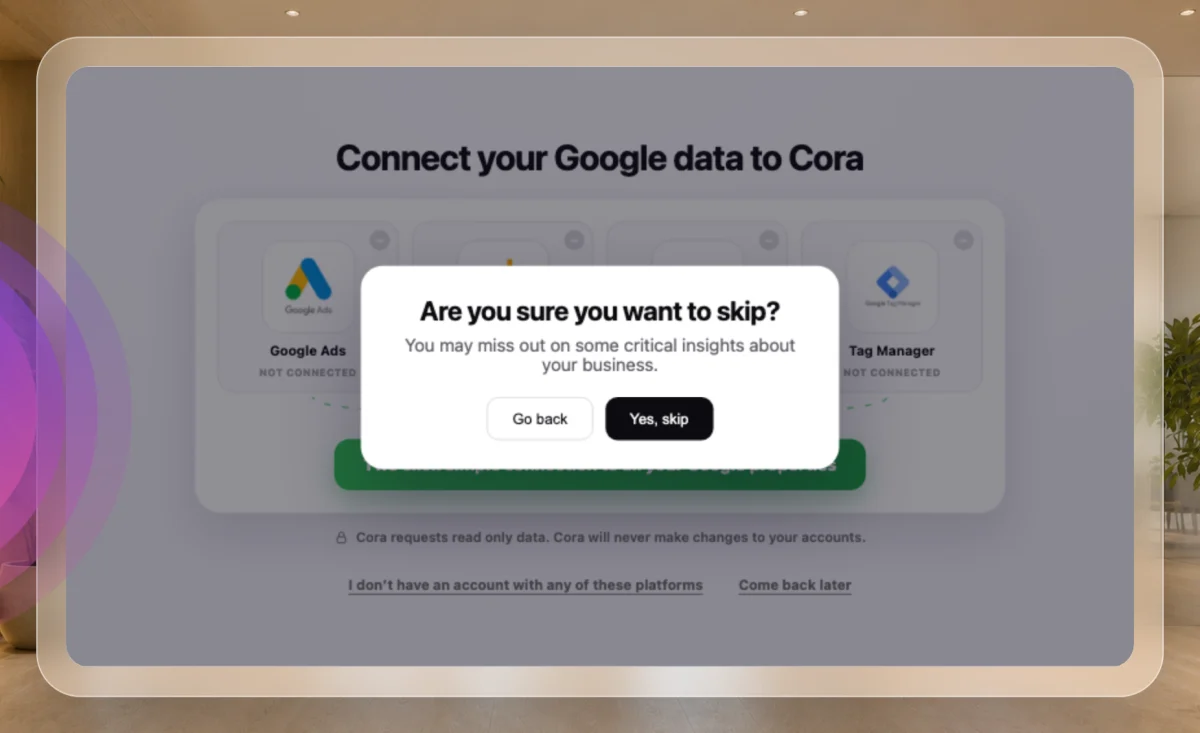
8 Yes, skip moves the call on.
What happens next
The next slide shows a tick for every platform you connected: All platforms successfully connected., or Connected, and we can add the rest later. if you skipped one. Cora reads what you connected straight away, so your strategy is built on your real numbers.
If you chose Come back later, your dashboard says Your marketing strategy is on hold. after the call. Click Connect Google in one click (or Meta) to connect, and Cora picks up where Cora left off; or click I no longer want to connect my Google account, then Build without Google.
Common questions
Does the call keep running while I sign in?
No. The call pauses while your browser is open and carries on when you come back. If you click Turn Cora's vision off in the green frame, Cora stops watching, and the call stays paused with a button to resume it.
What if the connection fails in the call?
The slide says it did not connect and why, and the button comes back. Try again, or skip and connect later from Connectors. See The connect window closes without connecting.
Can I connect after the call instead?
Yes, any time, from Connectors in the sidebar. See Connect Google Ads to CoraVision.