
Cora can't see my Meta ad account
After you sign in with Facebook, CoraVision says it could not find an importable Meta account, or it lists only your personal ad account. Almost always, your Facebook profile is not assigned to the business's ad account directly: assign it in Meta's Business Settings, then disconnect Meta and connect again, which takes about five minutes.
Beta testers only, for nowWhile Meta reviews CoraVision, Meta connections are open to invited beta testers. If Facebook says the feature is unavailable or the app is in development mode, your profile is not on the beta list yet: send us a message from the contact page.
Try this first: read what CoraVision found
-
Read the window CoraVision shows after you sign in. Confirm your ad account or Choose your ad account lists what Facebook returned. A message that it could not find an importable Meta account means Facebook returned nothing.
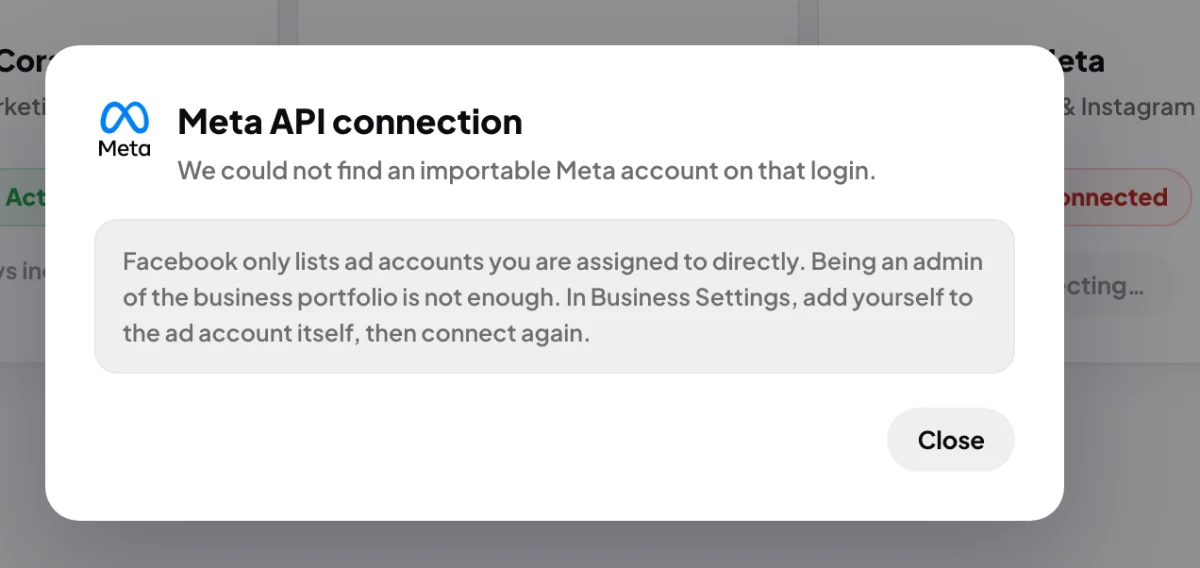
1 The note explains why the list can be empty. -
If a row is tagged Looks like your personal account, it carries your own name and is usually not the business's. Do not choose it. Click Cancel.
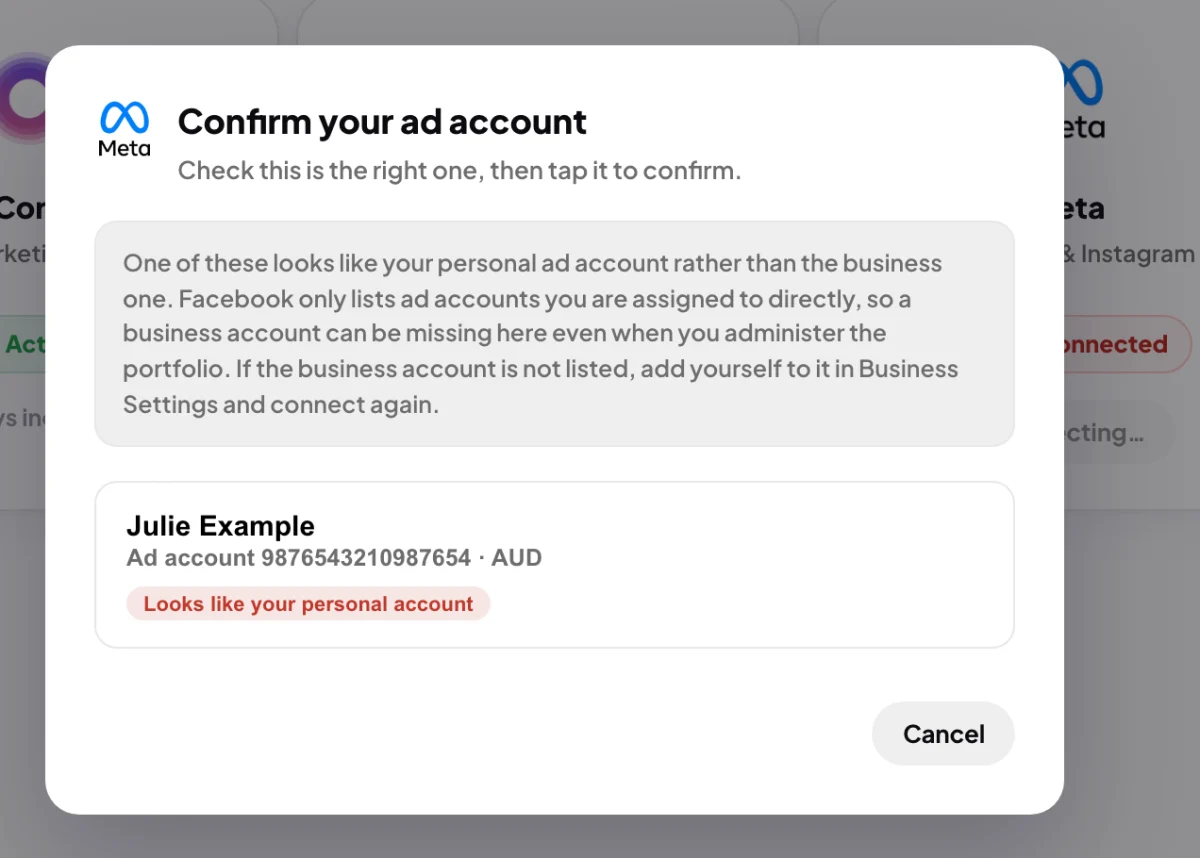
2 This tag means the account carries your own name.
Assign yourself to the ad account
-
In your web browser, open Meta's Business Settings for your business portfolio. Under Accounts, open Ad accounts and click the business's ad account.
-
Add yourself as a person with access to that ad account. Access that lets you view performance is enough, because Cora only reads. If you are not an admin of the portfolio, ask the person who is.
Connect again
-
In CoraVision, click Connectors in the sidebar. If the Meta card reads API connected, click Manage, then Disconnect Meta, type disconnect, click Disconnect Meta again and then Done.
-
On the Meta card, click Connect and log in to Facebook with the profile you assigned. If Facebook asks which ad accounts to share, select the business's ad account and click Continue.
-
Back in CoraVision, check the name and ID, then click the business's ad account. The Importing window shows a tick beside Meta Ads. Click Done.
What happens next
Cora reads the ad account straight away and every night after that. If the business's account is still missing after you assigned yourself, wait a few minutes for Meta to update and connect again, or send us a message from the contact page.
Common questions
I am an admin of the business portfolio. Why doesn't that count?
Facebook only lists ad accounts a person is assigned to directly. A portfolio admin can manage people and accounts, but is not assigned to every ad account automatically, so the account is left out of what Facebook gives CoraVision.
Why does the Meta card say API connected when no account was found?
The Facebook sign-in itself worked, so CoraVision keeps it, but there is no ad account behind it to read. Disconnect Meta and connect again after you assign yourself.
Can I type in the ad account ID instead?
No. CoraVision only lists what Facebook returns for your login, so the fix is always the assignment.