
Reconnect Meta after access expires
Meta gives CoraVision access for about 60 days at a time. CoraVision tries to renew it on its own in the last week; when it cannot, Manage on the Meta card says to reconnect soon and gives the date, and you renew by disconnecting Meta and connecting again, which takes a few minutes.
See when your Meta access ends
-
In the sidebar on the left of your dashboard, click Connectors.
-
On the Meta card, click Manage.
-
In the last seven days before access ends, a line under Meta Ads starts Reconnect soon and gives the date it expires, written year, month, day. If there is no such line, you have nothing to do.
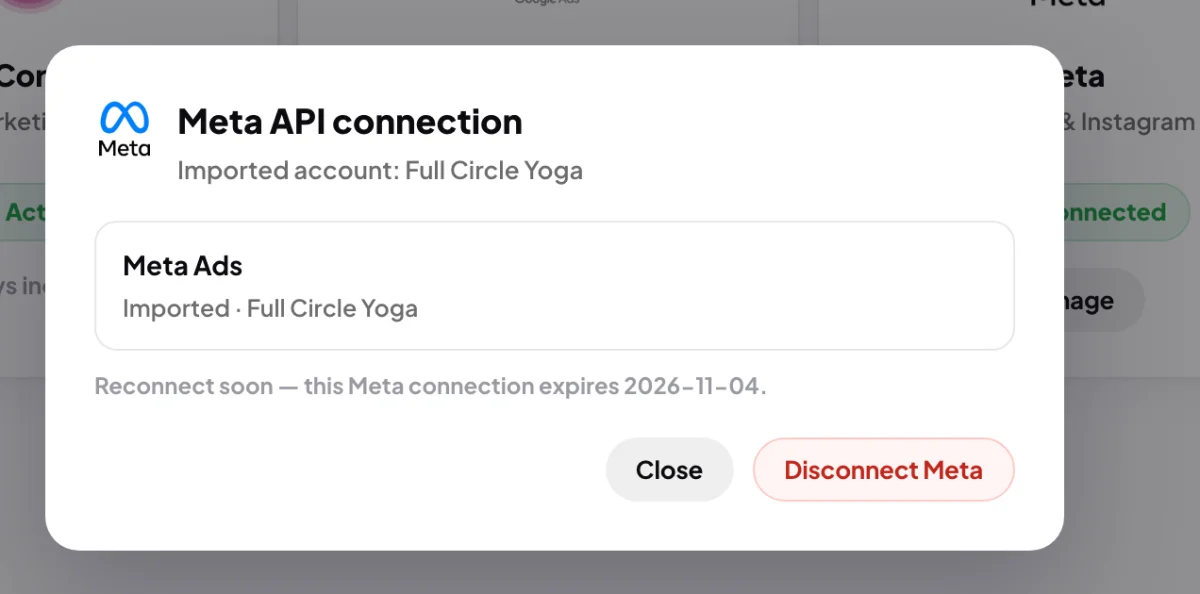
3 The Reconnect soon line and its date.
Renew before it expires
-
In the same window, click Disconnect Meta, type disconnect, and click Disconnect Meta again. Click Done.
-
On the Meta card, click Connect and log in to Facebook with the same profile as before. Click Continue on Facebook's screens.
-
Back in CoraVision, click the same ad account as before, then Done.
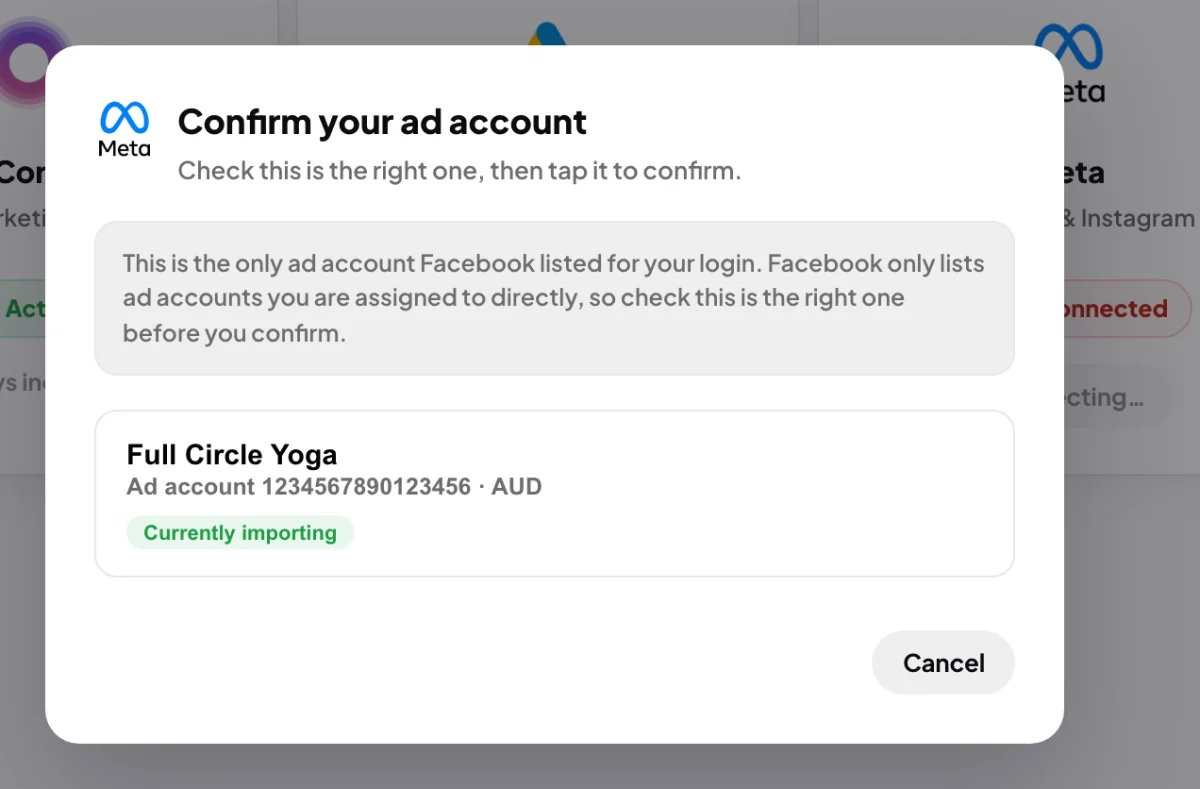
6 Choose the same ad account as before.
If it has already expired
-
After the date passes, the next nightly read finds the access has ended and the Meta card goes back to Not connected. Click Connect and log in to Facebook.
-
In CoraVision, the account Cora read before is tagged Currently importing. Click it, then Done.
What happens next
Cora reads your ad account again at the next nightly read, between about 2:00 am and 6:00 am Brisbane time, and fills in the days Cora missed, so the Meta card on your dashboard catches up by the morning. Nothing was lost while access was out: your past numbers and reports stay in your account.
While access is outCora cannot read new Meta numbers, so Cora's advice about your Facebook and Instagram ads rests on older figures until you connect again.
Common questions
Why does Meta access expire?
Meta does not give apps a permanent permission. Each sign-in lasts about 60 days, and CoraVision can only stretch it a little without you.
Will CoraVision remind me?
The reminder is the Reconnect soon line under Manage on the Meta card, in the last seven days. Check it once a month if you rely on your Meta numbers.
Does Google expire too?
Google gives CoraVision a lasting permission, so a Google connection does not need renewing on a timer. See Google says the app is unverified for one exception while CoraVision is in Google's review.