
Connect Google Tag Manager
Tag Manager connects through the same Google sign-in as Google Ads: you click Connect on the Google Ads card and allow Tag Manager. Cora reads which containers your account holds, so Cora can see how your website's tracking is set up, and Cora never adds, edits or publishes a tag.
- You know the Google sign-in that can open your Tag Manager account.
- Your Tag Manager account's name, or its container's domain, matches your business or website. CoraVision uses them to match it to your business.
Start the Google connection
-
In the sidebar on the left of your dashboard, click Connectors.
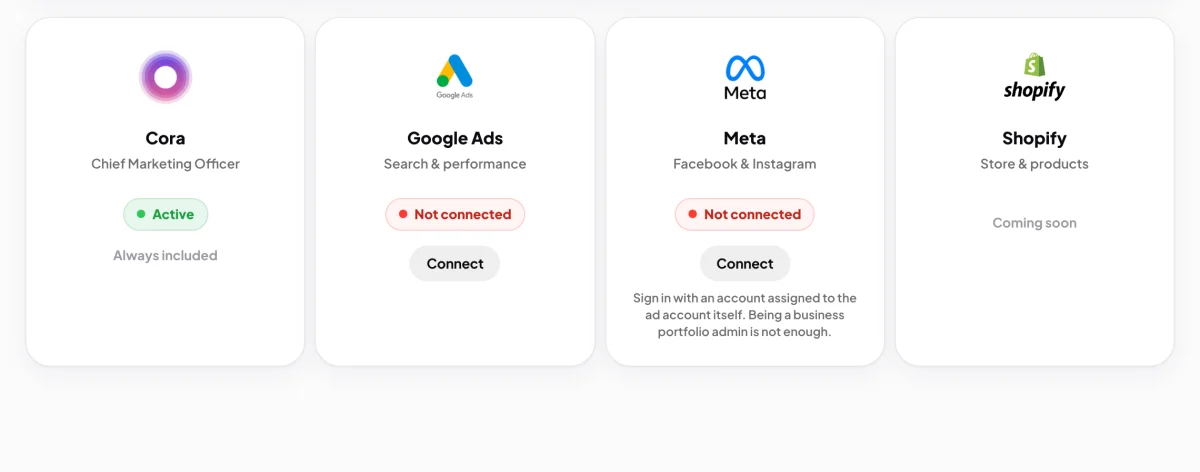
2 Tag Manager connects from the Google Ads card. -
On the Google Ads card, click Connect.
-
Your web browser opens on Google. Choose the Google account that can open your Tag Manager, and sign in if Google asks.
-
Make sure the Tag Manager box is ticked, then click Continue. CoraVision asks Google for its view-only Tag Manager permission.
Check Tag Manager is in
-
When CoraVision comes back, choose your business if it asks.
-
In the Importing window, look at the Tag Manager row. A tick and your account's name mean Cora will read it. Click Done.
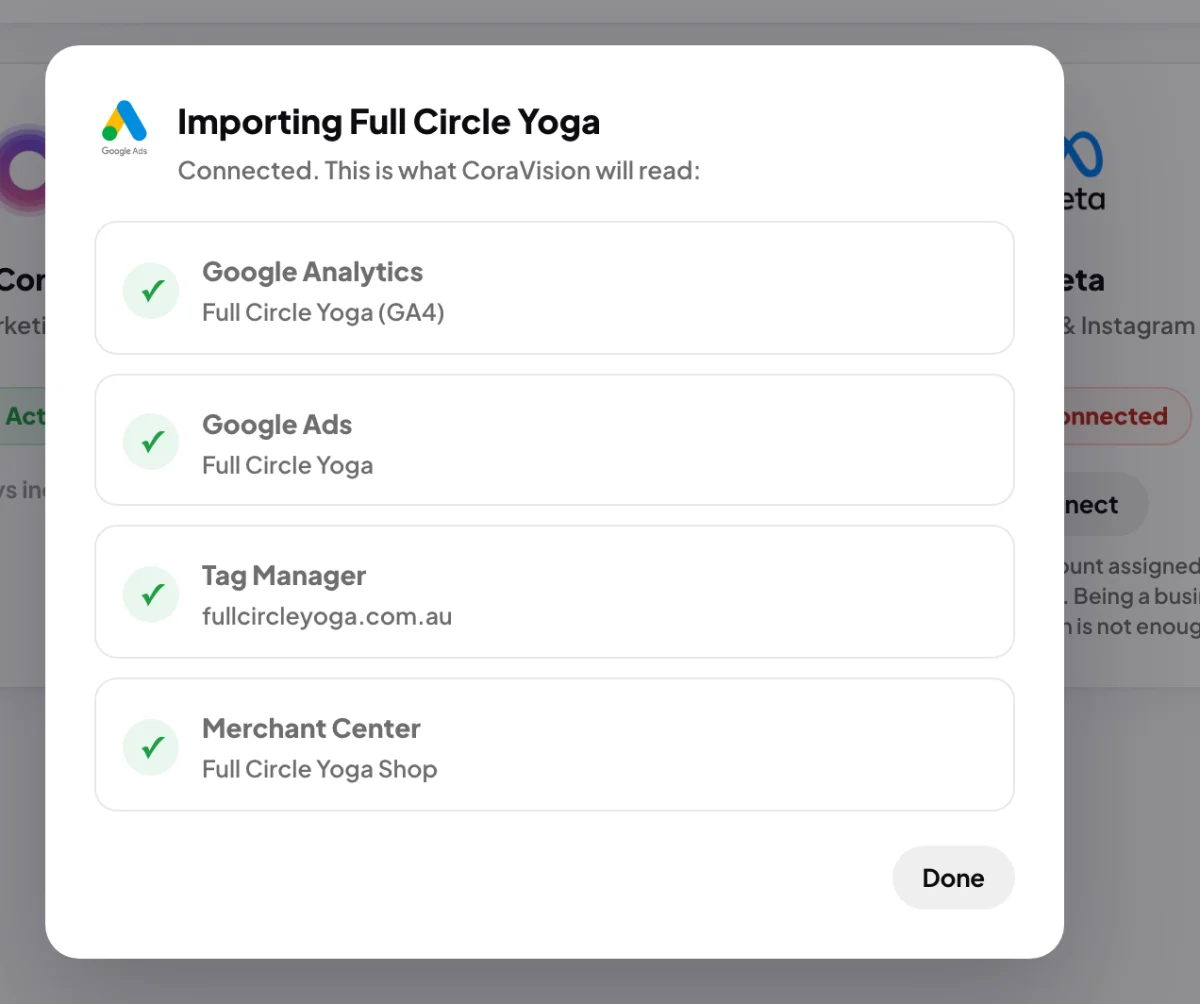
6 A tick beside Tag Manager means Cora reads it.
What happens next
Cora reads the names and IDs of your containers. Together with what Cora reads from Google Analytics and Google Ads, it helps Cora judge how far your tracking can be trusted, which feeds your trust score.
Common questions
I use Tag Manager but the row shows a cross. Why?
CoraVision could not match your Tag Manager account to this business: its name and its container's domain both differ from your business and website. If you have only one Tag Manager account and one business, it is matched anyway. Otherwise, rename the account in Tag Manager to match your business, then disconnect Google from Manage and connect again.
Will Cora add or change tags?
No. Cora can show you how to add a tag yourself, step by step, on your screen.
Do I need Tag Manager?
No. Many websites track without it. If you do not use it, the row reads none for this business.