
A call dropped or froze
If Cora goes quiet in the middle of a call, the call looks frozen, or the call window closes, the answers you have given are saved and you can carry on. Most drops fix themselves within a minute; the steps below go from the most common cause to the rarest.
Try this first: check the call window
-
If the call is greyed out and says Meeting paused, the call was paused, not frozen. Click Resume meeting. While a call is paused, your microphone and Cora's audio are both off.
-
If a note says The voice dropped out. Reconnecting, one moment..., wait. Cora reconnects without you doing anything and the call carries on from where it stopped. After a while the note changes to Still reconnecting the voice...; keep waiting.
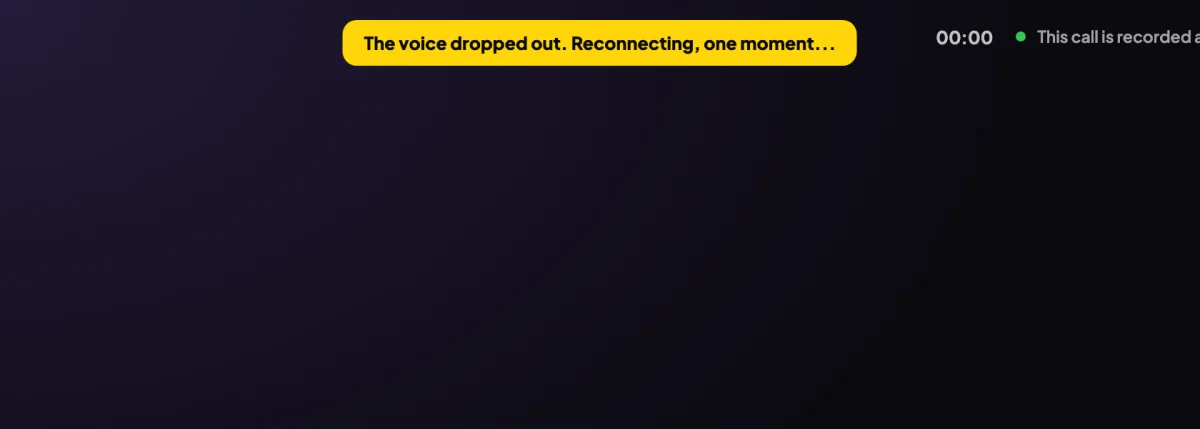
2 This note means Cora is reconnecting without you doing anything.
If you see This call could not start
-
Click Continue the call. The button reads Starting again…, and the call picks up the session it had.
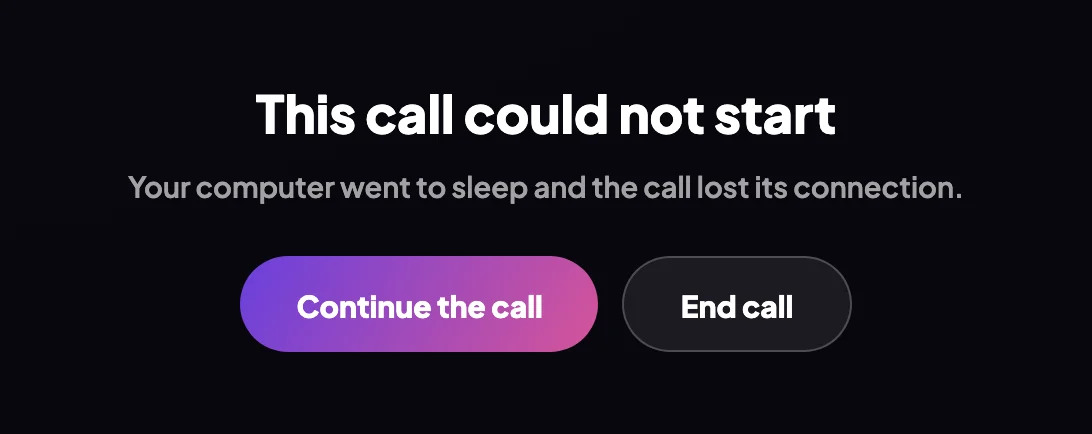
3 Continue the call carries on. End call leaves. -
Read the line under the title if Continue does not work. Could not reach the server to start this call. Check your connection and try again. means your internet dropped: check it, then try again. The voice service is not answering right now. Please close the call and try again in a few minutes. means Cora's voice could not reconnect for several minutes: click End call and come back later.
If the call window closed
-
Open CoraVision and sign in if it asks. For your onboarding call, click Rejoin the call on your dashboard; for your strategy session, click Start call again. Cora picks up at the part you had not finished.

5 Your dashboard remembers where you stopped. Do not click Start from scratchUnder Rejoin the call, Start from scratch deletes your onboarding answers so far. The full steps are in Rejoin a call that dropped.
If it keeps happening
-
Keep your computer awake and plugged in during a call. A laptop that goes to sleep, or a lid that closes, drops the call.
-
Use the strongest internet you can: sit closer to your router or use a cable, and pause big downloads or video streams on the same connection.
-
If calls still drop, send us a message from the contact page with the time it happened and your city, Mac or Windows, and the version at the bottom of your dashboard's sidebar. See Send a problem report with your app version.
What happens next
Cora carries on with the part of the call you had not finished, and the questions you already answered are not asked again. A long call carries on past the hour: CoraVision refreshes Cora's voice connection in a quiet moment, so you should not notice.
Common questions
Have I lost my answers?
No. Your answers are saved as you give them, so rejoining picks up after the last one.
My laptop went to sleep in the middle of the call
Wake it and look at the call window. If it shows This call could not start, click Continue the call.
Cora stopped talking but nothing is on screen
Check the call is not paused and that your sound is up. If Cora still says nothing for a minute, say something to Cora. If there is still nothing, click End call and rejoin from your dashboard.