
Cora repeats the same line or says something wrong
If Cora says the same line again and again, answers something you did not say, or gets a fact about your business wrong, Cora has usually misheard you or heard something in the room. Most of the time telling Cora is enough; the steps below go from that to starting afresh, and none of them lose your work.
Try this first: tell Cora
-
Say plainly what is wrong, in a short sentence: "That's wrong, we have two studios, not one." Cora listens to corrections like any other answer.
-
Check what Cora heard. In a call, click Transcript in the control bar. In the pill, click the menu button, then Chat / Transcript. If your words are missing or wrong there, Cora misheard: say it again, more slowly and in shorter sentences.
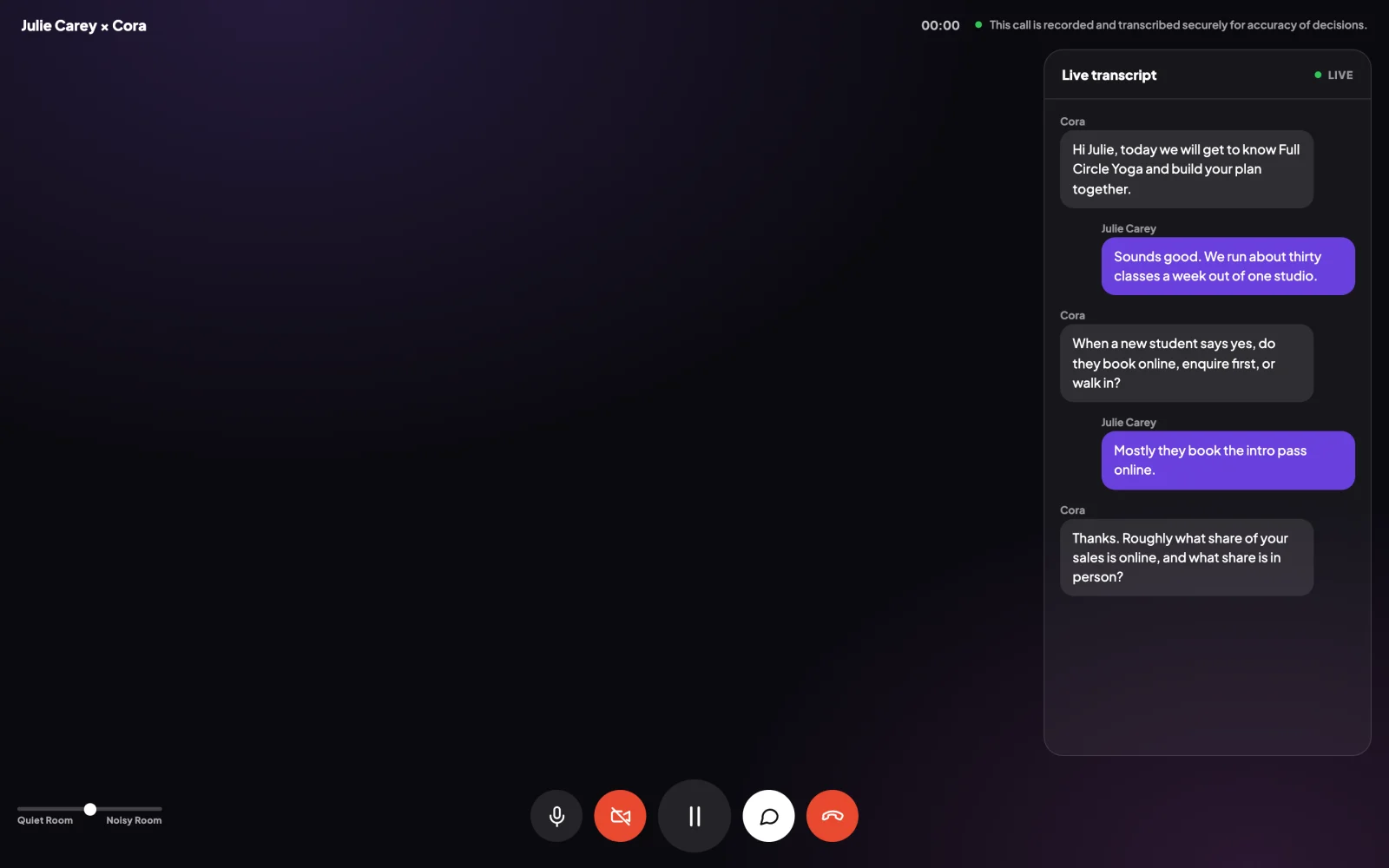
2 The transcript shows what Cora actually heard.
In a call: use the question box
-
While Cora waits for your answer, the question sits in a white box with round buttons: Repeat the question, Go back a question and Give me an example. Use Go back a question to fix an answer Cora got wrong.
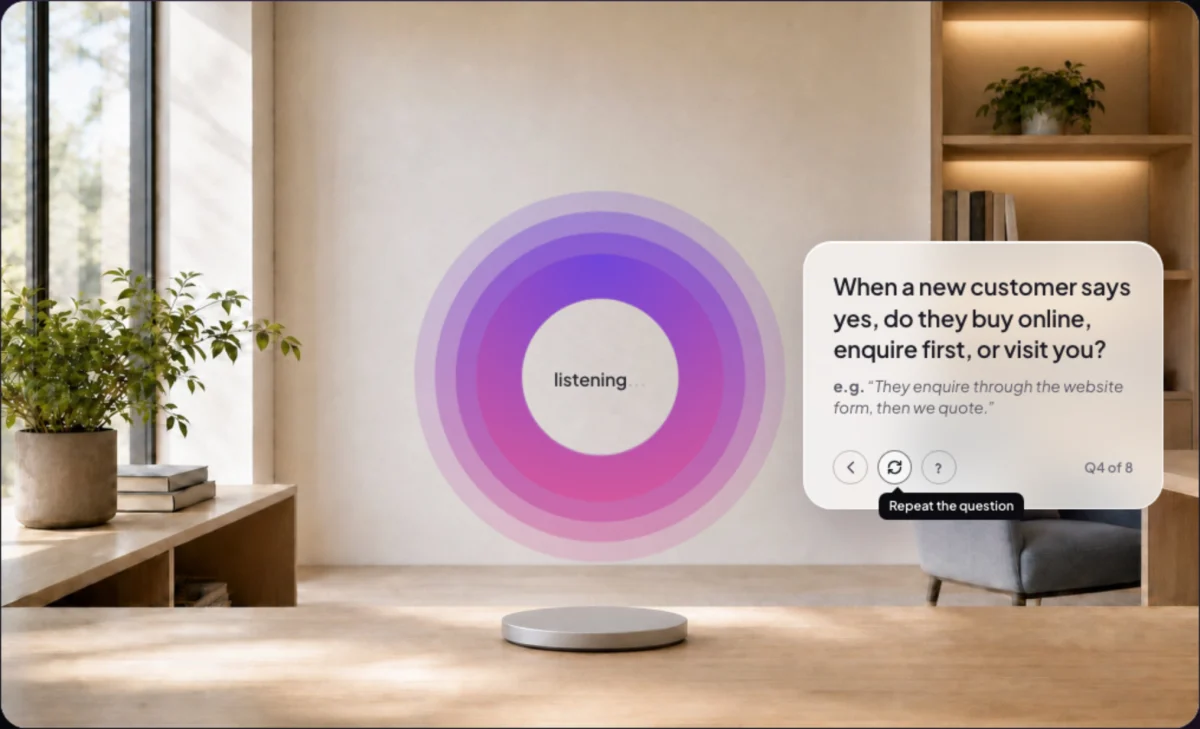
3 Go back, repeat, or ask for an example. In version 0.4.3The buttons answer once Cora has finished asking. If a press does nothing, wait for Cora to finish the question and press again.
-
If Cora keeps stopping or answering things you did not say, sound from the room or from your speakers is reaching Cora. Put on headphones and follow Background noise keeps interrupting Cora.
In the pill: start afresh
-
If Cora keeps repeating the same line about your screen, click End conversation on the pill, then turn Cora on again with the round button on the left.
-
If Cora still repeats the same line, open the menu and click Close Pill Mode, then start a new chat from your dashboard. See Start a chat in pill mode.
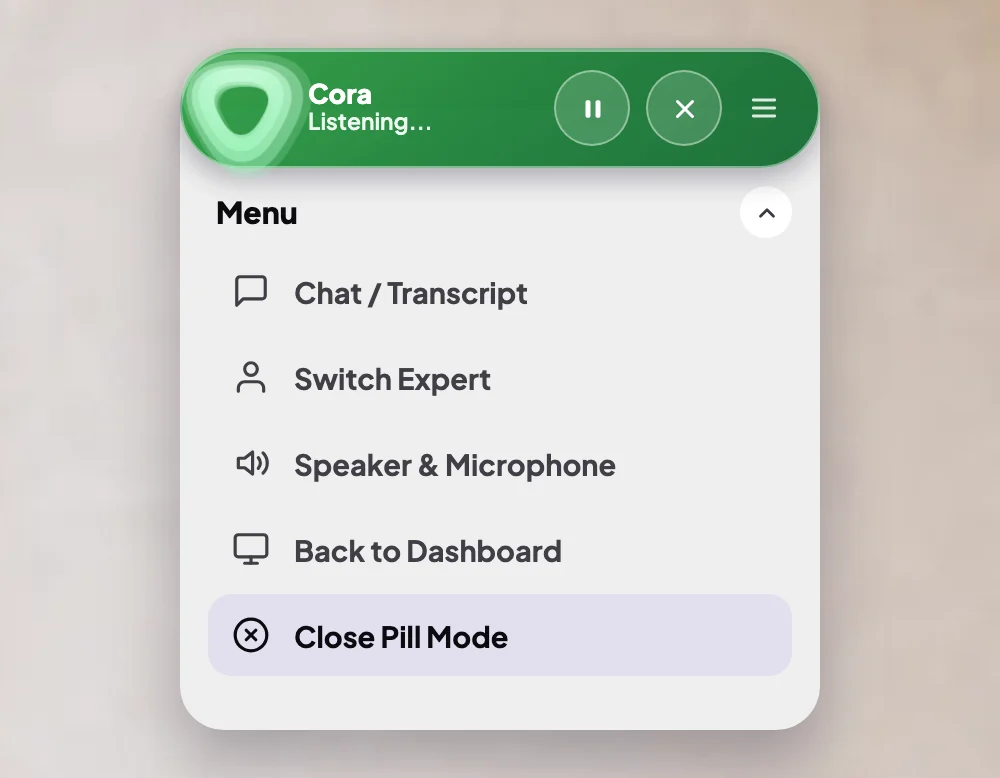
6 Close Pill Mode ends the chat. Start a new one from the dashboard.
If it keeps happening
-
Send us a message from the contact page. Tell us the name of the call or chat, roughly when it happened with your city, and what Cora said. That lets us find the moment and look into it.
What happens next
Once Cora has your correction, Cora carries on from it. Your earlier chats and calls stay in the sidebar with their transcripts, so you can check what was said at any time.
Common questions
Cora quoted a number that doesn't match my ad account
Check the numbers in your own account too. Cora reads your connected accounts every night, so a figure can be up to a day behind. If it is still wrong, tell Cora, and tell us from the contact page.
Is Cora always right?
No. Cora is an AI, and like any AI Cora can mishear or get things wrong. Cora shows you each step on your screen so you can check it before you act on it.
Can I delete a chat where Cora got things wrong?
Yes. Archive it, then delete it from the Archived tab: see Delete archived projects, chats and calls.